Instagram Video to Text Converter: Best Free Tools to Transcribe Reels (2026)
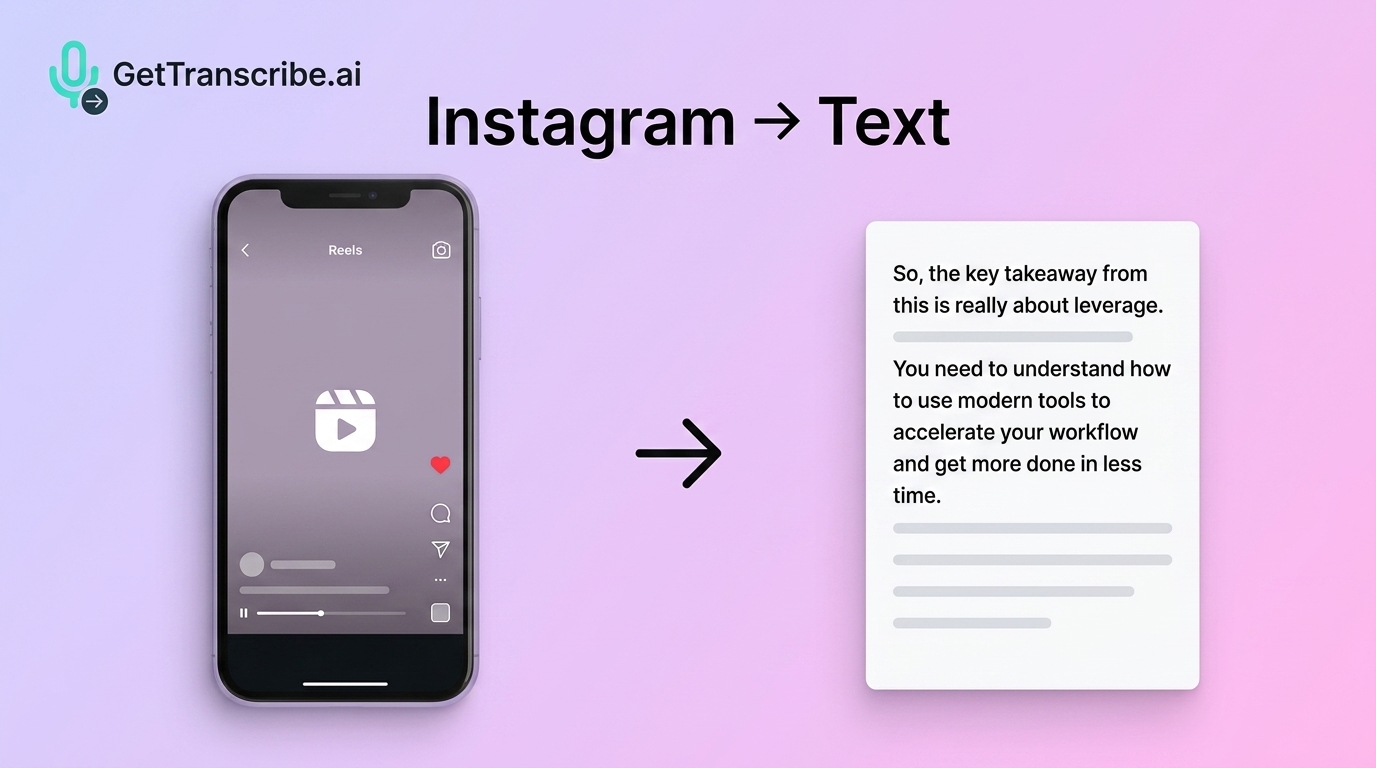
Paste any Instagram Reel or video URL into GetTranscribe and get an accurate transcript in under 60 seconds — free, no upload required, works even without native captions.
Instagram Video to Text Converter: Best Free Tools to Transcribe Reels (2026)
Instagram is one of the most content-rich platforms on the internet — but there's a frustrating catch: you can't search spoken words in a Reel, you can't copy the script from a video post, and Instagram's own caption system is inconsistent at best. If a creator drops valuable advice in a 60-second Reel, that content is essentially locked inside the video.
The good news? You don't have to watch it five times and take manual notes. The fastest free Instagram video to text converter in 2026 is GetTranscribe.ai — paste any public Instagram Reel or video URL and get a full, accurate transcript in under 60 seconds, no file upload required.
Whether you're a creator repurposing Reels into blog posts, a social media manager pulling captions, a marketer researching competitor hooks, or a developer building an automation pipeline, this guide covers everything you need to know.
🚀 TL;DR Paste any Instagram Reel or video URL into GetTranscribe.ai and get an accurate transcript in under 60 seconds — free, no upload required, works even without native Instagram captions.
What Is an Instagram Video to Text Converter?
An Instagram video to text converter is a tool that takes the audio from an Instagram Reel or video post and transcribes the spoken words into readable text. These tools use AI-powered speech recognition to process the audio track and return an accurate transcript — usually in seconds.
There are two main approaches to Instagram transcription:
URL-Paste Tools
You copy the Instagram video link, paste it directly into the tool, and the transcript is generated automatically. No downloading, no file management. GetTranscribe.ai is this type of tool.
File-Upload Tools
You first save the Instagram video to your device (which requires a third-party downloader), then upload the video file to the transcription tool. This adds 3–4 extra steps and introduces friction — especially frustrating on mobile.
Why URL-paste is clearly superior for Instagram users:
- No need to install a video downloader
- Works directly from a shared link or copied URL
- 1 step vs. 4–5 steps for file-upload tools
- No storage space used on your device
- Works from desktop or mobile browser instantly
For anyone regularly working with Instagram content, a URL-paste tool like GetTranscribe saves meaningful time every single day.
Top 5 Free Instagram Video to Text Converters (2026)
After testing the leading tools available in 2026, here's how they compare:
| Tool | URL Paste? | Free Tier | Accuracy | Languages | Export Formats |
|---|---|---|---|---|---|
| GetTranscribe.ai | ✅ Yes | ✅ Free trial | 95%+ | 30+ | TXT, SRT, VTT, JSON |
| Choppity | ❌ File upload only | ✅ Limited | ~85% | 10+ | TXT, SRT |
| WayinVideo (Wayin.ai) | ✅ Yes | ⚠️ 60 min/day, signup required | ~88% | 20+ | TXT, SRT |
| Proactor.ai | ✅ Yes | ⚠️ Very limited | ~85% | 15+ | TXT |
| SpeakApp | ✅ Yes | ⚠️ Limited free | ~87% | 20+ | TXT, SRT |
Why GetTranscribe.ai Wins
GetTranscribe is the only tool in this comparison built specifically for social media URL transcription across 7 platforms (Instagram, TikTok, YouTube, Facebook, Pinterest, X/Twitter, and Google Drive). Key advantages:
- No upload required — paste the IG link directly
- 95%+ accuracy for clear audio in English
- Under 60 seconds turnaround time
- 30+ languages with automatic detection
- Developer API with native n8n, Make, Zapier, ChatGPT, and Claude integrations
- SOC 2 Type II certified — enterprise-grade security
Competitor gap: Choppity's own FAQ states "save the Reel to your device first, then upload it here." That's a deal-breaker for users who want a one-click workflow. GetTranscribe eliminates that friction entirely.
How to Convert Instagram Video to Text Free (Step-by-Step)
Converting any Instagram Reel or video to text with GetTranscribe takes less than 60 seconds. Here's exactly how:
Step 1: Copy the Instagram Reel or Video URL
On Instagram (desktop or mobile), open the Reel or video post. Tap the three-dot menu (⋯) → Copy Link. You now have the full Instagram URL in your clipboard.
Step 2: Paste the URL into GetTranscribe.ai
Go to gettranscribe.ai/instagram-transcription and paste the copied URL into the transcription field. Select your language (or leave it on auto-detect) and click Transcribe.
Step 3: Get Your Transcript in Under 60 Seconds
GetTranscribe processes the audio track directly from the Instagram video. Within seconds, you'll have a full, readable transcript with timestamps. You can then edit, copy, download (TXT, SRT, VTT, JSON), or chat with AI about your transcript.
💡 Pro Tip: Install the GetTranscribe Chrome Extension to transcribe any Instagram video with a single right-click — without even opening a new tab. Works for Reels, standard video posts, and public Instagram videos even if they don't have native Instagram captions.
What Can You Do with Your Instagram Video Transcript?
Once you have your Instagram transcript, the possibilities multiply. Here are the highest-value use cases:
1. Content Repurposing
A single 60-second Reel can become a 600-word blog post, a newsletter section, a Twitter/X thread, and a LinkedIn carousel — all from one transcript. Use GetTranscribe to turn Instagram Reels into blog posts in minutes rather than hours.
2. Caption Creation
Edit your transcript into a punchy Instagram caption. You already have the spoken content — just tighten it up, add hashtags, and you're done. No rewriting from scratch.
3. Competitor Research & Analysis
This is one of the most underrated use cases. Paste a competitor's Reel URL into GetTranscribe, get the full transcript, and instantly see their hooks, CTAs, and messaging frameworks. Use competitor video analysis using transcription to reverse-engineer what's working in your niche.
4. Accessibility
Not everyone can consume audio content. A text transcript makes your Reels accessible to deaf and hard-of-hearing audiences — and it's the right thing to do.
5. Multi-Platform Content Recycling
One Instagram Reel transcript can feed:
- YouTube video description
- Pinterest pin caption
- LinkedIn post
- Medium article
- Email newsletter excerpt
- Podcast show notes
6. Research & Archiving
Journalists, researchers, and analysts can transcribe Instagram Reels for free to create searchable archives of spoken content from public figures, brand announcements, or trend analysis.
Want to go even further? Learn how to extract scripts from viral videos to understand exactly what makes top-performing content work.
Does It Work Without Instagram's Native Captions?
Yes — absolutely. This is one of GetTranscribe's most important differentiators.
Instagram introduced auto-generated captions as a feature in 2022, but many older Reels don't have them. Even newer Reels sometimes have captions disabled by the creator, inaccurate auto-captions, or no captions at all in non-English languages.
GetTranscribe does not rely on Instagram's caption system. It processes the actual audio track from the video — the spoken words — using its own AI speech recognition engine. This means:
- ✅ Works for Reels posted before Instagram's caption feature existed
- ✅ Works when the creator has captions turned off
- ✅ Works for videos where Instagram's auto-captions are inaccurate
- ✅ Works for non-English content (30+ languages supported)
This audio-first approach is fundamentally different from tools that simply scrape Instagram's CC system. You get a genuine AI-generated transcript from the spoken audio — not a copy of whatever Instagram's system produced.
GetTranscribe vs Competitors: Detailed Comparison
Here's a deeper comparison across the dimensions that matter most to creators, marketers, and developers:
| Feature | GetTranscribe | Choppity | WayinVideo | Proactor.ai | Transkriptor |
|---|---|---|---|---|---|
| Upload required? | ❌ URL only | ✅ File upload | ❌ URL paste | ❌ URL paste | ❌ URL paste |
| Free tier | ✅ Free trial | ✅ Limited | ⚠️ 60 min/day | ⚠️ Very limited | ⚠️ Limited |
| Accuracy | 95%+ | ~85% | ~88% | ~85% | ~90% |
| Platforms beyond IG | 7 platforms | 3–4 | 3–4 | 4–5 | 4–5 |
| Export formats | TXT, SRT, VTT, JSON | TXT, SRT | TXT, SRT | TXT | TXT, SRT, DOCX |
| REST API | ✅ Full API | ❌ | ❌ | ✅ Limited | ✅ |
| n8n / Make integration | ✅ Native nodes | ❌ | ❌ | ❌ | ❌ |
| ChatGPT / Claude MCP | ✅ | ❌ | ❌ | ❌ | ❌ |
| SOC 2 certified | ✅ | ❌ | ❌ | ❌ | ❌ |
| Pricing starts at | $7.99/mo | Freemium | Freemium | Freemium | $9.99/mo |
GetTranscribe's clear wins: URL-paste simplicity, broadest platform coverage (7 platforms), most developer integrations (API + n8n + Make + Zapier + MCP), and enterprise-grade security certification.
Check GetTranscribe pricing for the latest plan details — Basic starts at $7.99/mo with a free trial available.
How to Use the Instagram Transcription API (for Developers)
If you're building a content automation system, a social media monitoring tool, or any application that needs Instagram transcripts at scale, GetTranscribe's REST API is built for you.
Basic workflow:
- Send a
POSTrequest to the GetTranscribe API endpoint with your Instagram URL and API key - Receive a full transcript JSON response in under 60 seconds
- Use the transcript data in your application, database, or downstream workflow
This opens up powerful automation possibilities:
- n8n: Use the native GetTranscribe n8n node to trigger transcription workflows on new Instagram posts, webhook events, or scheduled batches
- Make (Integromat): Drag-and-drop automation — when a new Reel is posted, auto-transcribe and push to Notion, Airtable, Google Sheets, or Slack
- Zapier: Connect GetTranscribe to 5,000+ apps without writing code
- ChatGPT / Claude via MCP: Ask your AI assistant to "transcribe this Instagram video" and have it work through the GetTranscribe MCP connector
Visit the GetTranscribe REST API documentation to get your API key and review the full endpoint reference.
Frequently Asked Questions
Is the Instagram video to text converter really free?
Yes. GetTranscribe offers a free trial that lets you convert Instagram videos to text at no cost — no credit card required to start. Paid plans begin at $7.99/month (Basic) for higher volume usage. You can check all plan options on the pricing page.
Does it work on Instagram Reels without captions?
Absolutely. GetTranscribe processes the audio track directly using AI speech recognition — it does not rely on Instagram's native caption system. This means it works even for Reels that have captions disabled, Reels from before Instagram's caption feature launched, and any Reel where the auto-captions are inaccurate.
How accurate is Instagram video transcription?
GetTranscribe achieves 95%+ accuracy for clear audio in English. Accuracy may be slightly lower for videos with heavy background music, strong accents, very fast speech, or poor audio quality. For 30+ supported languages, accuracy is high for widely spoken languages and varies for rarer ones.
Can I transcribe private Instagram videos?
No. GetTranscribe can only transcribe public Instagram videos and Reels. If a profile is set to private or the video has been restricted, the tool cannot access the audio. Make sure the Instagram account is public before copying the link.
What file formats can I export the transcript in?
GetTranscribe supports export in TXT (plain text), SRT (SubRip subtitle format), VTT (WebVTT for web captions), and JSON (structured data for developers). SRT and VTT files are particularly useful for adding captions to other video platforms like YouTube or LinkedIn.
Does GetTranscribe work for videos in languages other than English?
Yes — 30+ languages are supported, with automatic language detection. You can also manually select the language before transcribing to improve accuracy. Supported languages include Spanish, French, German, Portuguese, Italian, Japanese, Korean, Chinese (Mandarin), Arabic, and many more.
Can I transcribe multiple Instagram videos at once?
Yes, on the Starter and Pro plans. The Bulk Transcription feature lets you submit up to 5 (Starter) or 10 (Pro) video URLs at once and process them all simultaneously. For larger volumes, use the REST API with concurrent requests.
How does GetTranscribe compare to manually copying captions from Instagram?
Instagram's auto-captions are often inaccurate, incomplete, or unavailable. Manually copying them is slow, error-prone, and impossible for videos without captions. GetTranscribe generates a fresh, accurate transcript from the audio in under 60 seconds — far faster and more reliable than any manual approach.
Does it work with Instagram Stories?
Instagram Stories are temporary and typically set to expire after 24 hours, which makes URL-based access unreliable. GetTranscribe works best with Reels and standard video posts that are publicly accessible via a permanent URL.
Can I use this for competitor research?
Yes — and this is one of the most powerful use cases. Paste any competitor's public Reel URL into GetTranscribe and get a full transcript of their script, hooks, and CTAs. You can then analyze their messaging, spot content patterns, and use insights to inform your own content strategy. See our guide on competitor video analysis using transcription for a full workflow.
Start Converting Instagram Videos to Text — Free
Instagram is a goldmine of spoken content. Every Reel, every video post, every creator tutorial is packed with information, insights, and ideas — but that content stays locked away unless you can extract it as text.
GetTranscribe makes it effortless. Paste any public Instagram Reel URL and get a full, accurate transcript in under 60 seconds. No downloading videos. No file uploading. No complex setup. Just paste the link and get the text.
Whether you need one transcript or thousands, GetTranscribe's Instagram transcription tool — and its Instagram Reels transcript generator guide — have you covered.
Start transcribing Instagram videos for free — no upload, no account required →
By Daniel Vengoechea · Last updated: July 2026