Results vary with music, noise, and overlapping speech.
What is GetTranscribe?
What is a Pinterest video transcript?
A Pinterest transcript is the complete spoken text of a video Pin — every word narrated in an Idea Pin, tutorial, or product video, written out so you can repurpose, caption, or analyze without rewatching.
GetTranscribe turns that audio into editable text, SRT caption files, and timestamped segments so you can build Pinterest SEO descriptions, blog posts, and video scripts from content that already performs on Pinterest — without manual typing.
Mobile App
Transcribe Pinterest videos straight from your phone. No desktop needed.
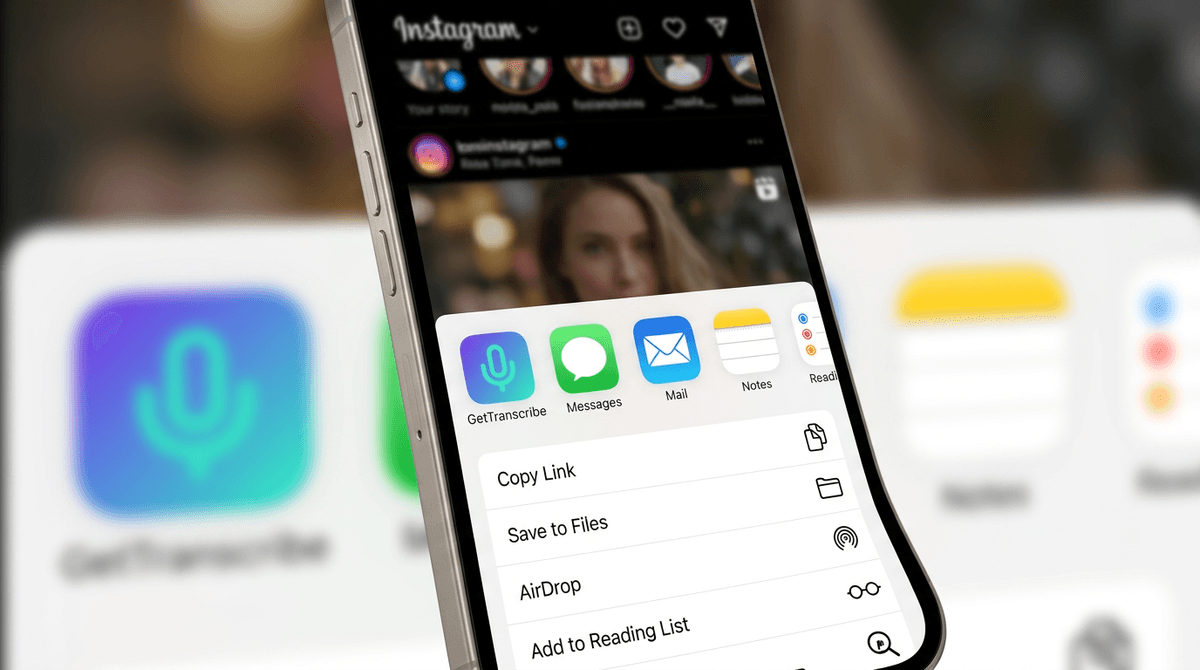
Share any public video Pin directly from the Pinterest app into GetTranscribe. Get the transcript, save it to a folder, and repurpose it — all from your pocket.
Share a Pinterest Pin into GetTranscribe in one tap
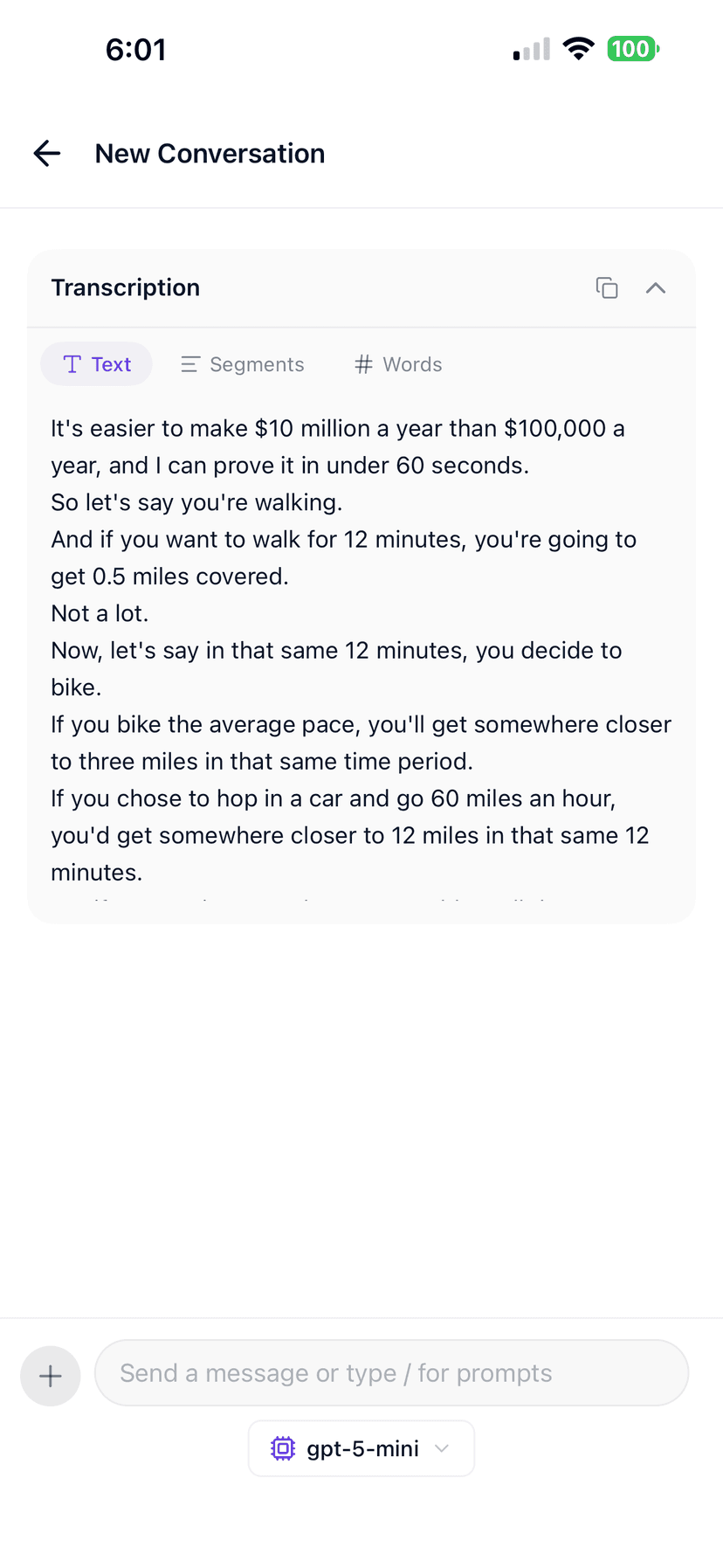
Paste a public Pinterest video Pin URL, transcribe, then switch between full text, timed segments, and word-level view — exactly like inside GetTranscribe after a job finishes.
Same layout as the in-app chat
Illustrative sample—toggle Text, Segments, and Words like after a real transcription. Sign in to run your own Reels.
Auto
Auto Detect
Transcription
Hey everyone—three quick hooks that stopped the scroll on our last campaign.
First: show the result in the first second, then explain how you got there.
Second: use on-screen text that matches what you say out loud.
Third: end with one clear CTA.
Duration: 0:2836 words
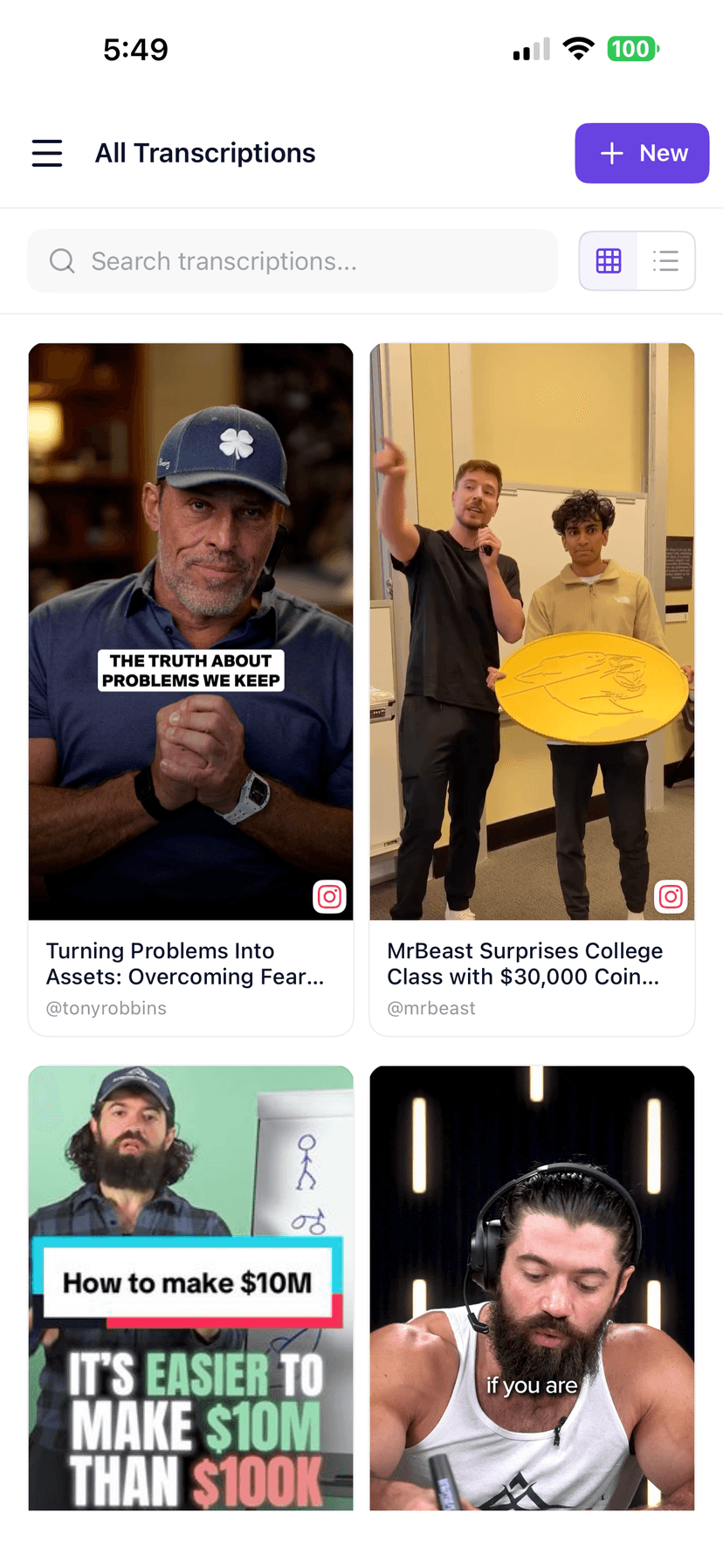
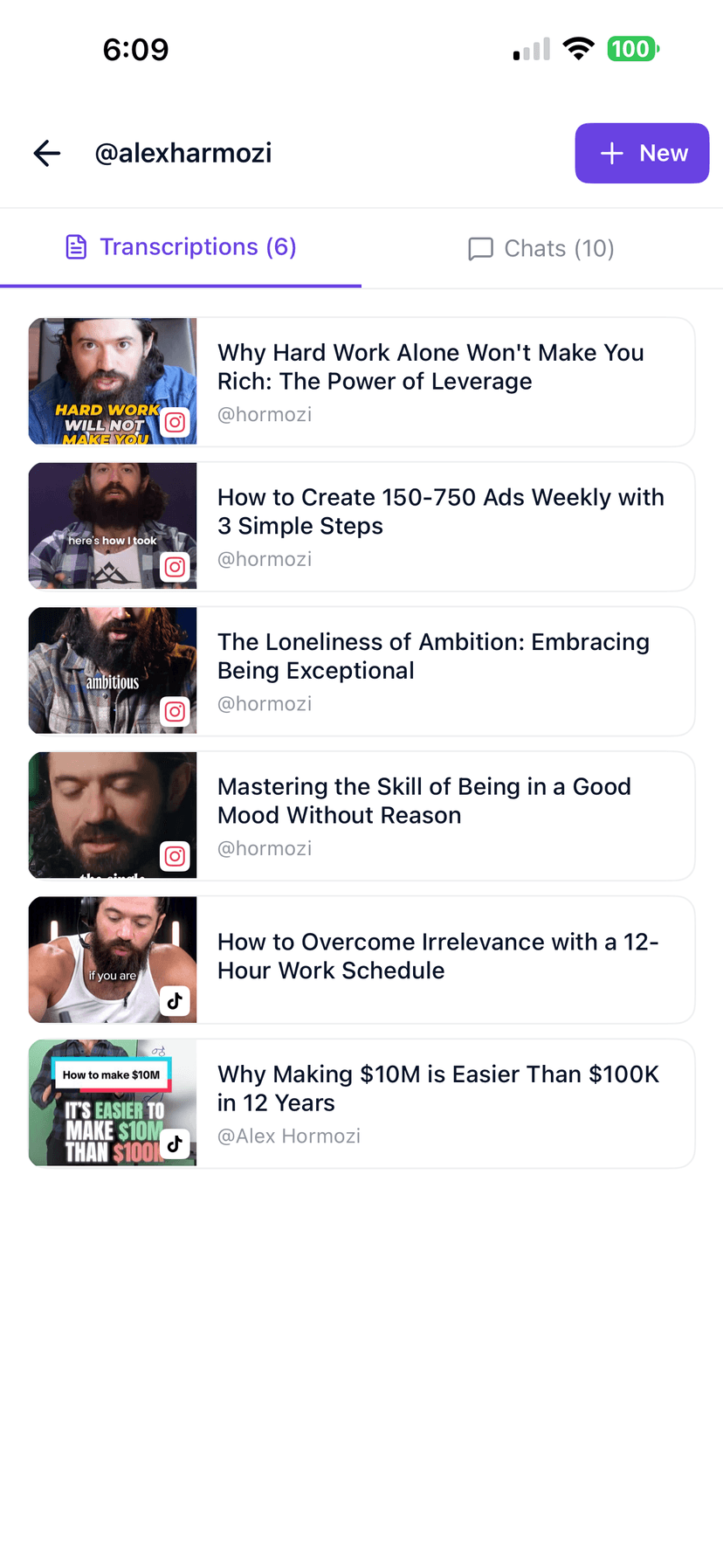
After you transcribe, keep everything in folders, run bulk jobs, or plug into integrations.
Supported content
Supported Pinterest content types
Standard video Pins
Any public video Pin with audible speech.
Idea Pins
Multi-page Idea Pins with narration or voiceover.
Product video Pins
Shopping videos with presenter or voiceover audio.
Tutorial Pins
How-to and instructional video Pins with step-by-step narration.
Limitations
—Private Pins, secret boards, and login-gated content cannot be fetched.
—Video Pins with only background music and no speech have nothing to transcribe.
—Heavy ambient audio or music beds increase word-level error rates — plan a light edit for brand-safe quotes.
How it works
How to get a transcript from a Pinterest video Pin
Open the Pin on Pinterest web or app and click the Share → Copy link option.
Paste the URL into the box at the top of this page. On desktop you can also use the Chrome extension for one-click transcription. On mobile, share from the Pinterest app into the iOS or join the Android waitlist.
Tap Get Transcript and wait a few seconds while we pull the audio and run speech-to-text.
Review the text, then copy, download SRT, or send to your team.
Optional: save the run in a folder, run bulk batches, or connect an automation via integrations.
1. Copy Link
Copy the public URL of any Pinterest video Pin from your browser.
2. Paste & Transcribe
Paste the link above, hit "Get Transcript" and let our AI work.
3. Download & Share
Copy the text, download SRT captions, or export to your editor.
Exports
What you can export
Plain text
Clean paragraphs you can drop into Notion, Google Docs, or a script.
Timestamped transcript
Lines tied to timecodes so editors can find moments fast.
SRT captions
Standard subtitle file for Premiere, CapCut, Descript, and social uploads.
Copy to clipboard
One click to paste into DMs, briefs, or content calendars.
Integrations
Transcribe anywhere, integrate everywhere
Use the Chrome extension, iOS app, n8n, Make, Zapier webhooks, MCP, or the REST API in your transcription workflow. Android users can join the waitlist.
Browser
Chrome Extension
Right-click any public Pinterest video in Chrome and transcribe it without leaving your tab. No copy-paste required.
Pinterest tutorial and Idea Pin narrations with clear speech usually produce the best transcripts. Pins with background music, ambient sound, or voiceovers recorded over noisy environments have higher error rates — that is normal for every automatic transcript engine. Quality always depends on the audio.
See every language we tune for on the supported languages page. Private or login-gated Pinterest URLs are never processed.
Use cases
Best use cases
Content creators
Turn winning Idea Pins into blog posts, SEO descriptions, and email content.
E-commerce brands
Extract product video scripts to repurpose as ad copy and landing page text.
Video editors
Drop SRTs into CapCut or Premiere and skip manual caption typing for Pins.
Bloggers
Turn tutorial Pins into step-by-step written guides with timestamped accuracy.
Agencies
Brief copywriters with verbatim pulls from client Pinterest video campaigns.
Marketers
Analyze competitor Pinterest video content and capture exact messaging at scale.
Languages
Transcribe in 50+ languages
Our AI auto-detects the language spoken in the video — no manual selection needed. From Hindi to Spanish to English, paste the link and get the transcript.
🇮🇳
Hindi
हिन्दी
🇺🇸
English
Most accurate
🇪🇸
Spanish
Español
🇧🇷
Portuguese
Português
🇫🇷
French
Français
🇩🇪
German
Deutsch
🇯🇵
Japanese
日本語
🇰🇷
Korean
한국어
🇨🇳
Mandarin
普通话
🇮🇩
Indonesian
Bahasa
🇮🇹
Italian
Italiano
🇸🇦
Arabic
عربي
Also supported:DutchPolishSwedishTurkishRussianVietnameseThaiUkrainianRomanianGreekDanishFinnishNorwegianHebrewMalayTagalogSwahili+ more
Comparison
GetTranscribe vs other workflows
Topic
Manual
GetTranscribe
Speed
Re-watching and typing a Pinterest tutorial takes minutes per Pin.
Public URL in — full transcript out typically about a minute, plus SRT export.
Generic AI tools
You still download or screen-record the Pin, then upload files.
Built for social URLs, folders, bulk, API, and mobile share.
Pinterest SEO
Writing descriptions from memory misses key spoken phrases.
Verbatim transcript reveals the exact words to use in Pin descriptions.
About
Built for social video workflows
Built by Daniel Vengoechea, AI systems builder. Designed specifically for creators and marketers working with Pinterest, Instagram, and TikTok content. Learn more on our About page.
3-day self-service refund. No questions asked.
Start transcribing Pinterest videos at $0.06/min — cancel or refund directly from your account.
Straight answers for the searches people actually type before they transcribe a video.
Can I transcribe Pinterest Idea Pins?
Yes. Copy the public Idea Pin link from the Pinterest app or browser, paste it into GetTranscribe, and get your transcript — typically about a minute for short Pins. Idea Pins with voiceovers or narrated tutorials work especially well.
What types of Pinterest videos can I transcribe?
You can transcribe standard video Pins, Idea Pins, product videos, and tutorial Pins — any Pinterest video that is publicly accessible and contains audible speech.
Can I transcribe private Pinterest Pins?
No. GetTranscribe can only process public Pinterest URLs. Secret boards, private Pins, or content behind a login wall cannot be accessed by our service.
How do I get the link to a Pinterest video Pin?
Open the Pin on Pinterest web or app, click the Share icon, and choose 'Copy link'. Paste that URL directly into GetTranscribe. The link should start with pinterest.com/pin/.
Can I export captions for Pinterest videos?
Yes. After transcription you can download an SRT caption file, copy plain text, or view a timestamped transcript. SRT files can be imported into video editors like CapCut or Premiere for caption overlays before repinning.
Does it work with Pinterest shopping videos?
Yes, as long as the product video Pin is publicly accessible. Pinterest shopping video ads with narration or presenter speech can be transcribed to extract selling points and script copy.
How much does it cost?
Pay-as-you-go is $0.06 per minute of audio processed. Most Pinterest videos are short, so a typical Pin costs under $0.05. Free includes 2 lifetime video transcriptions and 10 lifetime AI messages. Basic is $7.99/mo; Pro is $9.99/mo. See pricing for the full breakdown.





/SVGs/OpenAI-white-monoblossom.svg)