How to Use ChatGPT for Video Transcription (The Native MCP Workflow with GetTranscribe)
ChatGPT can now transcribe videos natively via MCP — no downloads, no audio extraction, no third-party tools. Learn how to connect GetTranscribe to ChatGPT in 5 minutes and start transcribing Instagram, TikTok, and YouTube videos directly from the chat window.
Last Updated: April 2026 · By Daniel Vengoechea, AI Systems Builder & Founder of GetTranscribe.ai
TL;DR
- Yes, ChatGPT can transcribe videos natively via MCP (Model Context Protocol) — no downloads, no audio extraction, no third-party APIs required
- GetTranscribe's MCP server connects directly to ChatGPT: paste any Instagram, TikTok, YouTube, Facebook, Pinterest, or Twitter/X video URL in the chat and ask ChatGPT to transcribe it — done in under 60 seconds
- 5-minute setup: Get your
gtr_API key → enable Developer Mode in ChatGPT Plus → add the MCP connector → paste a video URL- Unlike all competitors, this workflow keeps everything inside ChatGPT — no context switching, no file handling, no stitched-together tools
Can ChatGPT Transcribe Videos? (The Real Answer in 2026)
Here's the answer most search results get wrong.
Out of the box, ChatGPT cannot access video URLs or audio files. It has no built-in mechanism to fetch a TikTok Reel, process a YouTube video, or extract speech from any media — it's a language model, not a transcription engine.
So when people search "ChatGPT transcribe video," they typically find one of two types of answers: (1) blog posts explaining that ChatGPT can't do this at all, or (2) guides describing a cumbersome multi-tool pipeline — download the video, extract the audio file, upload it to OpenAI's Whisper API, wait for the transcript, then paste the text back into ChatGPT for analysis.
That manual pipeline is now obsolete.
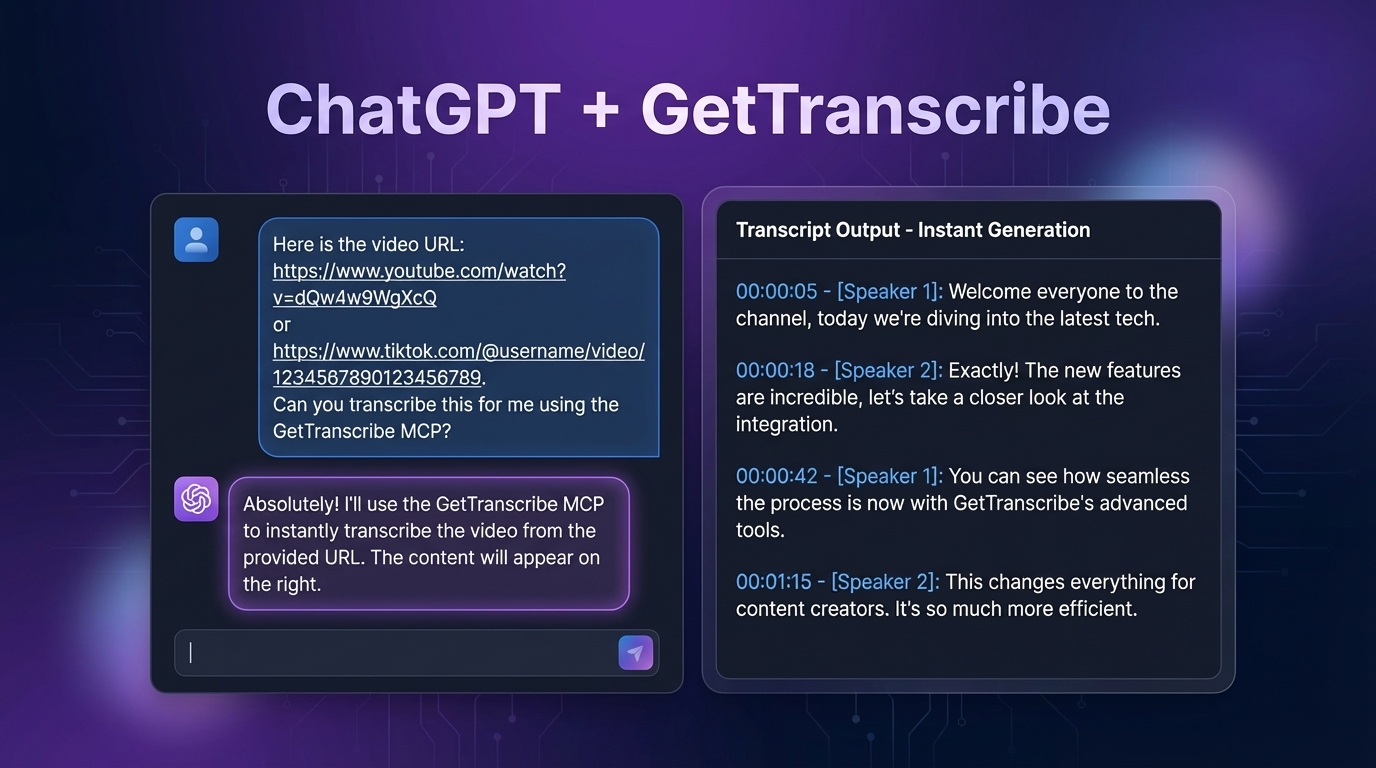
With GetTranscribe's ChatGPT integration via MCP, you can paste any Instagram, TikTok, YouTube, Facebook, Pinterest, or Twitter/X video URL directly into ChatGPT and ask it to transcribe. The transcript appears in under 60 seconds — no downloads, no audio extraction, no third-party APIs, and without ever leaving the ChatGPT chat window.
This is the breakthrough that every competitor article on this topic misses entirely. They're still describing a 2023-era workflow. This guide covers the 2026 reality: native MCP integration.
What Is MCP (Model Context Protocol) and Why Does It Matter for Video Transcription?
MCP — Model Context Protocol — is an open protocol developed to let AI assistants like ChatGPT connect directly to external tools and APIs as native capabilities, not as workarounds.
Think of it like a universal plugin standard for AI. Instead of copying and pasting data between separate tools, MCP allows ChatGPT to call external services in real time, within the conversation, as part of the AI's natural language interface.
Here's what happens under the hood when you use GetTranscribe's MCP integration:
- You paste a video URL into the ChatGPT chat window and type "Transcribe this video"
- ChatGPT recognizes that the GetTranscribe MCP server is available as a connected tool
- ChatGPT calls the GetTranscribe API via the MCP server, passing the video URL
- GetTranscribe fetches the video, processes the audio, and returns the transcript
- ChatGPT receives the transcript and delivers it as part of its response — in your conversation
The result feels seamless because it is seamless. ChatGPT handles the transcription, the analysis, the summarization, the content generation — all in one place, all in one conversation.
Why this is superior to the manual pipeline:
| Manual Pipeline (old method) | ChatGPT + GetTranscribe MCP (new method) |
|---|---|
| Download video file | No download required |
| Extract audio (separate tool) | No audio extraction |
| Upload to Whisper API | No file upload |
| Copy transcript, paste into ChatGPT | Already in ChatGPT |
| Context lost between steps | Full context maintained |
| 5–20 minutes per video | Under 60 seconds |
| Multiple tool accounts needed | One GetTranscribe account |
This is not a marginal improvement. It's a fundamentally different workflow.
Setting Up ChatGPT + GetTranscribe for Video Transcription (Step-by-Step)
The entire setup takes approximately 5 minutes. Here's everything you need.
Prerequisites:
- A ChatGPT Plus subscription (required for MCP connector access)
- A GetTranscribe account — plans start at $7.99/month
Step 1 — Get Your GetTranscribe API Key
Your API key is what authorizes ChatGPT to call the GetTranscribe service on your behalf.
- Log in to your GetTranscribe dashboard at gettranscribe.ai
- Navigate to API Documentation in the top navigation or sidebar
- Go to the Authentication section
- Click Create API Key
- Give the key a name (e.g., "ChatGPT MCP") and copy the generated key
Your API key will start with gtr_ — keep it secure. You'll need it in Step 3.
Step 2 — Enable Developer Mode in ChatGPT
MCP connector support is available to ChatGPT Plus subscribers via Developer Mode.
- Open ChatGPT and sign in with your Plus account
- Click your Profile icon in the top-right corner
- Go to Settings
- Select Connectors → Advanced
- Toggle Developer Mode to On
Once Developer Mode is enabled, you'll see the Connectors management panel where you can add the GetTranscribe MCP server.
Step 3 — Add GetTranscribe as a ChatGPT Connector
- In ChatGPT Settings, go to Connectors
- Click Add Connector (+)
- Enter the GetTranscribe MCP server URL:
https://gettranscribe-mcp-server.onrender.com/mcp - Set the Auth method to OAuth
- Click Connect
- When prompted, enter your
gtr_API key and click Authorize Access - Confirm success: GetTranscribe will now appear as an active connector in your ChatGPT composer
That's it. GetTranscribe is now a native capability inside your ChatGPT conversations.
Step 4 — Transcribe Your First Video
Open a new ChatGPT conversation. You'll see the GetTranscribe connector icon in the composer toolbar. Try these example prompts:
Basic transcription:
"Transcribe this Instagram Reel: [paste URL here]"
Transcribe and analyze:
"Transcribe this TikTok and summarize the hook strategy used in the first 5 seconds: [URL]"
Research and cataloging:
"List all my transcriptions from the last 7 days"
Content repurposing:
"Analyze this YouTube video transcript and write a blog post outline from it: [URL]"
Competitor research:
"Transcribe this competitor's video and extract their key claims and messaging: [URL]"
Bulk workflow:
"Transcribe all three of these videos and tell me what topics they have in common: [URL1] [URL2] [URL3]"
ChatGPT handles the orchestration. You just have a conversation.
🚀 Ready to connect GetTranscribe to ChatGPT? Start for free at GetTranscribe →
What You Can Do After Transcription (The Real Power of ChatGPT + GetTranscribe)
The transcription itself is just the beginning. What makes this MCP integration transformative is that the transcript lives inside the ChatGPT conversation — which means you can immediately act on it with the full power of GPT-4, without any copy-pasting.
Content Repurposing at Scale
Ask ChatGPT to turn a transcript into a blog post, a LinkedIn article, an email newsletter, a Twitter/X thread, or a YouTube script — all in the same conversation. If the result needs changes, you can iterate immediately: "Make the intro shorter" or "Add a section about [topic]" — ChatGPT already has the full context.
For a dedicated workflow on this, see our guide on how to extract scripts from viral videos and repurpose them.
Competitive Intelligence
Transcribe a competitor's best-performing video and immediately ask ChatGPT:
- "What is their core value proposition in this video?"
- "What pain points are they targeting?"
- "What claims are they making — are any of these verifiable?"
- "Write me a version of this script adapted for my brand's audience"
This kind of analysis used to take 30–45 minutes per video. With GetTranscribe + ChatGPT MCP, it takes under 2 minutes.
Script Replication and Hook Analysis
Drop in a viral TikTok or Instagram Reel URL and ask ChatGPT to break down the hook structure, pacing, call-to-action strategy, and emotional triggers. Then ask it to create a version adapted for your niche. The transcript is the raw data; ChatGPT is your analyst.
Trend Research at Scale
Transcribe 10 viral TikToks in your niche and ask ChatGPT to find common patterns across all of them — the topics, the vocabulary, the hook formats, the pain points being addressed. This is systematic content intelligence that previously required manual analysis.
Workflow Automation Ideas
Combine the MCP integration with ChatGPT's other capabilities:
- Transcribe a video → summarize → convert to a structured JSON object for your database
- Transcribe competitor ads → analyze → output a competitive positioning brief
- Transcribe customer testimonial videos → extract key phrases → use as input for ad copy
For developers who want to build this into automated pipelines, the GetTranscribe API and all GetTranscribe integrations (including n8n, Make, and Zapier) provide the infrastructure to scale this workflow.
Supported Platforms
GetTranscribe's MCP integration with ChatGPT supports all major social video platforms. You can paste any of these URL types directly into the ChatGPT chat window:
- Instagram — Reels, Stories, and public posts → Instagram transcription
- TikTok — All public videos → TikTok transcription
- YouTube — Standard videos and Shorts
- Facebook — Public videos and Reels
- Pinterest — Video Pins
- Twitter/X — Public video clips
- Google Drive — Shared video files
7 platforms. One URL paste. Zero downloads.
All transcription happens through GetTranscribe's backend — 95%+ accuracy for clear English audio, 30+ languages supported with automatic language detection, results delivered in under 60 seconds.
ChatGPT + GetTranscribe vs Manual Transcription Workflows (Comparison Table)
Every competing article on this topic describes some version of the manual pipeline. Here's an honest, factual comparison:
| Feature | ChatGPT + GetTranscribe MCP | Manual Pipeline (extract audio → Whisper → ChatGPT) |
|---|---|---|
| Setup time | ~5 minutes (one-time) | 20–30 min + multiple tool accounts |
| File downloads needed | ❌ No | ✅ Yes — video + audio files |
| Supported platforms | 7 platforms via URL paste | Varies — depends on what each tool supports |
| Transcription speed | Under 60 seconds | 5–15 min per video |
| Stays in ChatGPT | ✅ Yes — fully native | ❌ No — constant context switching |
| Analysis after transcript | Immediate — already in ChatGPT | Must copy/paste back into ChatGPT |
| Accuracy | 95%+ | Varies (Whisper: 85–95%) |
| Languages supported | 30+ | English-primary |
| Cost | From $7.99/mo (GetTranscribe) | Multiple tool subscriptions |
| Bulk processing | ✅ Multi-URL in one message | ❌ One file at a time |
| Also works with Claude | ✅ Yes, via MCP | Partial |
The manual pipeline requires at minimum: a video downloader, an audio extractor, a Whisper API account, and then ChatGPT — four separate tools with four separate failure points. GetTranscribe's MCP integration collapses that entire stack into a single connected tool.
FAQ — ChatGPT Video Transcription Integration
Can ChatGPT transcribe videos by itself?
No — ChatGPT does not have built-in video transcription capability. It cannot access video URLs or process audio natively. To transcribe videos inside ChatGPT, you need to connect a transcription tool via MCP. GetTranscribe's MCP server enables ChatGPT to transcribe any public social media video URL in under 60 seconds — directly within the conversation.
What is MCP and how does it work with ChatGPT?
MCP (Model Context Protocol) is an open protocol that allows AI assistants like ChatGPT to connect to external tools and APIs natively. When you add GetTranscribe as a ChatGPT connector via MCP, ChatGPT can call GetTranscribe's transcription API on your behalf — fetching the video, processing the audio, and returning the transcript — all within your chat conversation, without leaving ChatGPT.
Does ChatGPT + GetTranscribe work with Instagram Reels?
Yes. GetTranscribe supports Instagram transcription natively. Paste any public Instagram Reel URL into your ChatGPT conversation (with GetTranscribe connected via MCP) and ask ChatGPT to transcribe it. Results appear in under 60 seconds with 95%+ accuracy. Private Reels are not accessible via URL and cannot be transcribed.
Do I need ChatGPT Plus for the MCP integration?
Yes. MCP connector support (including the ability to add custom connectors like GetTranscribe) requires a ChatGPT Plus subscription. The integration will not work on the free ChatGPT tier.
How accurate is GetTranscribe's transcription?
GetTranscribe achieves 95%+ accuracy for clear audio in English. For non-English content, accuracy is typically 90–95% in clear conditions. Accuracy can be lower for videos with heavy background music, strong regional accents, or overlapping speech. GetTranscribe supports 30+ languages with automatic language detection — no manual language selection required in most cases.
Can I use Claude instead of ChatGPT with GetTranscribe?
Yes. GetTranscribe's MCP server is compatible with both ChatGPT and Claude. The setup process is similar — add the GetTranscribe MCP server URL to Claude's connector settings and authorize with your gtr_ API key. The transcription capability and supported platforms are identical in both AI assistants.
What languages does GetTranscribe support?
GetTranscribe supports 30+ languages, including English, Spanish, Portuguese, French, German, Italian, Japanese, Korean, Chinese (Mandarin), Hindi, Arabic, Dutch, Turkish, Polish, Russian, and many more. Language is automatically detected from the audio — no manual selection required. Results are returned in the detected language.
Is there a free plan for GetTranscribe?
GetTranscribe plans start at $7.99/month for the Basic plan (50 video minutes/month, 100 AI messages). The Starter plan is $9.99/month (150 video minutes, 300 AI messages). The Pro plan is $29.99/month (500 video minutes, 1,500 AI messages). Pay-as-you-go credit packs are available starting at $10. New users can explore the platform with no credit card required to sign up.
How do I get my GetTranscribe API key?
Log in to your GetTranscribe dashboard → go to API Documentation → scroll to the Authentication section → click "Create API Key." Your key will start with gtr_. Copy it immediately — you'll use it to authenticate the ChatGPT MCP connector in Step 3 of the setup above.
Can I transcribe private videos with ChatGPT + GetTranscribe?
No. GetTranscribe works with publicly accessible video URLs. Private Instagram Reels, private TikToks, unlisted YouTube videos (without a direct link), and any password-protected content cannot be transcribed via URL. For your own private videos, temporarily set them to public, copy the URL, transcribe, then restore the privacy setting.
Start Using ChatGPT for Video Transcription Today
Every competitor article on this topic is teaching you a workflow that was outdated the moment GetTranscribe's MCP server launched. The manual pipeline — download, extract, upload, paste — is gone. In 2026, video transcription happens inside ChatGPT, natively, in under 60 seconds.
Trusted by 12,000+ creators and businesses. 95%+ accuracy. 30+ languages. 7 platforms.
Here's your action plan:
- Sign up or log in at gettranscribe.ai
- Get your
gtr_API key from the API documentation - Add the GetTranscribe MCP connector to ChatGPT Plus (MCP Server URL:
https://gettranscribe-mcp-server.onrender.com/mcp) - Paste your first video URL in ChatGPT and type "Transcribe this"
- Done — in under 60 seconds
→ Connect GetTranscribe to ChatGPT in 5 minutes — Get Your API Key
Or explore GetTranscribe's ChatGPT integration page for more details, and check all GetTranscribe integrations including Claude MCP, n8n, Make, Zapier, Chrome Extension, and the REST API.
GetTranscribe.ai is an AI-powered video transcription tool supporting Instagram transcription, TikTok transcription, YouTube, Facebook, Pinterest, Twitter/X, and Google Drive — all from a single URL paste. SOC 2 Type II certified. GDPR ready. 256-bit AES encryption. View pricing →