How to Extract a Script from Any Viral Video (TikTok, Instagram, YouTube & More)
Paste any viral video URL into GetTranscribe.ai and get the full script in under 60 seconds — no download needed. Works for TikTok, Instagram Reels, YouTube, Facebook, Pinterest, Twitter/X, and Google Drive.
Last Updated: April 2026 · By Daniel Vengoechea, AI Systems Builder & Founder of GetTranscribe.ai
TL;DR — Quick Summary
- To extract a script from a viral video, paste the URL into GetTranscribe.ai. No download required. No software to install.
- Works for TikTok, Instagram Reels, YouTube, Facebook, Pinterest, Twitter/X, and Google Drive — seven platforms from one tool.
- Scripts are ready in under 60 seconds with 95%+ accuracy across 30+ languages.
- Cost: $0.06/minute from a $4.99/month wallet — a 60-second TikTok costs less than one cent to extract.
- Trusted by 12,000+ creators and businesses. SOC 2 Type II certified.
Introduction
Every viral video you've ever watched has a script behind it. That hook that made you stop scrolling. That story structure that kept you watching until the end. That CTA that made you share it. It's all text — and if you can extract it, you can study it, repurpose it, and use it to build better content of your own.
To extract a script from a viral video, paste the video URL into GetTranscribe.ai. The tool supports TikTok, Instagram Reels, YouTube, Facebook, Pinterest, Twitter/X, and Google Drive — no download required. Your full script appears as plain text in under 60 seconds, ready to copy, repurpose, or analyze.
Until recently, extracting scripts from videos was painful. You either watched the video and typed it out yourself (slow, error-prone), used a platform's auto-captions (inaccurate and incomplete), or downloaded the video and uploaded it to a transcription tool (clunky, slow, and often blocked by platform terms). GetTranscribe.ai eliminates all of that. Paste the URL. Get the script. Done.
In this guide, you'll learn exactly how to extract a script from any viral video — platform by platform — plus how to analyze, repurpose, and automate the process at scale.
What Does "Extracting a Script from a Video" Mean?
Extracting a script from a video means converting the spoken audio of a video into a written text document — the words said in the video, formatted as readable, usable prose.
It's worth clarifying the difference between a script and a transcript:
- A video transcript is a verbatim record of everything spoken in the video, including filler words, pauses, and false starts.
- A video script is the clean, structured written content — what the creator actually meant to say, without the verbal tics.
When content creators talk about "extracting a script from a viral video," they typically mean getting the clean text of what was said so they can:
- Study the hook structure — How did the creator open? What made you keep watching?
- Analyze the storytelling framework — Problem → Agitation → Solution? Countdown list? Case study?
- Repurpose the content — Turn the video into a blog post, Twitter thread, or email newsletter
- Benchmark competitor messaging — What claims are they making? What language are they using?
- Create captions or subtitles — Accurate, editable captions for their own videos
- Feed content into AI tools — Give ChatGPT or Claude a transcript to summarize, expand, or rewrite
All of these workflows start with the same first step: getting the text out of the video.
Who This Is For
This guide is useful for:
- Content creators who want to reverse-engineer viral hooks and story structures
- Social media managers and agencies who need to process video content at scale
- Marketers running competitor intelligence or content repurposing workflows
- Developers and automation engineers looking to integrate video-to-text into n8n, Make, or custom pipelines
- Researchers who need accurate transcripts from social media video sources
Whether you're transcribing one video or building an automated pipeline that processes hundreds per day, the same URL-paste workflow applies.
How to Extract a Script from a Viral Video (Step-by-Step)
GetTranscribe.ai extracts a script from any viral video in four steps — no download, no software installation, and no account required to start.
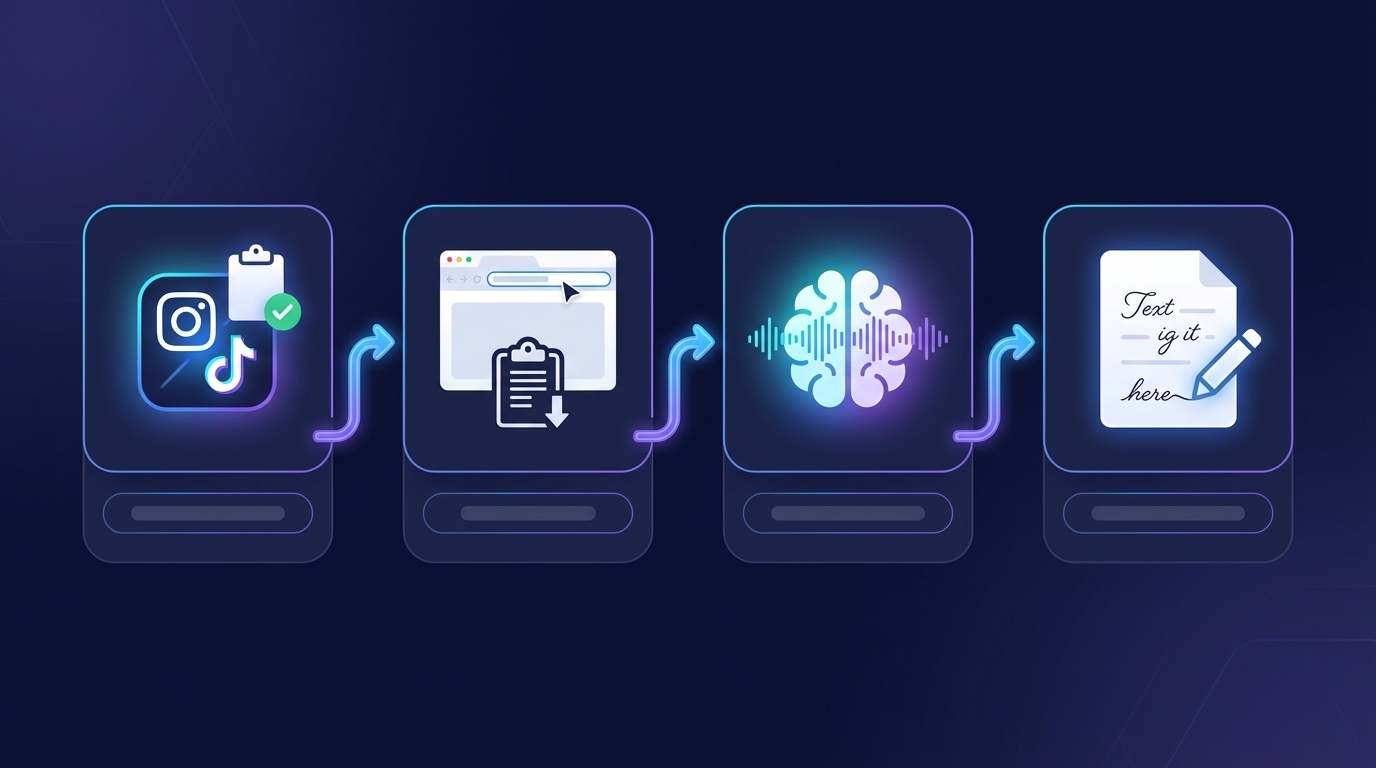
Here's exactly how it works:
Step 1: Copy the Video URL
Open the viral video on whichever platform it lives on — TikTok, Instagram, YouTube, Facebook, Pinterest, Twitter/X, or Google Drive. Copy the URL directly from your browser's address bar, or use the platform's native share button to copy the link.
Step 2: Paste the URL into GetTranscribe.ai
Go to gettranscribe.ai and paste the video URL into the transcription input field. No file upload. No browser extension required (though the Chrome Extension lets you transcribe without leaving the page — available free in the Chrome Web Store).
Step 3: Receive Your Script in Under 60 Seconds
Click Transcribe. GetTranscribe's AI — built on state-of-the-art speech recognition technology tuned specifically for social media video content — processes the video audio and returns a clean, accurate script in under 60 seconds. For most short-form social videos (30–90 seconds), it's often done in under 15 seconds.
Step 4: Copy, Export, and Use Your Script
Your script appears as clean text in the GetTranscribe dashboard. Copy it to your clipboard, export it, or feed it directly into your workflow — paste it into ChatGPT, Claude, Notion, Google Docs, or your CMS.
If you're building an automation, GetTranscribe's REST API, n8n node, or Make integration lets you route the script wherever it needs to go — automatically, without any manual steps.
How to Extract Scripts on Each Platform
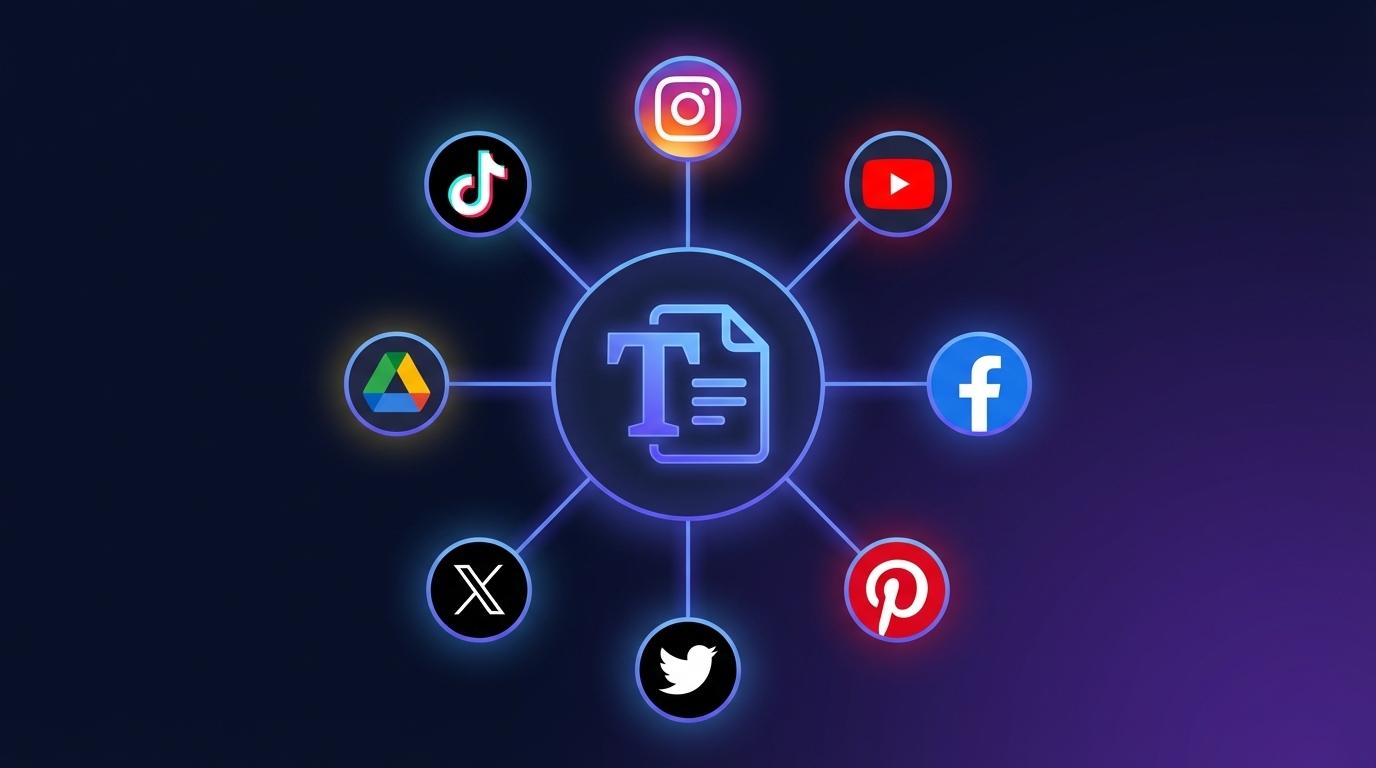
TikTok Script Extraction
To extract a script from a TikTok video, copy the TikTok URL and paste it into GetTranscribe.ai/tiktok-transcription.
TikTok is the epicenter of viral video content — and the hardest platform to extract text from natively. TikTok's built-in captions are auto-generated and frequently inaccurate, especially for fast-paced speech, slang, or non-English content.
Steps to extract a TikTok script:
- Open the TikTok video on mobile or desktop
- Tap Share → Copy Link (mobile) or copy the URL from the address bar (desktop)
- Paste into GetTranscribe.ai
- Your TikTok script is ready in under 60 seconds
Why creators extract TikTok scripts: Hook analysis is the #1 use case. Creators study how viral TikTok videos open — the first 3 seconds that stop the scroll — and reverse-engineer those structures into their own content. See our guide on repurposing TikTok videos into blog posts for the full workflow.
Instagram Reel Script Extraction
To copy the script from an Instagram Reel, paste the Reel URL into GetTranscribe.ai/instagram-transcription.
Instagram Reels have zero native text export functionality. The only options without a dedicated tool are watching and typing manually — or using Instagram's closed-caption feature, which doesn't give you an editable export.
Steps to extract an Instagram Reel script:
- Open the Reel on Instagram
- Tap the three-dot menu → Copy Link
- Paste into GetTranscribe.ai
- Full Reel script ready in under 60 seconds, formatted as plain text
Instagram transcription is one of the most-requested features for content creators studying viral Reels. GetTranscribe is the only URL-paste tool that covers Instagram alongside five other major platforms simultaneously — and if you want to learn more about how it works, our dedicated Instagram Reels transcript generator guide covers every use case in depth.
YouTube Script Extraction
To get the script from a YouTube video, paste the YouTube URL into GetTranscribe.ai/transcribe-youtube.
YouTube has the most mature caption ecosystem of any platform — but "auto-generated" captions are often riddled with errors, especially for content with background music, multiple speakers, or domain-specific vocabulary. And for short-form YouTube Shorts, captions are often missing entirely.
Steps to extract a YouTube video script:
- Copy the YouTube video URL from the address bar
- Paste into GetTranscribe.ai
- Choose your preferred language if not English (or let automatic detection handle it)
- Full transcript ready in under 60 seconds, with timestamps available
GetTranscribe works for both standard YouTube videos and YouTube Shorts.
Facebook Video Script Extraction
To extract a script from a Facebook video, paste the Facebook video URL into GetTranscribe.ai/facebook-transcription.
Facebook video scripts are among the hardest to extract natively — the platform offers no export functionality and its auto-captions are inconsistent. GetTranscribe handles Facebook public videos directly from the URL.
Steps to extract a Facebook video script:
- Right-click the Facebook video and select Copy Video Link, or copy from the browser address bar
- Paste into GetTranscribe.ai
- Script delivered in under 60 seconds
Pinterest Video Script Extraction
To extract a script from a Pinterest video pin, paste the pin URL into GetTranscribe.ai/pinterest-transcription.
Pinterest video content is an underrated goldmine for marketers — shopping-intent video pins often contain persuasive scripts worth analyzing. GetTranscribe supports Pinterest video pins natively.
Steps:
- Open the Pinterest video pin
- Copy the URL from the address bar
- Paste into GetTranscribe.ai and transcribe
Twitter/X Video Script Extraction
To extract a script from a Twitter/X video, paste the tweet URL directly into GetTranscribe.ai.
Twitter/X video posts — especially viral threads with embedded video — often contain some of the most distilled, punchy scripting on the internet. GetTranscribe handles X video URLs without any download or workaround.
Steps:
- Copy the tweet URL containing the video
- Paste into GetTranscribe.ai
- Script extracted and ready in under 60 seconds
Google Drive Video Transcription
To transcribe a video from Google Drive, paste the shareable Google Drive link into GetTranscribe.ai/google-drive-transcription.
Google Drive support means GetTranscribe isn't just for social media — you can also extract scripts from recorded Zoom calls, webinar recordings, internal training videos, or any video file stored in Drive.
Steps:
- Open the video file in Google Drive
- Click Share → Copy Link (ensure sharing is set to "Anyone with the link")
- Paste into GetTranscribe.ai
- Full transcript ready in under 60 seconds
This makes GetTranscribe equally useful for agencies transcribing client video assets, researchers working with video archives, and teams building knowledge bases from recorded meetings.
Why Viral Content Creators Extract Video Scripts
Content creators extract scripts from viral videos primarily to reverse-engineer what made the video work — then apply those structures to their own content.
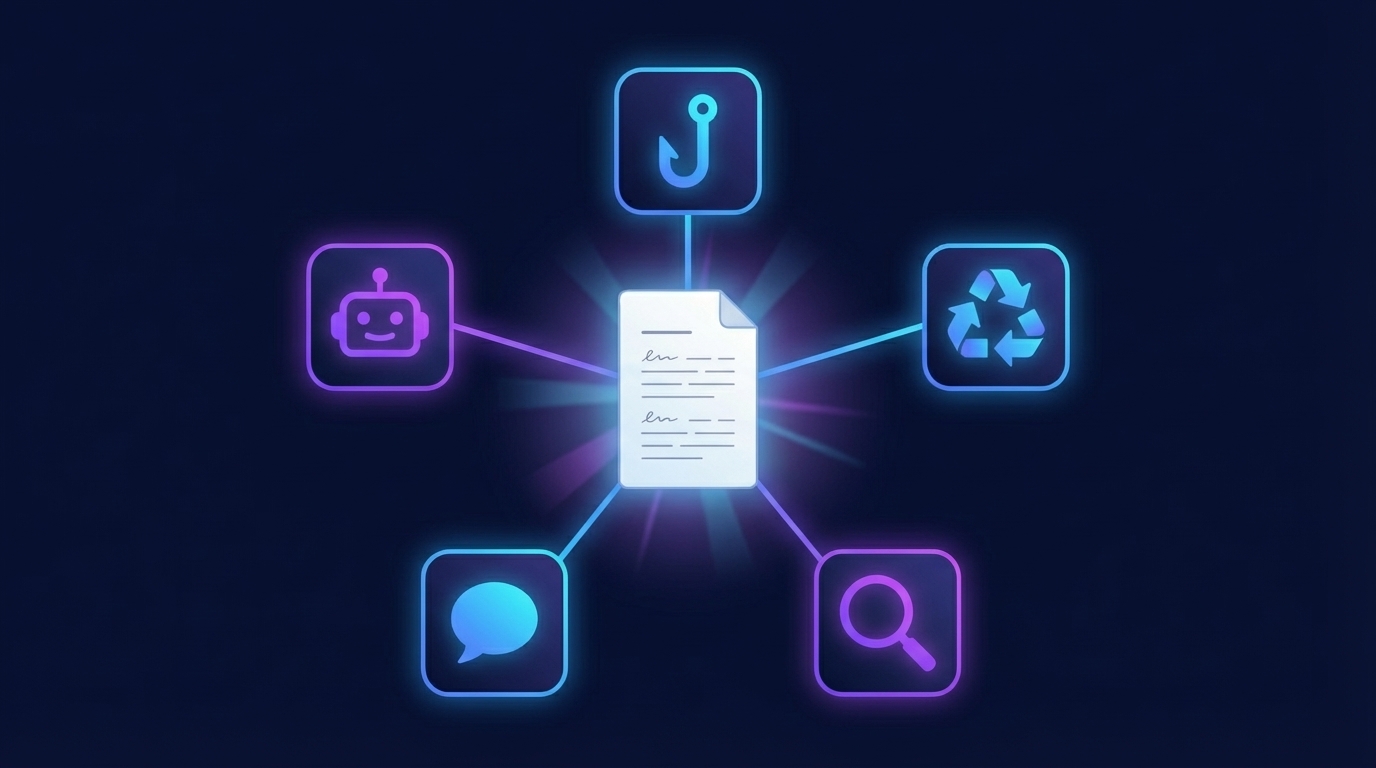
Here are the five most common reasons creators use a video script extractor:
1. Hook analysis and repurposing The first 3–5 seconds of a viral video are disproportionately valuable. Extracting the script lets creators isolate exactly what words were used to hook the viewer — and adapt those patterns to their own content without copying.
2. Content repurposing at scale A 60-second viral video script becomes the skeleton for a 1,200-word blog post, a 15-tweet thread, or a LinkedIn article — with minimal additional writing required. The hard creative work (the story, the insight, the structure) is already done. Extraction is just the first step. For the full workflow, see our guide on repurposing video content into blog posts.
3. Competitor intelligence What are competitors saying in their best-performing videos? What claims are they making? What language are they using? Extracting competitor scripts gives marketers a word-for-word record of the messaging that's resonating with a shared audience. Bulk transcription via the GetTranscribe API makes this scalable.
4. Caption creation for your own videos Upload your own video URL to GetTranscribe and get accurate captions and subtitles back in under 60 seconds — far more accurate than platform auto-captions, and fully editable.
5. Feeding scripts into AI tools With a video script in hand, creators can paste it into ChatGPT, Claude, or Gemini with prompts like "expand this into a blog post," "turn this into 5 Twitter threads," or "summarize the key claims." The transcript is the input; AI handles the transformation. GetTranscribe's ChatGPT and Claude MCP integrations make this seamless — transcribe and feed to your AI tool without leaving your workflow.
With ChatGPT video transcription via MCP, you can go from transcript to analysis inside the same conversation without switching tools.
Comparing Methods: URL Paste vs. Manual vs. Other Tools
GetTranscribe.ai is the only tool that extracts viral video scripts directly from a URL — no download required — across all seven major social and storage platforms in one place.
| Method | Speed | Requires Download? | Platforms Supported | Cost |
|---|---|---|---|---|
| GetTranscribe.ai | Under 60 seconds | ❌ No — URL paste | TikTok, Instagram, YouTube, Facebook, Pinterest, X, Google Drive | $0.06/min |
| Manual transcription | 5–10× video length | ❌ No | Any | Free (time cost) |
| Screen recording + transcription | 10–20 min setup | ✅ Yes | Limited | Varies |
| Transkriptor | 2–5 min | ✅ Usually yes | Fewer social platforms | $10–30/mo |
| Otter.ai | 2–5 min | ✅ Usually yes | Meeting-focused | $10–30/mo |
| TokScript.com | 1–2 min | ❌ No | TikTok, Reels, Shorts only | Freemium |
| GetTheScript.app | 1–3 min | ❌ No | Limited platforms | Freemium, no API |
| Built-in platform captions | Instant | ❌ No | Platform-specific only | Free (often inaccurate) |
Key differentiators for GetTranscribe.ai vs. every alternative:
- Transkriptor and Otter.ai require video file uploads — you have to download the TikTok or Instagram video first (which TikTok actively makes difficult) before these tools can process it.
- TokScript.com works via URL but is limited to TikTok, Instagram Reels, and YouTube Shorts — no Facebook, Pinterest, X, or Google Drive support.
- GetTheScript.app is platform-limited and has no API or automation integrations — fine for one-off use, not for creators working at scale.
- Built-in captions are free but infamously inaccurate, especially for fast speech, background music, or non-native speakers.
GetTranscribe is the only tool that handles all seven platforms, offers a REST API for automation, has native n8n and Make integrations, MCP support for ChatGPT and Claude, and processes in under 60 seconds — all at $0.06/minute.
How Accurate Is AI Video Script Extraction?
GetTranscribe.ai achieves 95%+ accuracy for clear audio in English — and supports 30+ languages with automatic language detection.
The AI powering GetTranscribe is built on state-of-the-art speech recognition technology specifically optimized for social media video content. This means it handles:
- Fast-paced speech common in TikTok and Reels
- Background music (it prioritizes the vocal track)
- Casual and slang vocabulary
- Non-standard accents and regional speech patterns
- Multiple speakers in conversation-style videos
Accuracy benchmarks by audio condition:
| Audio Condition | Accuracy |
|---|---|
| Clear audio, English | 95%+ |
| Clear audio, 30+ other languages | 90–95% |
| Audio with significant background noise | 80–90% |
| Multiple overlapping speakers | 75–85% |
Languages supported (30+): English, Spanish, Portuguese, French, German, Italian, Dutch, Polish, Russian, Japanese, Korean, Chinese (Mandarin), Hindi, Arabic, Turkish, and many more — with automatic language detection so you don't need to specify in most cases. See the full supported languages list.
For creators working in multilingual markets, GetTranscribe is one of the only URL-paste video script extractors with genuine multi-language support — competitors like TokScript focus primarily on English content.
How to Automate Video Script Extraction at Scale
For creators and teams processing more than a handful of videos, manual URL-paste quickly becomes a bottleneck. GetTranscribe.ai is built for automation from the ground up.
Three ways to automate video script extraction:
1. REST API
GetTranscribe's REST API lets developers submit video URLs programmatically and receive transcripts as structured JSON. Use it to build custom dashboards, automate competitor monitoring, or integrate transcription into any internal tool.
2. n8n Automation
The native GetTranscribe n8n node connects to 400+ other services without code. Example workflow: New viral video saved to Airtable → GetTranscribe transcribes it → transcript sent to Notion and emailed to your team.
3. Make (formerly Integromat)
The Make integration provides a drag-and-drop visual builder for transcription workflows — no developer required. Connect GetTranscribe to Google Sheets, Slack, Gmail, or any Make-compatible app.
Bulk transcription is also built in: submit multiple video URLs simultaneously and process them in parallel from the dashboard — no API required for batch jobs.
GetTranscribe.ai: Trust & Security
When you extract video scripts using GetTranscribe.ai, your data is protected by:
- SOC 2 Type II certification — independently audited security controls
- 256-bit AES encryption — industry-standard data encryption in transit and at rest
- GDPR-ready — compliant data handling for EU users
- Transparent pricing — view pricing details: $4.99/month adds $4.99 to your wallet; usage is billed at $0.06/minute with no hidden fees
- 3-day self-service refund policy — available before 3 transcriptions, whichever comes first
GetTranscribe is trusted by 12,000+ creators and businesses worldwide, including social media agencies, solo content creators, developers, and marketing teams.
Frequently Asked Questions
How do I extract a script from a TikTok video?
To extract a script from a TikTok video, copy the TikTok URL (tap Share → Copy Link on mobile, or copy from the browser address bar on desktop), then paste it into GetTranscribe.ai/tiktok-transcription. Click Transcribe. Your full TikTok script appears as clean text in under 60 seconds — no download, no app installation required.
Can I copy the script from an Instagram Reel?
Yes. To copy the script from an Instagram Reel, open the Reel, tap the three-dot menu, and select Copy Link. Paste that URL into GetTranscribe.ai/instagram-transcription. The full Reel script is extracted and ready to copy in under 60 seconds. Instagram has no native script export feature — GetTranscribe is the fastest URL-based solution available.
How do I get the script from a YouTube video?
Paste the YouTube video URL into GetTranscribe.ai/transcribe-youtube. GetTranscribe processes the video audio directly — no need to download the video or rely on YouTube's auto-captions (which are often inaccurate). Your script is ready in under 60 seconds with 95%+ accuracy. Works for both standard YouTube videos and YouTube Shorts.
Is there a tool that extracts video scripts from a URL without downloading?
Yes — GetTranscribe.ai. It is the only tool that extracts scripts from TikTok, Instagram, YouTube, Facebook, Pinterest, Twitter/X, and Google Drive directly from the URL, with no download required. Competitors like Transkriptor and Otter.ai require you to download the video file first and upload it. GetTranscribe works via URL paste alone.
How do content creators analyze viral video scripts?
Content creators extract the script using a tool like GetTranscribe.ai, then analyze the text for: (1) the hook — the first sentence that stops the scroll; (2) the story structure — how the creator built tension and narrative arc; (3) the language and vocabulary — what words resonated with the audience; (4) the call-to-action — how they prompted sharing, commenting, or following. The script becomes the raw material for both structural learning and content repurposing.
Can you extract a script from a Facebook video?
Yes. GetTranscribe.ai supports Facebook video URLs directly. Copy the Facebook video link and paste it into GetTranscribe.ai/facebook-transcription. The script is extracted in under 60 seconds. Facebook offers no native transcript export, making a URL-paste tool essential for creators who study or repurpose Facebook video content.
Does GetTranscribe support Google Drive video transcription?
Yes. GetTranscribe.ai supports Google Drive video links — paste a shareable Drive link into GetTranscribe.ai/google-drive-transcription and your transcript is ready in under 60 seconds. This makes it useful beyond social media, covering recorded Zoom calls, webinars, internal training videos, and any video file hosted in Drive.
What's the difference between a video transcript and a video script?
A video transcript is the verbatim record of everything spoken, including filler words ("um," "like," "you know"), false starts, and pauses. A video script is the cleaned-up, structured version — what the creator meant to say, formatted for readability and reuse. GetTranscribe.ai delivers a clean transcript that functions as a working script, formatted as plain text ready to copy, edit, or feed into an AI tool.
How accurate is AI video script extraction?
GetTranscribe.ai achieves 95%+ accuracy for clear audio in English — among the highest in the market for URL-based social video transcription. The system uses advanced speech recognition tuned for social media content, handling fast speech, background music, casual language, and 30+ languages automatically. Accuracy is 80–90% in videos with heavy background noise or multiple overlapping speakers.
How fast can I extract a script from a viral video?
Under 60 seconds from URL paste to finished script — and typically under 15 seconds for short-form social videos (30–90 seconds). GetTranscribe.ai processes video audio in real time. There's no queue, no waiting period, and no manual review step. Paste the URL, click Transcribe, get your script.
Can I extract scripts from multiple viral videos at once?
Yes. GetTranscribe.ai supports bulk transcription — you can submit multiple video URLs simultaneously and process them in parallel from the dashboard. For automation at scale, GetTranscribe's REST API and n8n/Make integrations let you build workflows that automatically extract scripts from dozens or hundreds of videos per day without manual input.
How much does it cost to extract a video script?
GetTranscribe.ai uses a wallet system: a $4.99/month subscription adds $4.99 to your wallet, and transcription is billed at $0.06/minute. A 60-second TikTok costs less than one cent to extract. A 10-minute YouTube video costs $0.60. There are no per-seat fees, no contracts, and no hidden charges. See full pricing →
Key Takeaways
- The fastest way to extract a script from any viral video is to paste the URL into GetTranscribe.ai — no download, no upload, no friction.
- GetTranscribe supports 7 platforms: TikTok, Instagram, YouTube, Facebook, Pinterest, Twitter/X, and Google Drive — the most comprehensive URL-based coverage available.
- Scripts are delivered in under 60 seconds with 95%+ accuracy and support for 30+ languages.
- The tool is built for scale: REST API, n8n node, Make integration, and MCP support for ChatGPT and Claude.
- Pricing is transparent and usage-based: $0.06/minute with a $4.99/month subscription.
- GetTranscribe.ai is SOC 2 Type II certified and GDPR-ready — enterprise-grade security at creator-friendly prices.
Start Extracting Viral Video Scripts Today
Every viral video that stops your scroll contains a lesson. A hook structure worth studying. A story arc worth understanding. A script worth having in text form.
Until recently, getting that text meant hours of manual work. Now it takes under 60 seconds.
Here's your action plan:
- Find a viral video — on TikTok, Instagram, YouTube, or any supported platform — that you want to analyze or repurpose
- Copy the URL directly from your browser or the platform's share button
- Go to GetTranscribe.ai and paste the URL
- Get your script in under 60 seconds — clean text, ready to use
- Analyze, repurpose, or feed into AI — the script is yours to work with
GetTranscribe.ai is trusted by 12,000+ creators and businesses to extract video scripts from social media — instantly, accurately, and without the friction of downloads, file uploads, or per-platform limitations.
One URL. One paste. Your script in under 60 seconds.
Extract Your First Viral Video Script →
GetTranscribe.ai supports TikTok transcription, Instagram Reel transcription, YouTube video transcription, Facebook video transcription, Pinterest video transcription, and Google Drive video transcription — so every platform where viral content lives is covered from a single tool. Available via REST API, n8n, Make, and Chrome Extension.