GetTranscribe vs Descript: Which Transcription Tool Is Right for You? (2026)
GetTranscribe and Descript are both AI-powered tools — but they do very different things. This head-to-head comparison covers pricing, features, social media support, and developer integrations so you can pick the right tool for your workflow in 2026.
TL;DR
- GetTranscribe: Purpose-built for social media URL-paste transcription (Instagram, TikTok, YouTube, Facebook, Pinterest, X, Google Drive). Plans from $7.99/mo.
- Descript: AI video and podcast editor with transcription as a built-in feature. Entry paid plan from $16/mo (billed annually).
- Bottom line: GetTranscribe wins for fast, affordable social media transcription. Descript wins for podcast and long-form video editing with a transcript-driven workflow.
GetTranscribe vs Descript: Which Transcription Tool Is Right for You? (2026)
Choosing between GetTranscribe and Descript comes down to one question: do you need to transcribe social media videos quickly, or do you need to edit video and audio content using a transcript?
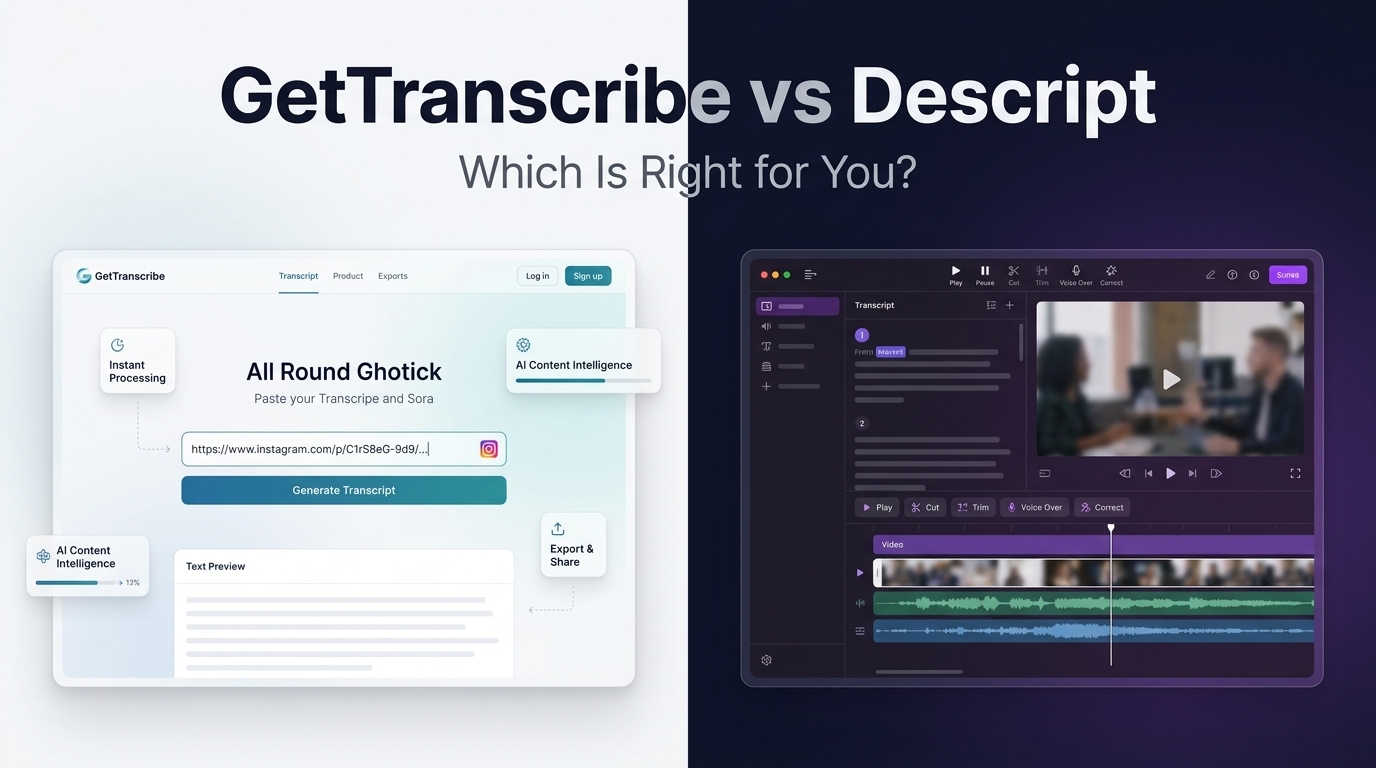
Descript is an established AI video editor that includes transcription as a core feature — you paste or upload a file, it transcribes it, and then you edit the video by editing the words. GetTranscribe is a social-media-first transcription tool built for creators, marketers, and developers who need instant, accurate transcripts from any social media URL.
GetTranscribe is better for social media transcription: paste any Instagram, TikTok, or YouTube URL and get a transcript in under 60 seconds, from $7.99/mo. Descript is better for video and podcast editing: it lets you edit recordings by editing a transcript, starting at $16/mo (billed annually).
Let's break down every dimension so you can make the right call for your workflow.
What Is GetTranscribe?
GetTranscribe is an AI-powered transcription tool built specifically for social media and online video content. The core workflow is simple: paste a URL, get a transcript. No downloads, no file uploads, no preprocessing required.
Key facts:
- Supported platforms: Instagram, TikTok, YouTube, Facebook, Pinterest, X (Twitter), and Google Drive — 7 platforms natively
- Speed: Transcripts delivered in under 60 seconds
- Accuracy: 95%+ for clear audio in English
- Languages: 30+ languages with auto-detection
- Users: 12,000+ creators and businesses
- Security: SOC 2 Type II certified, GDPR ready, 256-bit AES encryption
Beyond core transcription, GetTranscribe offers a growing developer and automation ecosystem:
- Chrome Extension — right-click any video to transcribe without leaving the page
- iOS mobile app — transcribe on the go
- REST API — full API documentation for custom integrations
- n8n native node — connect to 400+ services without code (see n8n Instagram & TikTok automation workflows)
- Make and Zapier integrations — visual drag-and-drop automation
- ChatGPT MCP integration — use GetTranscribe natively inside ChatGPT and Claude
Plans start at $7.99/mo with a PAYG (pay-as-you-go) credit option starting at $10 for users who don't need a subscription. See the full GetTranscribe pricing page for details.
What Is Descript?
Descript is an AI-powered video and podcast editor — transcription is a feature, not the product. Its signature capability is text-based editing: the software transcribes your recording, and you edit the video or audio by editing the words in the transcript. Delete a sentence in the transcript, and Descript cuts it from the video.
Key facts:
- Primary use case: Podcast editing, YouTube video editing, course creation
- Platform: Mac and Windows desktop app only — no mobile app, no browser-based URL paste
- Languages: 22 languages
- Requires: File upload (MP4, MP3, WAV, etc.) — does not support direct social media URL input for Instagram, TikTok, or similar platforms
- Notable features: Studio Sound audio enhancement, Overdub AI voice cloning, filler-word removal, screen recording, publishing integrations (Blubrry, Castos, etc.)
Descript pricing (billed annually):
- Free: $0 — 60 media minutes/month, 100 one-time AI credits
- Hobbyist: $16/mo — 10 media hours/month, 400 AI credits/month
- Creator: $24/mo — 30 media hours/month, 800 AI credits/month, 4K export, AI voice cloning (Overdub)
- Business: $50/mo — 40 media hours/month, 1,500 AI credits/month, brand studio
Important distinction: Descript's free plan does offer 60 minutes per month, but monthly billing (without an annual commitment) adds a significant premium — Hobbyist goes to $24/mo, Creator to $35/mo, and Business to $65/mo.
GetTranscribe vs Descript — Full Feature Comparison
| Feature | GetTranscribe | Descript |
|---|---|---|
| Primary use case | Social media transcription | Video/podcast editing |
| Social media URL input (Instagram, TikTok, etc.) | ✅ 7 platforms | ❌ File upload required |
| Speed to transcript | ⚡ Under 60 seconds | 🕐 Minutes (upload + process) |
| Transcription accuracy | 95%+ | ~85–90% (varies by accent) |
| Entry paid plan | $7.99/mo | $16/mo (annual) |
| Free tier | ✅ PAYG from $10 | ✅ 60 min/mo free |
| Video editing | ❌ | ✅ Full text-based editor |
| AI voice cloning (Overdub) | ❌ | ✅ Creator plan and above |
| Chrome Extension | ✅ | ❌ |
| REST API | ✅ | ❌ No public API |
| n8n / Make / Zapier | ✅ Native integrations | ❌ |
| ChatGPT / Claude MCP | ✅ | ❌ |
| Mobile app | ✅ iOS | ❌ None |
| Desktop app | ❌ | ✅ Mac & Windows |
| Languages supported | 30+ | 22 |
| Bulk transcription | ✅ | ❌ |
| Folder organization | ✅ | ❌ |
| SOC 2 Type II | ✅ | ✅ |
| Screen recording | ❌ | ✅ |
| Filler-word removal | ❌ | ✅ |
| Podcast publishing integrations | ❌ | ✅ |
Pricing Compared: GetTranscribe vs Descript
GetTranscribe Pricing
GetTranscribe offers three subscription tiers plus a flexible PAYG credit system:
| Plan | Monthly Price | Minutes/mo | AI Messages/mo | Bulk |
|---|---|---|---|---|
| Basic | $7.99 | 50 min | 100 | — |
| Starter | $9.99 | 150 min | 300 | 5 videos |
| Pro | $29.99 | 500 min | 1,500 | 10 videos |
PAYG top-ups start at $10 for 66 minutes ($0.15/min) — with rates dropping to $0.06/min on a $100 bundle. There is no annual commitment required. This makes GetTranscribe ideal for creators who have variable monthly volumes.
View the full breakdown on the GetTranscribe pricing page.
Descript Pricing
Descript's plans are structured around media hours and AI credits:
| Plan | Annual Price | Monthly Price | Media Hours/mo | AI Credits/mo |
|---|---|---|---|---|
| Free | $0 | $0 | 60 min | 100 (one-time) |
| Hobbyist | $16/mo | $24/mo | 10 hrs | 400 |
| Creator | $24/mo | $35/mo | 30 hrs | 800 |
| Business | $50/mo | $65/mo | 40 hrs | 1,500 |
The Pricing Verdict
GetTranscribe starts at nearly half the price of Descript's entry paid plan — $7.99/mo vs $16/mo (annual). For users who only need transcription (not video editing), paying $16–$24/mo for Descript's full editor is overkill. GetTranscribe also offers true month-to-month flexibility and PAYG credits — you only pay for what you use.
Descript's free tier (60 min/mo) is generous if you're just getting started, but its annual billing requirement to unlock the advertised prices adds friction. Descript also doesn't offer PAYG top-ups — you're locked into a plan tier.
Where GetTranscribe Wins: Social Media Transcription
If your workflow involves transcribing social media content, GetTranscribe wins clearly. Here's why:
1. URL-Paste Workflow — No File Handling Required
GetTranscribe was built from the ground up for URL input. Paste a link from TikTok, Instagram, or YouTube and you have a transcript in under 60 seconds. No downloading the video, no converting file formats, no uploading to a desktop app.
Descript requires you to download the video or audio file first, then import it into the desktop app, then wait for processing. For one-off files, this is workable. For content teams processing dozens of social media videos per week, it's a bottleneck.
2. Broadest Platform Support
GetTranscribe supports 7 social media and cloud platforms natively: Instagram, TikTok, YouTube, Facebook, Pinterest, X, and Google Drive. No other transcription tool covers this many social platforms with a single URL-paste interface.
3. Developer and Automation Ecosystem
GetTranscribe has the most comprehensive integration stack of any URL-paste transcription tool:
- REST API with full documentation for custom apps and pipelines
- Native n8n node for building Instagram and TikTok transcription automations
- Make and Zapier for no-code workflow builders
- ChatGPT MCP — bring transcription natively into your AI assistant workflows
Descript offers no public API, no n8n node, no Make integration, and no MCP support.
4. Bulk Transcription
GetTranscribe's Starter and Pro plans include bulk transcription — process 5–10 videos simultaneously via URL list. This is essential for agencies doing competitor video analysis, researchers monitoring social media trends, or social media managers building searchable archives.
5. More Languages
With 30+ languages supported (vs Descript's 22), GetTranscribe covers more global content creators — including languages that Descript currently doesn't support.
6. Lower Price, Higher Flexibility
At $7.99/mo, GetTranscribe is accessible to individual creators, freelancers, and small teams who need professional transcription without committing to a full video editing suite.
Where Descript Wins: Video and Podcast Editing
Descript is a different category of tool. If your primary goal is editing video or audio, Descript is purpose-built for that job.
1. Text-Based Video Editing Is Genuinely Powerful
Descript's headline feature — edit your video by editing the transcript — is genuinely impressive for podcast producers and YouTubers. Cutting a rambling section becomes as simple as selecting sentences and pressing delete. For creators doing heavy post-production, this workflow saves hours.
2. Studio Sound Audio Enhancement
Descript's Studio Sound feature removes background noise, improves audio quality, and makes recordings sound more professional without external plugins or DAW knowledge. This is a legitimate differentiator for podcasters recording in imperfect environments.
3. Overdub AI Voice Cloning
Descript's Overdub feature allows you to fix recording mistakes by typing what you want to say — your AI voice clone reads it. This is available from the Creator plan and is unique in the market for podcast/video creators.
4. Filler Word Removal
One click removes all "um," "uh," and other filler words from both the transcript and the underlying video/audio. This alone saves significant editing time for podcasters.
5. Screen Recording and Publishing Integrations
Descript includes built-in screen recording and native publishing integrations with platforms like Blubrry and Castos — making it a true all-in-one production tool for podcast creators.
Who Should Choose GetTranscribe?
GetTranscribe is the right choice if you:
- Transcribe social media videos regularly — Instagram Reels, TikToks, YouTube Shorts, or Facebook videos
- Manage social media content for clients or a brand and need to process multiple videos per week efficiently
- Do competitor video analysis — quickly transcribe competitor content for research and strategy (learn more about this use case)
- Build automations or pipelines — using n8n, Make, Zapier, or a custom REST API integration
- Use ChatGPT or Claude and want transcription natively in your AI workflows via MCP
- Repurpose video content — turn transcripts into blog posts, social captions, newsletters, or SEO copy
- Need a tighter budget — $7.99/mo vs Descript's $16/mo minimum paid plan
- Want mobile access — GetTranscribe has an iOS app; Descript has no mobile app at all
- Need more language support — 30+ vs 22 languages
Who Should Choose Descript?
Descript is the right choice if you:
- Produce podcasts and want to edit episodes by editing the transcript
- Create long-form YouTube content where text-based video editing saves hours of post-production
- Need audio enhancement — Descript's Studio Sound is a genuine differentiator for audio quality improvement
- Want AI voice cloning (Overdub) to fix small recording mistakes without re-recording
- Remove filler words at scale with one click
- Work on a Mac or Windows desktop and prefer a native desktop app experience
- Publish to podcast directories and want built-in Blubrry or Castos integration
Frequently Asked Questions
Is GetTranscribe better than Descript for transcription?
Yes — for social media transcription, GetTranscribe is faster, more affordable, and more purpose-built. GetTranscribe delivers transcripts in under 60 seconds from a URL paste, with 95%+ accuracy across 30+ languages, starting at $7.99/mo. Descript requires file upload and is primarily a video editor — transcription is a supporting feature, not its main purpose.
Can Descript transcribe Instagram or TikTok videos?
No. Descript does not support direct social media URL input. To transcribe an Instagram Reel or TikTok video in Descript, you would need to download the video file first and then import it into the desktop app. GetTranscribe handles this natively — paste the URL, get the transcript in under 60 seconds — for Instagram, TikTok, YouTube, and 4 other platforms.
Does GetTranscribe support video editing like Descript?
No. GetTranscribe is a pure transcription tool — it converts video content to text. It does not include video editing, audio enhancement, or voice cloning features. If you need to edit video or audio by editing a transcript, Descript is the right tool. If you need fast, accurate transcripts from social media URLs, GetTranscribe is the right tool.
Which is cheaper: GetTranscribe or Descript?
GetTranscribe is significantly cheaper. GetTranscribe starts at $7.99/mo (Basic plan) or a $10 PAYG top-up with no subscription required. Descript's entry paid plan is $16/mo (billed annually) — and jumps to $24/mo on monthly billing. For pure transcription needs, GetTranscribe offers better value at nearly half the price.
Can I use GetTranscribe with n8n or Make automations?
Yes. GetTranscribe has a native n8n node and a native Make integration, plus a full REST API for custom pipelines. You can build automated transcription workflows for Instagram, TikTok, YouTube, and other platforms using these tools. See an example of an n8n Instagram and TikTok automation here. Descript does not offer any public API or native automation integrations.
Does Descript have an API?
No. As of 2026, Descript does not offer a public REST API for developers. There is no way to programmatically submit content or retrieve transcripts from Descript. GetTranscribe offers a full REST API with documentation, making it the clear choice for developers and teams building transcription pipelines.
Which tool supports more languages: GetTranscribe or Descript?
GetTranscribe supports more languages. GetTranscribe supports 30+ languages with automatic language detection. Descript supports 22 languages. For international content creators or research teams working with non-English content, GetTranscribe covers more ground.
What's the difference between GetTranscribe and Descript for content repurposing?
GetTranscribe gives you a clean, accurate transcript from any social media URL — which you can then feed into your content repurposing workflow (blog posts, captions, newsletters, scripts). It integrates directly with ChatGPT via MCP, making it easy to go from video to written content in one workflow. Descript's strength is editing the original video/audio, not repurposing it into other content formats.
Does GetTranscribe work on mobile?
Yes. GetTranscribe has an iOS mobile app available on the App Store. Descript has no mobile app — it is a desktop-only application (Mac and Windows).
Which tool is better for bulk transcription?
GetTranscribe. GetTranscribe's Starter ($9.99/mo) and Pro ($29.99/mo) plans include bulk transcription, allowing you to submit 5–10 videos simultaneously via URL list. This is essential for agencies, researchers, and social media managers processing large volumes of content. Descript does not offer bulk transcription functionality.
The Verdict: Different Tools for Different Jobs
GetTranscribe and Descript aren't really competing for the same user — they solve different problems.
GetTranscribe is the best tool if you want to quickly transcribe social media content at scale. Its URL-paste workflow, broad platform support (7 social platforms), developer-friendly API and automation integrations, iOS mobile app, and $7.99/mo starting price make it the fastest, most flexible, and most affordable choice for creators, marketers, and developers working with social media video.
Descript is the best tool if you want to edit video and podcast content. Its text-based editing, Studio Sound, Overdub voice cloning, and filler-word removal make it a powerhouse for producers creating polished audio and video content.
As one independent review neatly put it: "Descript is not a transcription tool" — it's a video editor that happens to transcribe. If transcription is your primary need, you're paying for a lot of features you'll never use.
Ready to Transcribe Any Social Media Video in Seconds?
Try GetTranscribe free — no subscription required.
Paste any Instagram, TikTok, YouTube, or social media URL and get an accurate transcript in under 60 seconds. Start with a $10 PAYG credit pack or choose a plan from $7.99/mo.
👉 Start transcribing at gettranscribe.ai
Related Reading
- GetTranscribe vs Otter.ai: Full Comparison (2026)
- Best Transcription Tool for Content Creators in 2026
- How to Use Transcription for Competitor Video Analysis
Last updated: July 2026. Pricing and features verified against official product pages.