GetTranscribe vs Otter.ai: Which Transcription Tool Is Right for You? (2026)
GetTranscribe and Otter.ai are both AI transcription tools — but they solve completely different problems. GetTranscribe is built for social media video transcription (Instagram, TikTok, YouTube, and more). Otter.ai is built for meeting transcription. Here's how to choose the right one for your use case in 2026.
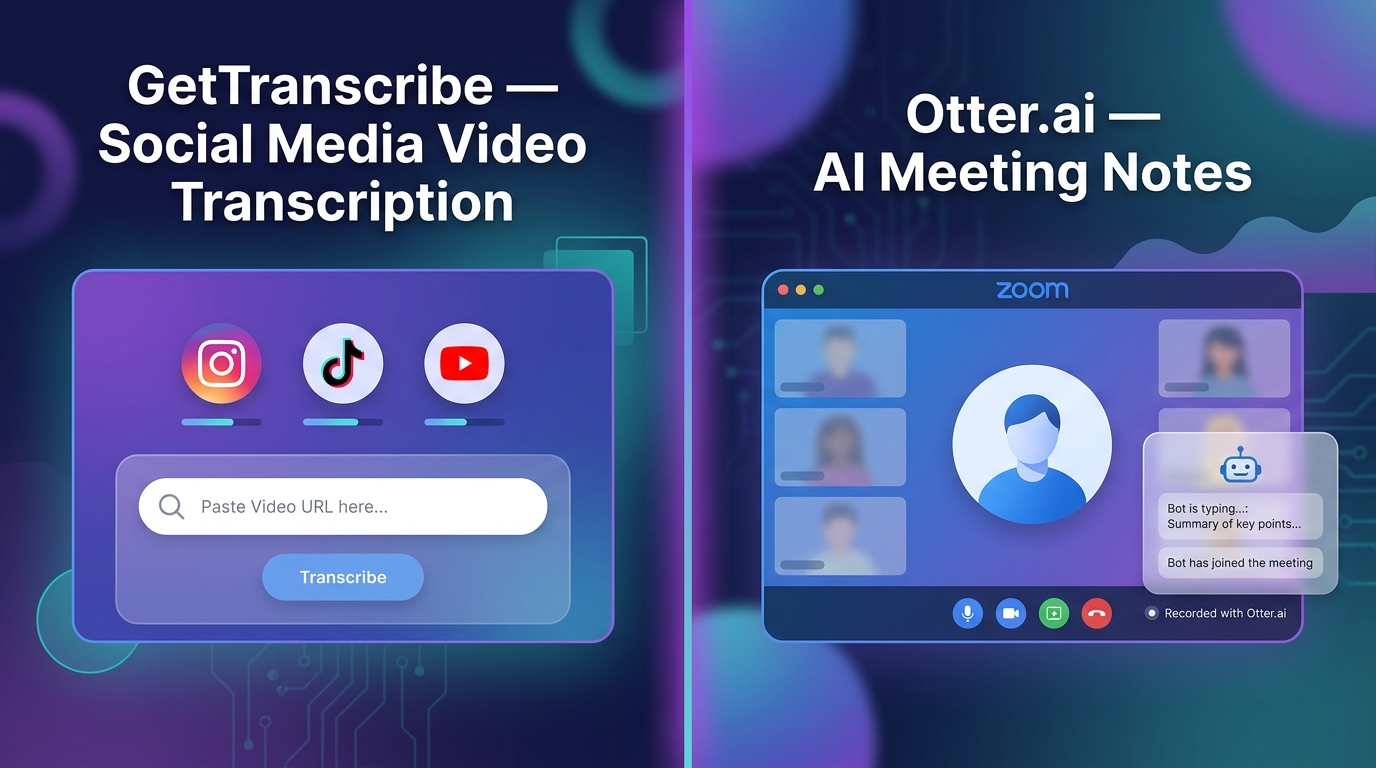
TL;DR — GetTranscribe vs Otter.ai at a Glance:
- GetTranscribe = Built for social media video transcription. Paste any URL from Instagram, TikTok, YouTube, Facebook, Pinterest, X, or Google Drive. Get a transcript in under 60 seconds.
- Otter.ai = Built for meeting transcription. AI-powered live notes for Zoom, Google Meet, and Teams calls. Does not support social media URL transcription.
- Bottom line: If you're a content creator, social media manager, or marketer → GetTranscribe. If your main need is business meeting notes → Otter.ai.
GetTranscribe vs Otter.ai: Which Transcription Tool Is Right for You? (2026)
GetTranscribe and Otter.ai are both AI transcription tools — but they solve completely different problems. GetTranscribe is built for content creators who need to transcribe social media videos instantly by pasting a URL. Otter.ai is built for professionals who need AI-powered meeting notes during Zoom, Google Meet, or Teams calls. If you're a content creator, marketer, or social media manager, GetTranscribe is almost certainly the right tool. If your main need is recording and transcribing business meetings, Otter.ai is designed for that workflow.
This guide breaks down exactly what each tool does, where each one wins, and which is right for your specific use case in 2026.
What Is GetTranscribe?
GetTranscribe.ai is an AI-powered social media video transcription tool trusted by 12,000+ creators and businesses. The core workflow is as simple as it gets: paste a URL from any supported social platform, and receive a 95%+ accurate transcript in under 60 seconds — no file download, no upload, no friction.
Supported Platforms
GetTranscribe accepts URLs directly from 7 social platforms:
- Instagram transcription (Reels, Stories)
- TikTok transcription
- YouTube transcription (videos, Shorts)
- Facebook videos
- Pinterest video pins
- Twitter/X video clips
- Google Drive files
Key Specs
- Accuracy: 95%+ for clear audio in English
- Speed: Under 60 seconds from URL paste to full transcript
- Languages: 30+ supported with automatic detection
- Security: SOC 2 Type II certified, GDPR ready, 256-bit AES encryption
Integrations & Ecosystem
GetTranscribe has the most developer-friendly integration stack of any social media transcription tool:
- Chrome Extension — right-click any video to transcribe instantly
- iOS App — available on the App Store (Android in beta)
- REST API — full REST API documentation for developers and custom workflows
- n8n native node — n8n automation workflow without code
- Make (Integromat) — native visual automation integration
- Zapier — connect to 3,000+ apps
- ChatGPT MCP integration — use transcripts inside ChatGPT
- Claude MCP — use transcripts inside Anthropic's Claude
Pricing
| Plan | Monthly | Annual | Minutes/mo | AI Messages/mo |
|---|---|---|---|---|
| Basic | $7.99 | $79.90/yr | 50 min | 100 |
| Starter | $9.99 | $99.90/yr | 150 min | 300 |
| Pro | $29.99 | $299.90/yr | 500 min | 1,500 |
| PAYG | From $10 | — | 66 min ($10) | Flexible |
See all options on the GetTranscribe pricing page.
What Is Otter.ai?
Otter.ai is an AI meeting notetaker and transcription tool used by millions of professionals for Zoom calls, Google Meet sessions, and Microsoft Teams meetings. Its core value proposition is simple: join a meeting, and Otter automatically transcribes it in real time — identifying speakers, generating summaries, and flagging action items.
What Otter.ai Does Best
- Meeting bot that automatically joins your Zoom, Google Meet, or Teams call and transcribes in real time
- Speaker identification — labels who said what throughout the meeting
- Automated summaries and action items after each meeting
- File imports for pre-recorded audio/video (3 lifetime on free, 10/month on Pro, unlimited on Business)
- CRM integrations — Salesforce, HubSpot, Zapier (great for sales teams)
- Chrome Extension for browser-based recording
What Otter.ai Cannot Do
Otter.ai does not support social media URL transcription. You cannot paste an Instagram Reel, TikTok video, or YouTube URL into Otter and get a transcript. To transcribe a social media video with Otter, you would need to:
- Download the video using a third-party tool
- Upload the file to Otter (subject to import limits)
- Wait for processing
This multi-step workflow is the exact friction that GetTranscribe eliminates.
Otter.ai Pricing
| Plan | Monthly | Annual | Minutes |
|---|---|---|---|
| Free | $0 | — | 300 min/mo |
| Pro | $16.99/mo | $8.33/mo | 1,200 min/mo |
| Business | $30/user/mo | $19.99/user/mo | 6,000 min/mo |
| Enterprise | Custom | — | Unlimited |
Best For
Otter.ai is genuinely excellent for: B2B professionals, students, journalists, and any team that runs meetings on Zoom, Google Meet, or Teams and wants automatic notes without manual effort.
Head-to-Head Comparison Table
| Feature | GetTranscribe | Otter.ai |
|---|---|---|
| Primary use case | Social media video transcription | Meeting transcription & notes |
| Instagram URL support | ✅ | ❌ |
| TikTok URL support | ✅ | ❌ |
| YouTube URL support | ✅ | ❌ |
| Facebook URL support | ✅ | ❌ |
| Pinterest URL support | ✅ | ❌ |
| Twitter/X URL support | ✅ | ❌ |
| Google Drive URL support | ✅ | ❌ |
| File upload transcription | ✅ | ✅ |
| Live meeting transcription bot | ❌ | ✅ |
| Zoom / Google Meet / Teams bot | ❌ | ✅ |
| Speed | Under 60 seconds | Real-time |
| Accuracy | 95%+ | ~85% |
| Languages supported | 30+ | ~10 |
| Free plan | ❌ | ✅ 300 min/mo |
| Starting paid price | $7.99/mo | $8.33/mo (annual) |
| REST API | ✅ | Enterprise only |
| n8n integration | ✅ (native node) | ❌ |
| Make integration | ✅ | ❌ |
| ChatGPT / Claude MCP | ✅ | ✅ |
| Chrome extension | ✅ | ✅ |
| iOS / Android app | ✅ iOS (Android coming) | ✅ both |
| Speaker identification | ❌ | ✅ |
| Automated meeting summaries | ❌ | ✅ |
| CRM integration (Salesforce, HubSpot) | ❌ | ✅ |
| SOC 2 Type II | ✅ | ✅ |
| Best for | Content creators, marketers, social media managers | B2B professionals, students, journalists |
GetTranscribe vs Otter.ai — Use Cases Compared
The right tool depends entirely on what type of content you need to transcribe. Here's a clear breakdown by use case:
Use Case 1 — Content Creator / Social Media Manager
Winner: GetTranscribe
If your workflow involves Instagram Reels, TikTok videos, YouTube Shorts, or any other social platform content — GetTranscribe is the clear choice, and Otter.ai simply doesn't compete here.
With GetTranscribe, the entire Instagram transcription or TikTok transcription workflow is: paste URL → click Transcribe → get transcript in under 60 seconds. No downloading, no uploading, no waiting.
With Otter.ai, you face a three-step obstacle: download the video using a third-party app (which may violate platform terms of service), upload the file, and hope it falls within your monthly import limit (just 3 files lifetime on the free plan). Otter's AI isn't optimized for social media audio patterns either — trending sounds, music overlays, and fast-paced creator speech are not where Otter excels.
GetTranscribe's advantages for creators:
- Bulk transcription — process multiple videos simultaneously
- Chrome Extension — one-click transcription without leaving the page
- AI Messages — chat with your transcript to extract hooks, repurpose content, and generate captions
- Competitor research — transcribe any public social media video in 60 seconds
- 30+ languages — transcribe global content from creators in any language
For a comprehensive look at the best transcription tool for content creators available in 2026, see our full comparison guide.
Use Case 2 — Meeting Recordings & Business Calls
Winner: Otter.ai
This is Otter.ai's home turf, and it earns the win here decisively. Otter's meeting bot automatically joins your Zoom, Google Meet, or Teams call, transcribes every word in real time, identifies speakers, and generates a structured summary with action items — all without you doing anything except accepting the bot's meeting invitation.
For sales teams, this integrates directly with Salesforce and HubSpot, automatically logging meeting notes to CRM records. For student researchers, the free tier (300 min/month) covers most class lectures and interviews. For project managers, automated action item extraction means no more post-meeting recap emails.
GetTranscribe is not built for this use case. It does not have a meeting bot, doesn't integrate natively with Zoom or Google Meet, and has no speaker identification or meeting summary features. If your primary need is business meeting transcription, Otter.ai is the right tool.
Use Case 3 — Developer / Automation Workflows
Winner: GetTranscribe
For developers and automation engineers building pipelines that process social media content, GetTranscribe's integration ecosystem is unmatched.
The REST API accepts social media URLs directly — not file uploads. This means you can build an automation that takes a raw Instagram or TikTok URL and returns a full transcript with a single API call. Otter.ai's API is Enterprise-only, not URL-based, and built for meeting data export — not social media transcription.
GetTranscribe's developer advantages:
- REST API accepts social media URLs natively
- Native n8n node for no-code automation in n8n workflows
- Native Make (Integromat) integration for visual workflow building
- Zapier integration for connecting to 3,000+ apps
- ChatGPT MCP integration for AI-powered transcript analysis inside ChatGPT
- Claude MCP for Anthropic Claude workflows
For teams doing competitor video analysis at scale — automatically pulling and transcribing competitor social media content — GetTranscribe's API is purpose-built for that workflow.
Use Case 4 — Researcher / Journalist Transcribing Interviews
Split verdict — depends on where the interview lives
This one depends entirely on format:
-
Interview recorded on Zoom or Google Meet → Otter.ai wins. Its meeting bot captures and transcribes the interview in real time, with speaker identification that labels each participant's words separately. Ideal for journalists on video calls.
-
Interview published or shared as a social media video (e.g., a YouTube interview, an Instagram Live clip, an X video clip) → GetTranscribe wins. Paste the URL, get the full transcript in under 60 seconds, with 95%+ accuracy across 30+ languages. No recording required.
-
In-person recorded interview (audio file) → Either tool works via file upload, though Otter.ai has a more polished file import experience with its meeting-focused editor.
Many professional researchers and journalists use both tools — Otter.ai for live calls, GetTranscribe for social media and online video sources.
Pricing Comparison
| GetTranscribe | Otter.ai | |
|---|---|---|
| Free plan | ❌ (free credits on signup) | ✅ 300 min/mo free |
| Cheapest paid plan | $7.99/mo (Basic) | $8.33/mo annual = $16.99/mo monthly |
| Mid-tier plan | $9.99/mo (Starter, 150 min) | $19.99/user/mo (Business, 6,000 min) |
| High-volume plan | $29.99/mo (Pro, 500 min) | Enterprise |
| PAYG option | ✅ From $10 (66 min) | ❌ |
| Per-user pricing | ❌ (not per-seat) | ✅ (Business = per user) |
| Annual discount | ✅ (~17% off) | ✅ (~50% off on Pro) |
Key pricing insight: Otter.ai's Pro plan is advertised as $8.33/month — but that's the annual rate billed upfront. Month-to-month, Otter Pro costs $16.99/month, making GetTranscribe's Basic plan ($7.99/month) the more affordable starting point for flexible month-to-month billing.
GetTranscribe's pricing is also not per-user — a single plan covers your account regardless of how many integrations or workflows you connect. Otter.ai's Business plan at $19.99/user/month can become expensive quickly for teams.
For creators with variable volume, GetTranscribe's PAYG credit packs (starting at $10 for 66 minutes) are a strong alternative to a fixed monthly subscription. The per-minute rate drops to $0.06 on the $100 pack — the most economical option for high-volume creators.
When to Choose GetTranscribe
Choose GetTranscribe if any of these apply to you:
- You need to transcribe Instagram Reels, TikTok videos, or YouTube content without downloading files
- You're a content creator who repurposes video content into blog posts, newsletters, or social captions
- You're a social media manager or agency processing multiple client accounts' video content
- You do competitor research on social media and want to extract scripts from viral videos
- You're a developer or automation engineer building workflows that process social media URLs
- You need REST API access for a custom transcription pipeline — not just Enterprise pricing
- You use n8n, Make, or Zapier and want a native integration (not a generic HTTP connector)
- You need 30+ language support for transcribing international social media content
- You want 95%+ accuracy for transcripts that go directly into published content
- You prefer PAYG pricing without a recurring monthly commitment
When to Choose Otter.ai
Choose Otter.ai if any of these apply to you:
- Your primary use case is Zoom, Google Meet, or Teams meetings — Otter is purpose-built for this
- You want a meeting bot that auto-joins calls without you doing anything
- You need speaker identification to label who said what in multi-person conversations
- Your team uses Salesforce or HubSpot and wants meeting notes automatically synced to CRM
- You're a student who wants to capture lecture transcripts hands-free (the free tier is generous for this)
- You want a free plan with 300 minutes/month before committing to a paid subscription
- You conduct podcast or interview recordings on video call platforms and want integrated note-taking
The Verdict
GetTranscribe and Otter.ai are fundamentally different tools that shouldn't really compete with each other — but they do because both carry the "AI transcription" label.
Here's the clearest way to decide:
If your content lives on social media → GetTranscribe. If your content lives in meetings → Otter.ai.
For content creators, social media managers, marketers, and developers working with Instagram, TikTok, YouTube, and other social platforms: GetTranscribe is purpose-built for your workflow. The URL-paste interface, 60-second turnaround, 95%+ accuracy, and deep integration ecosystem make it the clear winner for social media transcription in 2026.
For B2B professionals, students, and teams whose primary transcription need is Zoom meetings and business calls: Otter.ai is genuinely excellent. Its real-time meeting bot, speaker identification, and CRM integrations are best-in-class for that use case.
The good news: you don't have to choose just one. Many professionals use both — Otter.ai for live meetings, GetTranscribe for social media content. They solve different problems, and the combined cost is still well under most software budgets.
Ready to try GetTranscribe? Free credits are included on sign-up — no credit card required. Paste your first Instagram, TikTok, or YouTube URL and get a transcript in under 60 seconds.
👉 Start transcribing with GetTranscribe →
Frequently Asked Questions
Does Otter.ai work with Instagram videos?
No. Otter.ai does not support Instagram URL transcription. To transcribe an Instagram video with Otter, you would need to first download the video file using a third-party tool and then upload it manually — subject to Otter's file import limits (3 lifetime on the free plan, 10/month on Pro). GetTranscribe is the better choice for Instagram transcription: paste the Reel URL directly and receive your transcript in under 60 seconds, with no download required. Learn more about Instagram transcription with GetTranscribe.
Can GetTranscribe transcribe Zoom meetings?
No. GetTranscribe is built for social media video transcription via URL paste — it is not a live meeting bot and does not integrate natively with Zoom, Google Meet, or Microsoft Teams. For live Zoom meeting transcription with a bot that automatically joins and captures the call, Otter.ai is the better choice. If you have a Zoom recording saved to a file, GetTranscribe can transcribe it via file upload, but Otter.ai's meeting-focused editor and speaker identification make it better suited for that workflow.
Which is more accurate — GetTranscribe or Otter.ai?
GetTranscribe delivers 95%+ accuracy for clear audio in English (and strong performance across 30+ other languages). Otter.ai's accuracy is approximately 85% for standard speech. At 85% accuracy, roughly 1 in 6 words is incorrect — which is noticeable in published content or detailed analysis. For transcripts that go directly into blog posts, social captions, or content strategy documents, GetTranscribe's higher accuracy means significantly less cleanup work.
Is there a free version of GetTranscribe?
GetTranscribe is free to start — new accounts receive free credits on sign-up with no credit card required. It is not an unlimited free plan like Otter.ai's 300-minute free tier. After the initial free credits, paid subscriptions start at $7.99/month (Basic: 50 min/mo). Pay-As-You-Go credit packs start at $10 for 66 minutes of transcription with no monthly commitment. See the full GetTranscribe pricing page for details.
Does Otter.ai support TikTok transcription?
No. Otter.ai does not support TikTok URL transcription. It is built for meeting and audio/video file transcription — not social media URL-based workflows. To transcribe TikTok videos with Otter.ai, you would need to download each TikTok video separately and upload it as a file. GetTranscribe supports TikTok transcription natively — paste the TikTok URL and get your transcript in under 60 seconds, with no download required.
What's the main difference between GetTranscribe and Otter.ai?
The fundamental difference is what type of content each tool is built for. GetTranscribe is a social media video transcription tool: paste a URL from Instagram, TikTok, YouTube, Facebook, Pinterest, X, or Google Drive and get a transcript instantly. Otter.ai is a meeting transcription tool: it deploys a bot that joins your Zoom, Google Meet, or Teams call and transcribes it in real time. GetTranscribe does not have a meeting bot. Otter.ai does not accept social media URLs. They are designed for fundamentally different use cases.
Can I use GetTranscribe with n8n or Make?
Yes. GetTranscribe has a native n8n node and a native Make (Integromat) integration, making it one of the only transcription tools with purpose-built no-code/low-code automation support. This means you can build workflows in n8n automation or Make that automatically transcribe new social media videos, store transcripts in Notion or Google Sheets, trigger AI analysis, and more — without writing any custom code. Otter.ai has no native n8n or Make integrations.
Does GetTranscribe have an API?
Yes. GetTranscribe has a full REST API that accepts social media URLs directly. Developers can submit an Instagram, TikTok, YouTube, or other supported URL via the API and receive a full transcript in the response — no file upload required. Otter.ai's API is available for Enterprise-tier accounts only and is built around meeting data export, not social media URL processing.
Which tool is better for content creators?
GetTranscribe is the better tool for content creators in virtually every scenario. It's the only transcription tool that accepts Instagram, TikTok, YouTube, Facebook, Pinterest, and X URLs directly — without any file downloads. Creators use it to repurpose videos into blog posts, extract hooks from viral content, research competitors, generate captions, and automate content workflows. For a full comparison of the top options, see our guide to the best transcription tool for content creators in 2026.
Can I use both GetTranscribe and Otter.ai together?
Yes — and many professionals do. The two tools serve different purposes, so using both makes sense if you have both types of transcription needs. Use Otter.ai for your Zoom meetings, client calls, and team standups. Use GetTranscribe for your social media content research, competitor analysis, and video repurposing workflows. The combined cost of both tools' entry-level paid plans is under $25/month — a reasonable investment for a professional who works across both meeting and social media contexts.
Is GetTranscribe SOC 2 Type II certified?
Yes. GetTranscribe is SOC 2 Type II certified and GDPR ready, with 256-bit AES encryption for all stored content. Otter.ai is also SOC 2 Type II certified. Both tools take enterprise-grade security seriously — neither should raise concerns for professional use.
By Daniel Vengoechea — AI systems builder and founder of GetTranscribe.ai. Trusted by 12,000+ creators and businesses. SOC 2 Type II certified. GDPR ready. Last updated: July 2026.