How to Transcribe Facebook Videos to Text in 2026
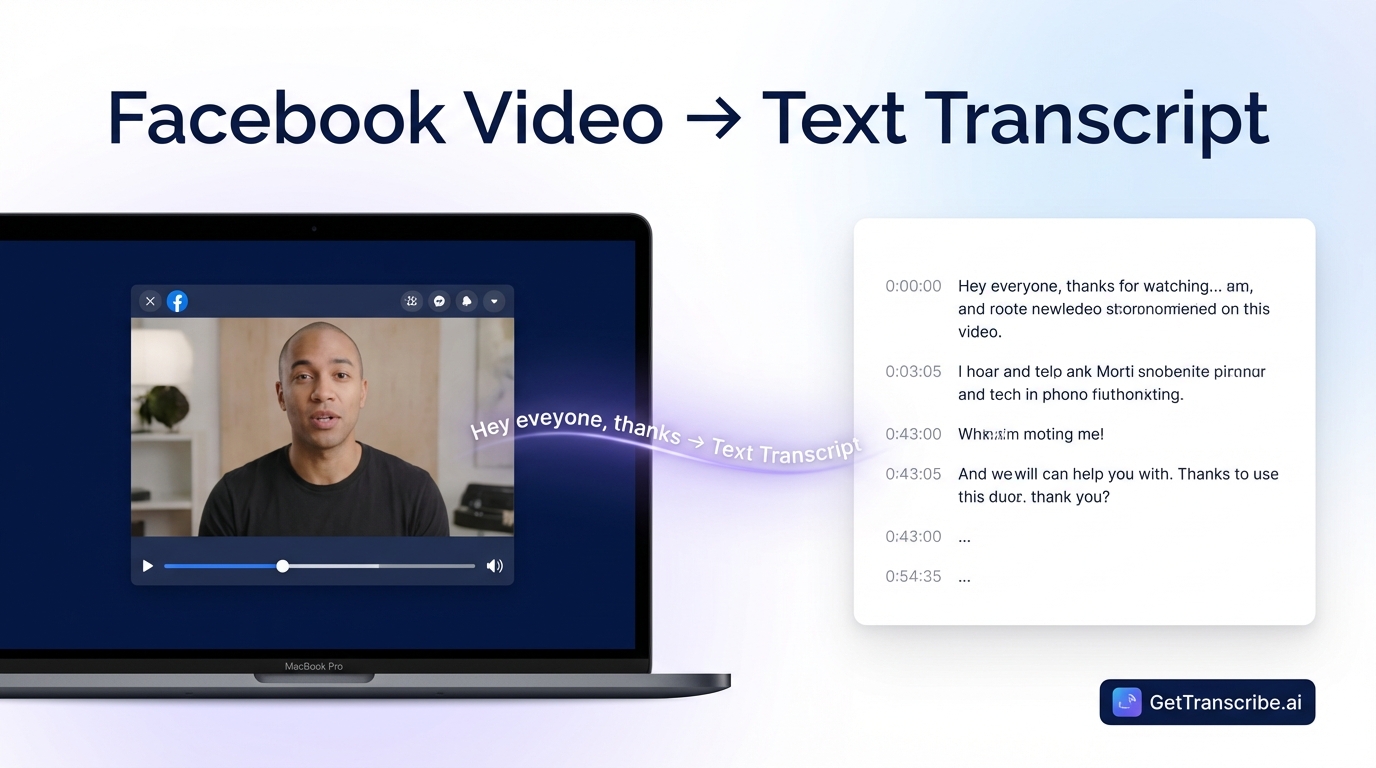
To transcribe a Facebook video, copy the video URL and paste it into GetTranscribe.ai — your full transcript appears in under 60 seconds with 95%+ accuracy. No download required. Works for Facebook Reels, Live recordings, and public videos in 30+ languages.
Last Updated: April 2026 · By Daniel Vengoechea, AI Systems Builder & Founder of GetTranscribe.ai
TL;DR — Quick Summary
To transcribe a Facebook video, copy the video URL and paste it into GetTranscribe.ai — your full transcript appears in under 60 seconds with 95%+ accuracy. No download required.
- Works for Facebook Reels, Facebook Live recordings, and public Facebook videos
- Supports 30+ languages with automatic language detection
- Trusted by 12,000+ creators and businesses. SOC 2 Type II certified.
- Plans from $7.99/month — pay-as-you-go credits available as low as $0.06/min on the $100 bundle
- GetTranscribe is the only tool that supports 7 major social platforms from a single URL paste
Why Transcribe Facebook Videos?
Facebook hosts billions of videos — from brand content and live streams to Reels and personal recordings. But there's no native way to extract the text from those videos. Here's why getting a transcript matters:
1. Content Repurposing
Every Facebook video you've published is a content asset waiting to be unlocked. A 5-minute Facebook Live session contains a blog post, an email newsletter, a LinkedIn article, and a dozen social captions — all of it already recorded. Transcription is the key that unlocks that content.
If you're already turning videos into blog posts, Facebook video transcripts fit directly into that workflow — paste the URL, get the text, repurpose it across channels.
2. Accessibility and ADA Compliance
Over 466 million people worldwide have hearing loss. Providing text transcripts and captions for video content is not just good practice — it's increasingly required for brands concerned with ADA compliance and inclusive communication. A verbatim transcript is the first step toward adding accurate subtitles to any Facebook video.
3. SEO Benefits
Search engines cannot index video audio — but they can index text. Publishing your Facebook video content as written blog posts or adding transcripts to your website creates searchable, indexable content that drives organic traffic long after the video stops receiving views.
4. Research and Competitor Intelligence
Marketers and researchers regularly need to extract spoken content from Facebook videos for competitor analysis, market research, and brand auditing. Transcribing a competitor's Facebook Live or product announcement video gives you a word-for-word record of their messaging, claims, and positioning.
5. AI Workflows and Automation
With a transcript in hand, you can feed Facebook video content into ChatGPT, Claude, or any AI tool. Summarize a long Facebook Live, extract key insights from a webinar recording, or build an automated pipeline that transcribes new Facebook videos and routes the text to Notion, Google Docs, or your CMS.
How to Transcribe a Facebook Video — Step by Step
GetTranscribe.ai transcribes any public Facebook video directly from its URL — no download, no file upload, no software to install.
Here's the complete process:
Step 1: Copy the Facebook Video URL
Open the Facebook video you want to transcribe in your browser or mobile app. There are two ways to get the URL:
- Desktop: Right-click on the video player and select "Show video URL" or "Copy video address" — or simply copy the URL from your browser's address bar
- Mobile (Facebook app): Tap the three-dot menu (⋯) on the video or post, then tap "Copy link"
- Facebook Reels: Tap Share → Copy link
The video must be publicly accessible. Private videos cannot be transcribed via URL — see the FAQ section below for options.
Step 2: Paste the URL into GetTranscribe.ai
Go to gettranscribe.ai/facebook-transcription and paste the Facebook video URL into the transcription field.
You can also install the Chrome Extension to transcribe any Facebook video in one click directly from the page you're on — no need to open a new tab or copy/paste a URL.
Step 3: Receive Your Transcript in Under 60 Seconds
Click Transcribe. GetTranscribe's AI — tuned specifically for social media video content — processes the video audio and returns a clean, accurate transcript in under 60 seconds. For short Facebook videos and Reels (30–90 seconds), it's typically done in under 15 seconds.
What you get:
- Full verbatim transcript as clean, readable text
- 95%+ accuracy for clear audio in English
- Automatic language detection across 30+ languages
- Timestamps available for longer videos
Step 4: Copy, Export, or Repurpose
Your transcript appears as plain text in the GetTranscribe dashboard. From here, you can:
- Copy to clipboard and paste into any tool (Google Docs, Notion, your CMS)
- Feed to ChatGPT or Claude to summarize, expand, or repurpose the content
- Create subtitles from the transcript text
- Save to folders to keep your transcripts organized by project or client
If you process Facebook videos at scale, GetTranscribe's REST API and automation integrations let you route transcripts automatically — no manual steps required.
How to Transcribe Facebook Reels
Facebook Reels are short-form videos (up to 90 seconds) that have become one of the platform's fastest-growing content formats. Brands use Reels for product launches, tutorials, behind-the-scenes content, and viral campaigns.
To get a transcript from a Facebook Reel:
- Open the Reel on Facebook (mobile or desktop)
- Tap or click the Share button
- Select Copy link
- Paste the link into gettranscribe.ai/facebook-transcription
- Your Reel transcript is ready in under 60 seconds
The same workflow applies whether you're transcribing a Reel from a brand account you manage or analyzing a competitor's Reel for content intelligence. GetTranscribe handles the audio extraction and transcription automatically.
Why Reels transcripts matter for brands: Facebook Reels are increasingly driving organic reach on the platform. Transcribing your own Reels gives you the script to repurpose into captions, blog posts, or ad copy. Transcribing competitor Reels gives you a direct window into the messaging that's working for them.
Best Facebook Video Transcription Tools Compared (2026)
There are several tools that claim to transcribe Facebook videos. Here's an honest comparison based on actual capabilities:
| Tool | URL Paste | Speed | Accuracy | Cost | Platforms |
|---|---|---|---|---|---|
| GetTranscribe.ai | ✅ Yes | Under 60 sec | 95%+ | From $0.06/min (PAYG) | 7 platforms |
| Transcript24 | ✅ Yes | Seconds | ~99% claimed | Free (ad-supported) | Several platforms |
| Rev | ❌ Upload only | Hours (human) | 99% (human) | $1.50+/min | File upload |
| TurboScribe | ❌ Upload/download first | Minutes | Varies | $10/mo | File upload only |
| Happy Scribe | ✅ Some URLs | 2–5 min | 85–95% | From €0.20/min | Limited social support |
| Evernote | ✅ Links | Minutes | Varies | Free/Premium | General web |
Why GetTranscribe.ai stands out:
- 7 platforms, one tool: Facebook, Instagram, TikTok, YouTube, Pinterest, Twitter/X, and Google Drive — all supported from a single URL paste. No competitor covers all seven.
- Speed: Under 60 seconds from paste to transcript vs. minutes for most alternatives.
- No download required: Tools like Rev and TurboScribe require downloading the video file first. GetTranscribe works directly from the URL.
- Developer ecosystem: REST API, n8n integration, Make integration, and Chrome Extension — the most complete automation stack of any URL-paste transcription tool.
How to Transcribe Facebook Live Videos
Facebook Live recordings present a unique challenge: they're often long-form (30 minutes to several hours), and the audio quality can vary with live broadcast conditions.
To transcribe a Facebook Live recording:
- After the live stream ends, Facebook stores it as a video on your Page or profile
- Navigate to the published recording
- Copy the video URL from the browser address bar
- Paste into gettranscribe.ai/facebook-transcription
GetTranscribe handles long-form content — there's no hard time limit that would prevent processing a 60-minute live stream. Timestamps are included in the output, making it easy to find specific moments in a long recording.
Use cases for Facebook Live transcripts:
- Webinar and training session archives
- Repurposing live Q&A sessions into FAQ articles
- Creating searchable records of Town Halls and announcements
- Extracting highlight quotes for marketing content
For agencies managing large volumes of live recordings, GetTranscribe's bulk transcription feature lets you queue multiple URLs simultaneously from the dashboard — processing in parallel rather than sequentially.
How to Use Facebook Video Transcripts — 5 Practical Use Cases
Getting the transcript is step one. Here's what to do with it:
1. Create Blog Posts from Video Content
A 10-minute Facebook Live is 1,000–1,500 words of spoken content. That's a complete blog post, already written — you just need to clean it up, add headings, and optimize it for search.
Start with your transcript, identify the main sections, reformat them with proper H2 and H3 headings, add an intro and conclusion, and you have a publishable article. If you want to accelerate this, paste the transcript into ChatGPT or Claude with a prompt to expand it into a blog post — you'll have a draft in under 5 minutes. See our guide on how to extract a script from any viral video for the full workflow.
2. Generate Subtitles and Captions
Accurate captions make your Facebook videos accessible to hearing-impaired audiences and viewers watching without sound (the majority on mobile). Facebook's auto-generated captions are notoriously inaccurate. A GetTranscribe transcript gives you verbatim text with timestamps — ready to format as SRT captions or paste directly into Facebook's caption editor.
3. Build Searchable Content Archives
For brands with a large Facebook video library, transcription enables full-text search across all your video content. Archive transcripts in Notion, Airtable, or a CMS — and you can search every word ever spoken in your Facebook videos in seconds. This is particularly valuable for customer support teams, content strategists, and compliance teams.
4. Feed Transcripts to AI Tools
Transcripts are the ideal input for AI analysis. Once you have the text from a Facebook video, you can:
- Ask ChatGPT to summarize a 45-minute Facebook Live into 5 bullet points
- Ask Claude to identify the top sales objections raised in a live Q&A
- Ask any LLM to extract action items from a recorded team meeting
GetTranscribe's ChatGPT and Claude MCP integrations make this seamless — transcribe and feed to your AI tool as part of a connected workflow.
5. Automate at Scale
For agencies, media teams, and developers processing dozens or hundreds of videos weekly, manual transcription isn't scalable. GetTranscribe's integrations enable fully automated Facebook video transcription pipelines:
- Instagram transcription workflows cross-platform
- TikTok transcription alongside Facebook in one pipeline
- YouTube video transcription for omni-channel content teams
Automate Facebook Video Transcription at Scale
For developers and automation engineers, GetTranscribe offers a full infrastructure for automated Facebook video transcription:
REST API
GetTranscribe's REST API accepts Facebook video URLs programmatically and returns structured JSON transcripts with word-level timestamps. Use it to:
- Build custom dashboards that auto-transcribe new Facebook videos
- Trigger transcription from any external event (new post, webhook, form submission)
- Integrate Facebook video transcription into any internal tool or workflow
Full API documentation is available with code examples in multiple languages.
n8n Integration
The GetTranscribe n8n node is listed on the official n8n marketplace and connects to 400+ apps without code.
Example n8n workflow for Facebook videos: New Facebook video URL submitted via form → GetTranscribe transcribes it → Transcript sent to Claude for summarization → Summary posted to Slack + full transcript saved to Notion
Make (formerly Integromat) Integration
The Make integration provides a visual drag-and-drop builder for transcription workflows. Connect GetTranscribe to Google Sheets, Gmail, Airtable, or any of Make's 3,000+ app connections — no coding required.
Chrome Extension
The GetTranscribe Chrome Extension enables one-click transcription directly from any Facebook video page. Right-click the video → Transcribe with GetTranscribe → transcript appears in your dashboard. No URL copying, no tab switching.
Bulk Transcription
Submit multiple Facebook video URLs simultaneously and process them in parallel from the GetTranscribe dashboard. Ideal for agencies handling large content archives or teams that need to process an entire Facebook Page's video library.
Frequently Asked Questions
Can I transcribe a Facebook video for free?
GetTranscribe.ai offers a free tier to get started — no credit card required for your first transcription. Paid plans start at $7.99/month (Basic plan, 50 video minutes/month). Pay-as-you-go credits are also available, with the most cost-effective rate at $0.06/min on the $100 bundle. See current pricing.
How do I get a transcript from Facebook Reels?
To get a transcript from Facebook Reels: open the Reel, tap Share → Copy link, then paste the link into gettranscribe.ai/facebook-transcription. Your Reel transcript is ready in under 60 seconds — no download required. Facebook offers no native transcript export for Reels, making a URL-paste tool essential.
What is the most accurate Facebook video transcription tool?
GetTranscribe.ai delivers 95%+ accuracy for clear audio in English — among the highest available for URL-based Facebook video transcription. The AI is specifically tuned for social media video content, handling fast speech, varying audio quality, and 30+ languages automatically. Human transcription services like Rev achieve 99% accuracy but cost $1.50+/min and take hours, making them impractical for most use cases.
Can I transcribe a private Facebook video?
Private Facebook videos require you to download them first, then upload to a transcription tool. GetTranscribe.ai works directly from URLs, which requires the video to be publicly accessible. For private videos: download them to your device, then upload to GetTranscribe via Google Drive (get a shareable Drive link, paste into GetTranscribe). See Google Drive transcription for this workflow.
Does Facebook have a built-in transcription feature?
Facebook offers auto-generated captions for some videos on Facebook Pages — but they are frequently inaccurate, especially for fast speech, accents, or domain-specific vocabulary. There is no native way to export a full text transcript from a Facebook video. GetTranscribe.ai provides significantly more accurate transcription and gives you the text as a plain, exportable document.
How do I add subtitles to a Facebook video?
First, transcribe the Facebook video using GetTranscribe.ai to get the text. Format the transcript as an SRT file (a standard subtitle format) using a tool like Subtitle Edit or VEED.io. Then upload the SRT file to Facebook via Edit Video → Captions → Upload SRT. GetTranscribe gives you the accurate text foundation — formatting it as SRT is the final step.
Can ChatGPT transcribe a Facebook video?
ChatGPT cannot directly transcribe Facebook videos — it cannot process video audio. The recommended workflow is: use GetTranscribe.ai to transcribe the Facebook video first (paste the URL, get text in under 60 seconds), then paste the transcript text into ChatGPT for summarization, analysis, or repurposing. GetTranscribe also supports ChatGPT MCP integration for connected workflows.
Conclusion: Start Transcribing Facebook Videos Today
Transcribing Facebook videos used to mean hours of manual work — watching, pausing, typing, repeating. In 2026, it takes under 60 seconds.
Here's your action plan:
- Find the Facebook video you want to transcribe — any public video, Reel, or Live recording
- Copy the URL (right-click → Copy video address, or Share → Copy link)
- Paste into gettranscribe.ai/facebook-transcription
- Get your transcript in under 60 seconds — 95%+ accuracy, 30+ languages
- Use it — repurpose into blog posts, generate captions, feed to AI, or archive for search
GetTranscribe.ai supports Facebook alongside Instagram Reel transcription, TikTok transcription, and YouTube video transcription — giving you one tool for every platform where your content lives.
Trusted by 12,000+ creators and businesses. SOC 2 Type II certified. GDPR ready.
Start Transcribing Facebook Videos → gettranscribe.ai/facebook-transcription
Or install the Chrome Extension for one-click transcription directly on any Facebook page.
GetTranscribe.ai also supports Instagram transcription, TikTok transcription, YouTube video transcription, and Google Drive transcription — one tool for all 7 major social platforms. Available via REST API, n8n, Make, and Chrome Extension.