How to Transcribe TikTok Videos to Text in 2026 (Fast & Accurate)
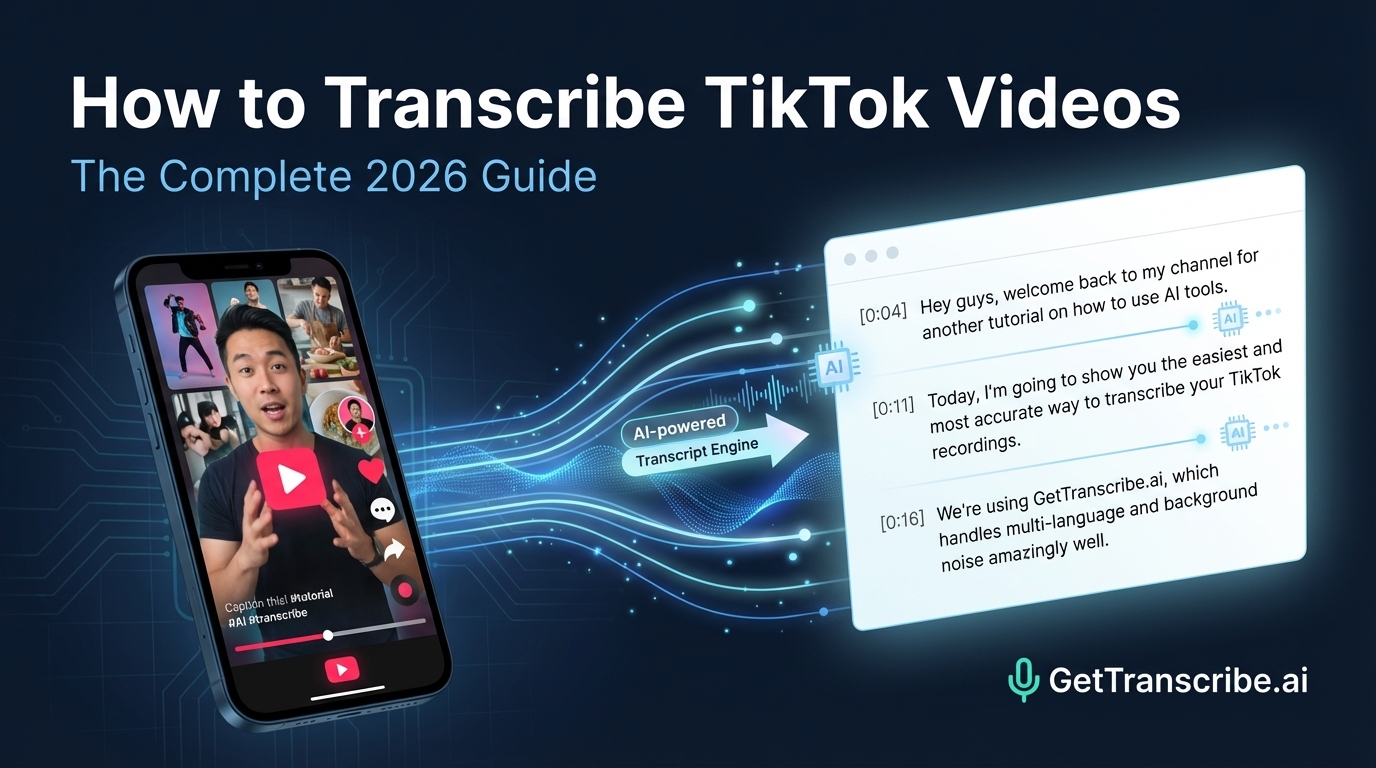
The fastest way to transcribe a TikTok video is to paste the URL into GetTranscribe.ai — you'll get an accurate transcript in under 60 seconds, no download required. Here's the complete 2026 guide.
Last Updated: April 2026 · By Daniel Vengoechea, AI Systems Builder & Founder of GetTranscribe.ai
TL;DR — Quick Summary
The fastest way to transcribe a TikTok video is to paste the URL into GetTranscribe.ai/tiktok-transcription — you'll get an accurate transcript in under 60 seconds, no download required.
- No file download needed — paste the TikTok link directly, get instant text output
- 95%+ accuracy, 30+ languages auto-detected
- Works even when the creator has disabled video downloads
- Trusted by 12,000+ creators and businesses. SOC 2 Type II certified.
- Plans from $7.99/month — pay-as-you-go credits also available
- Three methods covered: URL paste (fastest), TikTok auto-captions (limited), and file upload (slower)
Introduction
TikTok videos are everywhere. But what if you need the words?
Maybe you want to repurpose a TikTok into a blog post or email newsletter. Maybe you're doing competitor research and need to analyze what top creators are actually saying. Maybe you want accurate captions for accessibility, or you just watched a video and need to quote it.
The old way — downloading the video, uploading it to a tool, waiting, getting back a messy subtitle file — costs you 10–15 minutes per video. And sometimes TikTok won't even let you download it.
There's a faster way. Paste the TikTok URL into GetTranscribe.ai and get a clean, accurate transcript in under 60 seconds. No download. No upload. No software to install. This guide covers that method in detail — plus two alternatives, five practical use cases for your transcripts, and everything you need to know about TikTok transcription in 2026.
Why Transcribe TikTok Videos?
Before we get into the how, let's talk about the why — because there are more use cases here than most creators realize.
1. Content Repurposing
Every TikTok you've published contains a script. That script is a blog post, an Instagram caption, a newsletter section, or a YouTube script waiting to happen. Transcription is the unlock.
According to a 2024 Verizon study, 80% of social media users watch videos on mute — meaning your spoken content is already being missed by the majority of viewers. A written transcript turns your video content into text that everyone can consume, regardless of where they are or whether they have headphones.
Need the full playbook for this? See our guide on how to repurpose TikTok videos into blog posts.
2. Competitor Research
Want to know exactly what messaging your top competitors are using in their best-performing TikToks? Transcribe their viral videos and you get word-for-word records of their hooks, claims, and calls-to-action. It's one of the most underused content intelligence techniques in 2026.
You can also use this technique to extract scripts from viral videos across any platform — not just TikTok.
3. Accessibility
Over 466 million people worldwide have hearing loss. Videos with accurate captions and transcripts are dramatically more accessible — and videos with captions see 16% more reach than those without. Adding a transcript isn't just good ethics; it's good strategy.
4. SEO and Indexable Content
Search engines cannot index video audio. They can index text. Every TikTok you transcribe and publish as written content is a new SEO asset that Google can discover, crawl, and rank. Your video content gets a second life as organic search traffic.
5. Quote Extraction and Research
Journalists, researchers, students, and marketers all need to quote video sources accurately. Instead of rewatching a video three times trying to catch the exact phrasing, you get the transcript once and search it instantly.
Method 1 — Transcribe TikTok by Pasting the URL (Fastest Method) ⭐
This is the method we recommend. No download required. Results in under 60 seconds.
Other tools make you download the TikTok video first, then upload it. That's 5–7 extra steps, and TikTok often blocks downloads entirely when creators have disabled them. GetTranscribe works directly from the URL — no file handling whatsoever.
Step-by-Step: Transcribe Any TikTok in Under 60 Seconds
Step 1: Go to the GetTranscribe TikTok transcription page
Open your browser and navigate to gettranscribe.ai/tiktok-transcription. If you're not signed in, you can start for free — no credit card required.
Step 2: Copy the TikTok video URL
Open TikTok on mobile or desktop:
- Mobile app: Tap the Share button (arrow icon) on the video → tap Copy Link
- Desktop browser: Copy the URL directly from your browser's address bar
Your TikTok URL will look like:
https://www.tiktok.com/@username/video/1234567890123456789
Step 3: Paste the URL into GetTranscribe
Paste the TikTok URL into the input field on the GetTranscribe page.
Step 4: Click "Transcribe" — wait under 60 seconds
GetTranscribe's AI — built on state-of-the-art speech recognition technology specifically optimized for social media video content — processes the video and returns a clean, readable transcript. For most TikToks (under 3 minutes), this takes under 60 seconds. Short TikToks (15–30 seconds) often complete in under 10 seconds.
Step 5: Copy, download, or use AI chat to analyze your transcript
Your transcript appears as clean plain text in the dashboard. From here you can:
- Copy to clipboard and paste into any tool (Google Docs, Notion, your CMS)
- Feed to AI — use the built-in AI chat to summarize, rewrite, or extract insights
- Save to folders — organize transcripts by project or client
- Export — download as a plain text or formatted file
Why This Is the Best Method
| Feature | GetTranscribe (URL Paste) | Competitors (File Upload) | TikTok Auto-Captions |
|---|---|---|---|
| Requires download? | ❌ No | ✅ Yes | ❌ No |
| Works when downloads disabled? | ✅ Yes | ❌ No | ✅ Yes |
| Accuracy | 95%+ | 80–95% | 60–75% |
| Languages supported | 30+ | Varies | Limited |
| Speed | Under 60 seconds | 2–10 min | Instant (but inaccurate) |
| Exportable plain text | ✅ Yes | ✅ Yes | ❌ No |
| Cost | From $7.99/mo | From $10/mo+ | Free (limited) |
The critical advantage: GetTranscribe works directly from the TikTok URL. Every competitor — Descript, Otter.ai, Happy Scribe, Notta — requires you to first download the TikTok video (which TikTok actively makes difficult) and then upload the file. That's 5–7 extra steps. GetTranscribe reduces this to 1 step: paste the URL.
Method 2 — Use TikTok's Built-In Auto-Captions (Limited)
TikTok has a native auto-caption feature that generates text as the video plays. Here's how to use it, and why it's only suitable for quick reference.
How to Enable TikTok Auto-Captions
On the TikTok mobile app:
- Open any video
- Tap the CC icon (if visible) to toggle captions on
- For your own videos: go to your profile → tap the video → Edit → tap the Captions option to auto-generate
Limitations of TikTok Auto-Captions
- Not exportable — captions are only visible while the video plays on-screen. There's no way to download the text.
- Low accuracy — TikTok's auto-captions are based on general speech models, not social-media-tuned AI. Accuracy is typically 60–75%, with frequent errors on slang, accents, or fast speech.
- Not timestamped — you can't search or navigate the text
- No multi-language support — auto-captions primarily work in English
When to use: TikTok auto-captions are fine if you just need a rough sense of what a video says while watching. For any use case where you need accurate, portable, editable text — repurposing, research, accessibility — use GetTranscribe.
Method 3 — Download and Upload to a Transcription Tool (Slower)
If you prefer working with file-based tools, or if a direct URL approach isn't available for a specific video, you can download the TikTok and upload it manually. GetTranscribe also accepts file uploads, so this workflow still applies.
How to Do It
- Download the TikTok video — use the Save Video feature in TikTok (tap Share → Save Video), or a third-party tool if the creator has enabled downloads
- Upload to GetTranscribe — go to gettranscribe.ai and use the file upload option
- Receive your transcript in under 60 seconds
Drawbacks Compared to URL Paste
- Extra steps — downloading first adds 5–10 minutes of friction
- Not always possible — creators can disable video downloads; TikTok itself may block third-party download tools
- Watermarks — TikTok's "Save Video" feature adds a watermark to downloaded files (though this doesn't affect transcription quality)
- File size — longer TikToks produce larger files that take longer to upload
Bottom line: The URL paste method (Method 1) is almost always faster and easier. Reserve the file upload method for edge cases where the URL approach isn't working.
How to Use Your TikTok Transcript — 5 Practical Use Cases
Getting the transcript is step one. Here's what to do with it:
1. Repurpose into a Blog Post
A 60-second TikTok generates 120–180 words of transcript. That's the skeleton of a blog post — the hook, the structure, the key points are already there. Expand each point with context, examples, and data, add SEO elements (title, meta, headings, FAQ), and you have a publishable 1,200–2,000 word article.
The full workflow is covered in detail in our guide: How to Repurpose TikTok Videos Into Blog Posts.
2. Create Instagram Captions
Pull the strongest 2–3 sentences from your TikTok transcript — typically from the hook or the key point — and use them as Instagram captions. Your transcript gives you natural, engaging language that's already been tested in video form. No starting from blank every time.
Looking for a seamless multi-platform workflow? GetTranscribe also supports Instagram Reels transcription — paste an Instagram URL and get the transcript in the same tool.
3. Build YouTube Video Scripts
Transcribe competitor TikToks to reverse-engineer what makes their content work — the opening hook structure, the story arc, the CTA phrasing. Use those insights (not the words themselves) to build your own YouTube scripts. This is one of the fastest ways to level up your content strategy without starting from scratch.
For the complete hook-analysis workflow, see: How to Extract a Script from Any Viral Video.
4. Add Searchable Captions Back to Your TikTok
Copy your GetTranscribe transcript, clean it up, and paste it back as a caption or description on your TikTok. This improves accessibility for hearing-impaired audiences and makes your content more discoverable within TikTok's own search algorithm, which indexes caption text.
5. Research Competitor Content at Scale
Transcribe the top 10 TikTok videos in your niche and you have a detailed content intelligence report: what topics are resonating, what language is being used, what claims are being made, and what gaps exist. This is systematic competitor research that most creators aren't doing — because getting the text used to be too slow. With GetTranscribe it takes under 60 seconds per video.
Transcribing TikToks in Other Languages
GetTranscribe automatically detects the language of any TikTok video and transcribes accordingly. This makes it one of the most powerful tools for international content research and multilingual creator workflows.
Languages supported include: English, Spanish, Portuguese, French, German, Italian, Dutch, Polish, Russian, Japanese, Korean, Chinese (Mandarin), Hindi, Arabic, Turkish, and 15+ more.
See the full supported languages list.
Use cases for multilingual TikTok transcription:
- International trend analysis — Transcribe viral TikToks from Spanish, Hindi, or Portuguese-speaking markets to identify trends before they hit English-speaking audiences
- Localization — Transcribe your own non-English TikToks to repurpose in those languages
- Global competitor research — Monitor what international competitors are saying in their native languages
- Language learning — Transcribe native-speaker TikToks to study real, conversational language use
No language setting is required — GetTranscribe detects the language automatically and transcribes accordingly.
GetTranscribe Pricing for TikTok Transcription
GetTranscribe offers flexible pricing that fits creators at every level:
| Plan | Monthly Price | Video Minutes | AI Messages | Best For |
|---|---|---|---|---|
| Basic | $7.99/mo | 50 min/mo | 100/mo | Casual creators |
| Starter | $9.99/mo | 150 min/mo | 300/mo | Regular creators |
| Pro | $29.99/mo | 500 min/mo | 1,500/mo | Agencies & power users |
| Pay-As-You-Go | From $10 | Pay per use | Add-on | Flexible volume |
The most cost-effective PAYG rate is $0.06/min on the $100 bundle. A typical 60-second TikTok costs less than $0.01 to transcribe.
Frequently Asked Questions About TikTok Transcription
Can I transcribe a TikTok video without downloading it?
Yes — the fastest way to transcribe a TikTok video without downloading it is to paste the URL directly into GetTranscribe.ai. No file download is required. Copy the TikTok link (Share → Copy Link on mobile, or the URL from your browser address bar on desktop), paste it into GetTranscribe, and receive your full transcript in under 60 seconds.
Is there a free TikTok transcript generator?
Yes. GetTranscribe.ai is free to try — no credit card required to start your first transcription. For ongoing use, paid plans start at $7.99/month (Basic plan: 50 video minutes/month). Pay-as-you-go credit packs are also available from $10, with the most cost-effective rate at $0.06/min on the $100 bundle. View current pricing →
How accurate is AI transcription for TikTok videos?
GetTranscribe.ai achieves 95%+ accuracy for clear audio in English — among the highest available for URL-based social video transcription. The AI is specifically optimized for social media content, handling fast-paced speech, casual language, slang, and background music. Accuracy is approximately 85–92% for videos with heavy background noise or strong regional accents. 30+ languages are supported with automatic language detection.
Can I transcribe private TikTok videos?
No — GetTranscribe requires a public, shareable TikTok URL. Private videos are not accessible via URL. If you need to transcribe your own private TikTok, change the privacy setting to "Public" or "Friends" temporarily to generate a shareable link, then transcribe it with GetTranscribe.
How long does it take to transcribe a TikTok?
Under 60 seconds for most TikToks. TikTok videos are typically under 3 minutes in length, which means GetTranscribe processes them in 10–60 seconds depending on video length. Short TikToks (15–30 seconds) often complete in under 10 seconds. There's no queue — transcription starts immediately after you paste the URL.
Does GetTranscribe work on TikTok LIVE?
GetTranscribe transcribes recorded TikTok videos via public URL. Live streams cannot be transcribed in real time via URL. However, if a TikTok LIVE is saved as a recording on your profile after the broadcast ends, that recording can be transcribed by pasting the saved video URL into GetTranscribe.
What is the best TikTok transcript generator in 2026?
GetTranscribe.ai is the best TikTok transcript generator for creators and marketers in 2026 because it works directly from the TikTok URL — no download required. It delivers 95%+ accuracy in under 60 seconds, supports 30+ languages, and integrates with tools like n8n, Make, Zapier, and the ChatGPT/Claude MCP. Competitors like Notta, Happy Scribe, and Transkriptor require you to download the video file first, adding 5–7 extra steps. GetTranscribe's URL-paste workflow is purpose-built for social media creators.
Conclusion: The Fastest TikTok Transcription Method in 2026
Transcribing TikTok videos used to be a 10-minute chore. In 2026, it takes under 60 seconds — if you're using the right tool.
The fastest method is clear: paste the TikTok URL into GetTranscribe.ai/tiktok-transcription, click Transcribe, and get a clean, accurate transcript in under a minute. No download, no upload, no friction. Just paste, click, copy.
Whether you're repurposing content into blog posts, running competitor research, building multilingual content strategies, or creating accessible captions — your TikTok transcription workflow starts with a URL paste.
→ Try GetTranscribe free — paste your first TikTok link at gettranscribe.ai/tiktok-transcription
GetTranscribe.ai is trusted by 12,000+ creators and businesses. SOC 2 Type II certified. GDPR ready. Free to try — no credit card required.
GetTranscribe.ai also supports Instagram Reels transcription, YouTube video transcription, Facebook video transcription, Pinterest video transcription, and Google Drive transcription — one tool for every platform where your content lives. Available via Chrome Extension, REST API, n8n, and Make.