How to Repurpose TikTok Videos into Blog Posts (Step-by-Step Guide)
Learn the fastest way to repurpose TikTok videos into SEO-optimized blog posts using transcription. Paste a URL, get a transcript, expand with AI — step-by-step workflow inside.
TL;DR
- Paste your TikTok URL into GetTranscribe and get a full, accurate transcript in under 60 seconds
- Use the transcript as raw material in ChatGPT or Claude to expand it into a full SEO blog post
- Add keyword optimization, subheadings, internal links, and an FAQ section to maximize search visibility
- Publish the post, embed the original TikTok, and cross-link both pieces for maximum reach
Introduction
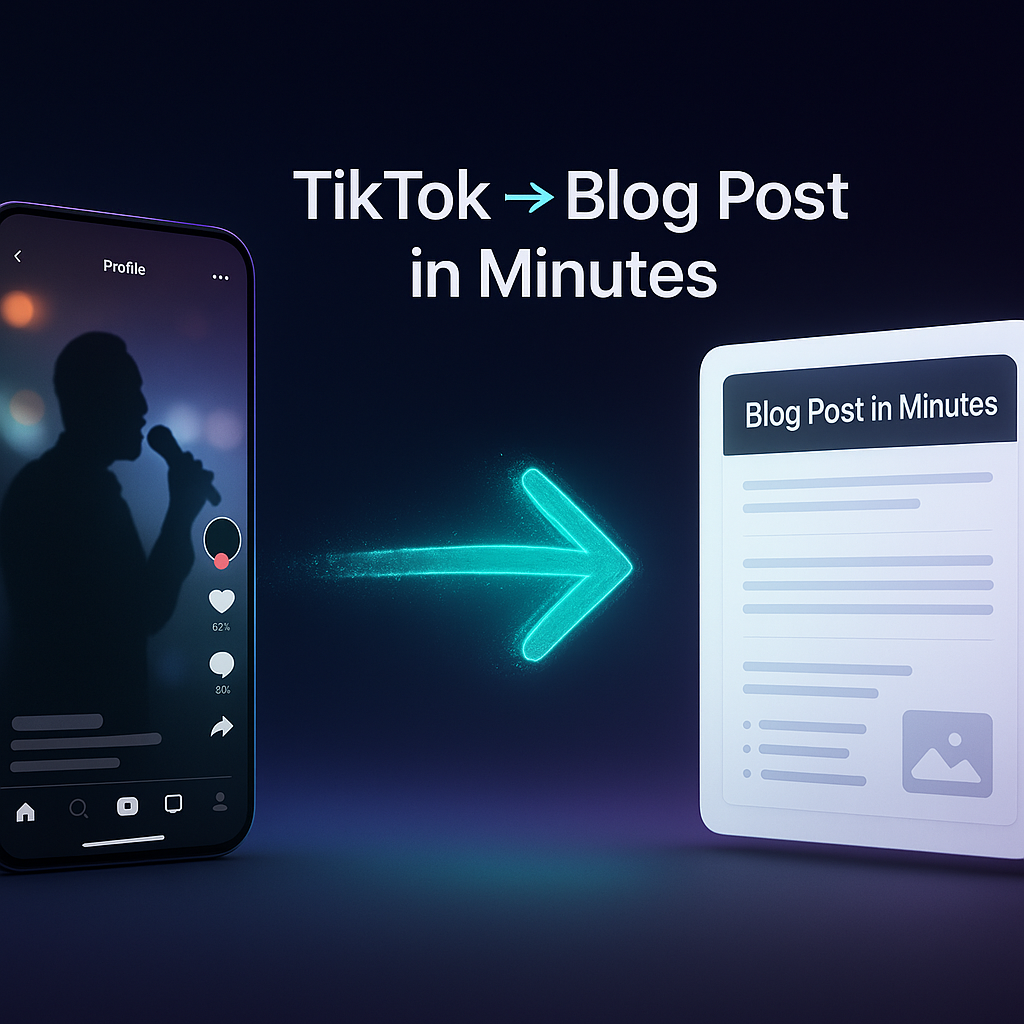
The fastest way to repurpose a TikTok video into a blog post is to transcribe it first. Paste the TikTok URL into GetTranscribe, get the full script in seconds, then use AI to expand it into a full blog post.
That single workflow closes a gap that's costing content creators thousands of organic visitors every month.
Here's the reality: TikTok content has a lifespan of 24–48 hours. A video that drives 50,000 views on Tuesday is largely forgotten by Thursday. Meanwhile, a well-written blog post built from that same content can generate organic search traffic for years. Creators are sitting on archives of valuable content — educational tutorials, how-to walkthroughs, opinion pieces — that exist only as short-form video and never compound on Google.
The problem isn't a lack of content ideas. It's a missing bridge between what you've already said on TikTok and the written format that search engines can actually index. Transcription is that bridge. Once you have the words, the content strategy becomes straightforward.
This guide walks you through the exact step-by-step process: from identifying which TikToks to repurpose, to publishing a fully optimized blog post in a fraction of the time it would take to write from scratch.
Why Repurpose TikTok Videos into Blog Posts?
TikTok Has a Short Shelf Life — Blog Posts Compound
A TikTok's organic reach peaks within 24–48 hours of posting. After that, the algorithm deprioritizes it in favor of newer content. Compare this to a blog post: Google indexes it once, and with proper SEO, it can rank and deliver traffic for months or years without any additional effort on your part.
One 60-second TikTok video contains roughly 500–700 words of spoken content — enough to form a solid foundation for a full blog post. That's content you've already scripted, filmed, and edited. Repurposing it costs a fraction of the time it took to create.
Blog Posts Do What TikToks Can't: Rank on Google
TikTok videos don't appear in traditional Google search results (beyond occasional video carousels). Blog posts do. If someone searches "how to [topic you covered in your TikTok]," your video doesn't help them — but a blog post on the same topic, properly optimized, absolutely can.
Break Out of the Content Treadmill
The content treadmill is the perpetual pressure to create new content rather than maximize the value of existing content. When you repurpose a single TikTok into a blog post, a newsletter section, a LinkedIn post, and a Pinterest pin, you've multiplied one piece of work into four distribution channels. That's how sustainable content strategies work.
What You Need Before You Start
Before you dive into the workflow, you'll need four things:
- A TikTok account with published content — or access to any public TikTok video you have rights to repurpose
- A transcription tool that works directly with TikTok URLs — this is the critical piece most creators miss. You need something that accepts a URL directly, without requiring you to download the video file first. GetTranscribe's TikTok transcription tool does this natively — paste the URL, get the transcript.
- An AI writing assistant — ChatGPT, Claude, or any LLM to expand the transcript into a full article
- A blogging platform — WordPress, Webflow, Ghost, or any CMS where you publish your written content
That's it. No video editing software, no downloads, no manual typing. The workflow is lean by design.
Step-by-Step: How to Turn a TikTok Video Into a Blog Post
Step 1 — Identify Your Best TikTok Videos to Repurpose
Not every TikTok makes an equally good blog post. The ones that work best share these qualities:
- High engagement or view count: Proven audience interest translates to search demand
- Educational or tutorial format: "How to" and "tips" content converts best to blog posts because the structure already exists
- Evergreen topics: A TikTok about a timeless skill or concept will drive search traffic longer than trend-based content
- Comment sections with follow-up questions: If your audience asked "but what about X?" or "can you explain Y more?" in the comments — that's your FAQ section writing itself
Pro tip: Go to your TikTok analytics and sort by comments. Videos that generated follow-up questions are ideal repurposing candidates because the comments tell you exactly what your readers want to know more about.
Step 2 — Get the Full Transcript Using GetTranscribe
This is the step that changes everything — and the one most guides skip.
Here's how the workflow works:
- Copy the TikTok video URL from the share menu
- Go to gettranscribe.ai/tiktok-transcription
- Paste the URL into the transcription field
- Hit transcribe — and within under 60 seconds, you have the full, verbatim transcript
No download required. No file upload. Just a URL.
Why this matters: you get the exact words you spoke, not a summary or paraphrase. This preserves your authentic voice — the specific phrasing, analogies, and sentence patterns that your audience already responds to. When you hand this to an AI writing assistant in the next step, it expands your content rather than fabricating generic text.
GetTranscribe delivers 95%+ accuracy for clear audio in English and supports 30+ languages, with automatic language detection. The tool works with any public TikTok account — your own videos or any public creator's content you have rights to reference.
Step 3 — Expand the Transcript into a Full Blog Post with AI
Now open ChatGPT, Claude, or your preferred AI assistant and paste in the transcript with this prompt:
"Here is a transcript from my TikTok video. Please expand this into a 1,000-word SEO-optimized blog post that maintains my voice and adds useful context, examples, and an introduction/conclusion. Keep the first-person perspective and do not change my core arguments or phrasing — only add to them."
The key mechanic here is critical: the transcript is the source of truth. The AI's job is to expand and structure, not to invent. This prevents hallucination (a common problem when you ask AI to write from scratch on a topic) and keeps the final post authentically yours.
The output from this step will give you a rough draft with:
- An introduction and conclusion
- Expanded explanations of each point you made in the video
- Smoother transitions than a raw transcript provides
- A more article-appropriate reading level
You'll still need to edit it — but you're editing a 1,000-word draft, not starting from zero.
For a faster, more native version of this process, see our ChatGPT video transcription integration guide.
Step 4 — Add SEO Optimization
The AI draft is a starting point, not a finished product. Before publishing, add these SEO fundamentals:
- Target keyword in the title, first H2, and naturally throughout the body — for this example: "repurpose TikTok videos into blog posts" should appear 3–5 times in a 1,000-word post
- Write a meta title (50–60 characters) and meta description (150–160 characters) — these are what appear in Google search results
- Add internal links to related posts on your site — 2–3 internal links per article signals topical authority to search engines
- Add a featured image with descriptive alt text that includes your target keyword
- Structure with H2 and H3 subheadings — both for readability and for search engines that use heading structure to understand content hierarchy
This takes 15–20 minutes and is the difference between a draft and a publishable, search-optimized article.
Step 5 — Enrich the Blog Post Beyond the Transcript
The transcript gives you what you said. The blog post should give readers what you couldn't fit in 60 seconds. Use this enrichment step to add:
- Statistics and data to support your claims (link to sources)
- A comparison table if your topic involves evaluating options
- An FAQ section built from the comments on your original TikTok — this is also the highest-value SEO addition you can make, as FAQ sections are frequently cited by AI search engines like Google's AI Overviews and ChatGPT
- The original TikTok video embedded in the post — embedding the video increases dwell time (readers watch the video on your blog), which sends positive engagement signals to Google
The FAQ section deserves special attention. If your TikTok comment section had 10 people asking the same question, there are 10,000 more people searching for that answer on Google. Answer it in your blog post.
Step 6 — Publish and Cross-Link
Once your post is polished and published:
- Add the blog post link to your TikTok bio or in a follow-up video's comment section
- Update related blog posts on your site to include an internal link pointing to the new post (this pushes link equity to the new page and helps Google discover it faster)
- Cross-promote on other channels — share the blog post link in your newsletter, Instagram bio, LinkedIn, or Pinterest as a pin
- Use GetTranscribe's ChatGPT integration to analyze the transcript directly within your AI workflow if you want to go deeper
How to Scale This Process (Repurposing 10+ TikToks per Month)
Once you've done this once, the question becomes: how do you do this at scale?
Batch processing with GetTranscribe: Instead of transcribing one video at a time, collect 10–20 TikTok URLs in a list and use GetTranscribe's bulk transcription feature. Pro plan users can batch up to 10 videos simultaneously, turning a month's worth of TikTok transcripts into a ready-to-expand collection in one session.
Build a content calendar from your TikTok archive: Go back through 6–12 months of content. Every educational video you posted is a potential blog post. Organize them by topic cluster (same category = internal linking opportunities between posts).
Use GetTranscribe's AI Chat feature: After transcribing, you can chat with the AI about your transcript — ask it to identify the key claims, extract the best quotes, or suggest related blog topics. This accelerates the brief-building step before you hand off to your AI writing assistant.
API automation for agencies and developers: If you're managing content repurposing at scale for multiple clients or channels, the GetTranscribe API lets you automate the URL-to-transcript step entirely — pull in new TikToks automatically and feed transcripts into your publishing pipeline without manual intervention. You can also automate content repurposing workflows using the native n8n integration.
Common Mistakes to Avoid
Publishing the raw transcript without editing. Spoken language and written language are structurally different. A raw transcript reads as choppy, repetitive, and informal — because it is those things when written down. Always process it through at least one round of AI expansion plus a human editing pass.
Skipping the SEO layer. The transcript is authentic content. But it was written for TikTok viewers, not for search engines. Adding keyword optimization, a meta description, and proper heading structure is what transforms a blog post from "published" to "findable."
Repurposing promotional content instead of educational content. "Buy my course" videos don't make good blog posts. Tutorial, how-to, opinion, and story-driven content does. Screen your archive for informational value before adding videos to your repurposing queue.
Skipping the FAQ section. This is the single highest-ROI addition you can make to any blog post in 2026. AI search engines like Google AI Overviews and ChatGPT consistently extract FAQ-formatted content for their answers. Without it, you're leaving significant AI search visibility on the table.
Tools You'll Need for This Workflow
| Tool | Purpose | Cost |
|---|---|---|
| GetTranscribe | TikTok URL → full transcript in seconds | From $7.99/mo |
| ChatGPT / Claude | Transcript → expanded blog post draft | Free / Paid |
| WordPress / Webflow | Blog publishing platform | Varies |
| Ahrefs / SEMrush | Keyword research & SEO analysis | Paid |
| Grammarly | Editing and proofreading | Free / Paid |
GetTranscribe is the only tool in this stack that's specific to this workflow — everything else you may already be using. Plans start at $7.99/month for the Basic plan (50 video minutes/month). Most creators repurposing 10–20 short TikToks per month will find the Starter plan ($9.99/month, 150 minutes) gives ample room. See all pricing options.
Frequently Asked Questions
Can I repurpose TikTok videos into blog posts automatically?
Yes — using the GetTranscribe API, you can build a fully automated pipeline that pulls new TikTok URLs, generates transcripts, and feeds them into your content workflow without manual steps. For creators doing this manually, the process takes 30–60 minutes per post from URL to published draft.
Do I need permission to repurpose my own TikTok content?
Yes — you need to own or have rights to the content. For your own TikTok videos, you retain rights to the spoken content and ideas, so repurposing is straightforward. Always check your platform's terms of service for edge cases involving music, third-party footage, or co-creator content.
How long does it take to turn a TikTok video into a blog post?
With the GetTranscribe workflow: approximately 30–60 minutes from URL to publish-ready post. The transcription step takes under 60 seconds. AI expansion adds 5–10 minutes. Editing and SEO optimization takes 20–40 minutes depending on your speed.
What TikTok videos work best for blog post repurposing?
Educational "how-to" videos, tutorial walkthroughs, opinion pieces with clear arguments, and story-format content convert best. Avoid repurposing trend-chasing content, promotional videos, or highly visual content where the value is primarily in what the viewer sees rather than what they hear.
Does repurposing TikTok content help SEO?
Directly, yes. Blog posts built from TikTok transcripts are original written content that search engines can index — TikTok videos are not. Indirectly, embedding your TikTok video in the blog post can increase dwell time, and cross-promoting the blog post from TikTok can drive initial traffic that boosts ranking signals.
Can I repurpose TikTok videos from other creators?
You can study, analyze, and be inspired by other creators' content without copying it. Using GetTranscribe to transcribe TikTok videos from any public account for research purposes — understanding how they structure arguments, what vocabulary they use, what topics resonate — is a legitimate research use. Always create original written content; do not republish another creator's words verbatim.
How do I maintain my voice when repurposing TikTok content?
This is exactly why the transcription-first approach works so well. Because you start with your verbatim words — the phrases, structures, and analogies you naturally use — the AI's job is to expand, not invent. The resulting blog post sounds like you because it is you, just extended. Review the draft and revert any AI-generated phrasing that doesn't match how you actually speak.
What's the best tool for transcribing TikTok videos for blogs?
GetTranscribe is purpose-built for this: paste any TikTok URL and receive a 95%+ accurate verbatim transcript in under 60 seconds. Unlike general transcription tools, GetTranscribe supports all major social platforms (TikTok, Instagram, YouTube, X, Pinterest, Facebook, Google Drive) from a single URL-paste interface — no file download required.
How many words does a TikTok video transcript produce?
A typical 60-second TikTok spoken at a natural pace generates approximately 120–150 words of transcript. A 3-minute TikTok produces 360–450 words. After AI expansion, these typically become 600–1,200-word blog posts. For longer-form content, combining 2–3 related TikToks into a single blog post is a common approach.
Can I use GetTranscribe to transcribe TikToks from any account?
Yes — GetTranscribe works with any public TikTok URL, regardless of whose account it belongs to. You do not need to be logged in to TikTok or have a relationship with the account. The tool fetches the audio from the public video and returns the transcript. Note: private TikTok videos are not accessible via URL.
Conclusion
Every TikTok you've ever posted is a potential blog post waiting to exist. The content is already there — the research, the scripting, the delivery. What's been missing is the bridge from spoken video to written, searchable text.
That bridge is transcription. Paste a URL, get your words back in under 60 seconds, hand them to an AI writing assistant, and publish a fully SEO-optimized blog post in under an hour. Do that for 10 videos a month, and you've built a content compounding engine that keeps working while your TikTok posts expire.
Ready to start? Try GetTranscribe free at gettranscribe.ai/pricing — no credit card required to explore the platform, and plans start at just $7.99/month.
Already thinking about scaling this across Instagram, YouTube, or other platforms? The same URL-paste workflow works for all of them. Visit the TikTok transcription page to get started with your first video today.
GetTranscribe supports TikTok, Instagram, YouTube, Pinterest, Twitter/X, Facebook, and Google Drive. Transcripts are delivered in under 60 seconds with 95%+ accuracy. Trusted by 12,000+ creators and businesses.