How to Repurpose Video Content into Blog Posts (Step-by-Step AI Workflow for Creators)
Learn how to repurpose video content into blog posts using AI transcription. Paste any TikTok, Instagram, YouTube, or Facebook URL into GetTranscribe — get an accurate transcript in under 60 seconds, then turn it into a full SEO-optimized blog post in minutes.
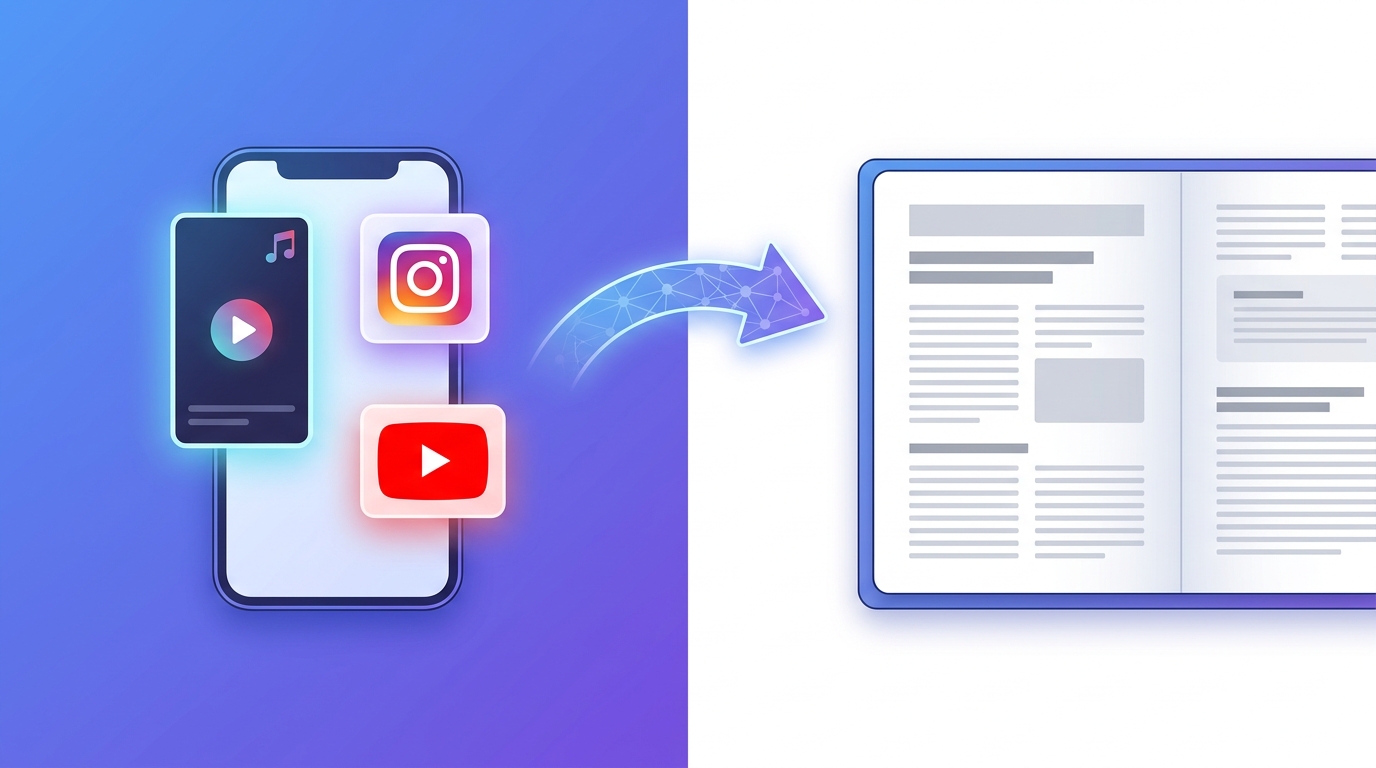
TL;DR: Paste any TikTok, Instagram, YouTube, or Facebook video URL into GetTranscribe. Get an accurate transcript in under 60 seconds. Use AI to structure it into a blog post. Takes under 5 minutes for videos up to 30 minutes long. No file download. No upload. No waiting.
To repurpose video content into a blog post: paste the video URL into GetTranscribe.ai, get a transcript in under 60 seconds, then use AI (ChatGPT, Claude, or GetTranscribe's built-in AI) to structure the transcript into a full blog post with headings, intro, and conclusion. This works for TikTok, Instagram Reels, YouTube, Facebook, Pinterest, and X — any social media URL, no file upload required.
Why Repurpose Video Content into Blog Posts?
Every video you publish is a content asset — but if it lives only on TikTok or Instagram, search engines can't find it. Search engines index text, not video. That means every insight, how-to, or story you've delivered on camera is invisible to Google unless it also exists as written content.
Here's the opportunity:
- SEO reach: A blog post targeting "how to [do the thing your video covers]" can rank for years and drive consistent organic traffic. Your TikTok or Reel has a 48-hour shelf life; a blog post has a 48-month one.
- Content multiplication: One video = one transcript + one blog post + social captions + email newsletter. That's four pieces of content from a single recording session.
- Creator ROI: Video content takes roughly 10x longer to create than a blog post. Repurposing flips the math — your video becomes the raw content, and the blog is the byproduct.
- Idle inventory: Most TikTok creators have hundreds of videos sitting on their profile. Every one of them is a potential blog post waiting to be written — you've already done the hard work.
The challenge has always been the workflow. Until recently, turning a video into a blog post meant a clunky, multi-step process that took 30–60 minutes per video. That's changing fast.
The Problem with Traditional Video-to-Blog Workflows
The old way of repurposing video content into text goes something like this:
- Find the video on your phone or camera roll
- Download the video file
- Extract the audio (or use a desktop tool to do it)
- Upload the audio file to a transcription service
- Wait 5–20 minutes for the transcript
- Edit for accuracy
- Restructure into a blog post
That's six steps before you've written a single word of your blog post. For creators publishing daily — or agencies managing dozens of clients — this isn't a workflow; it's a bottleneck.
The bigger problem? Social media platforms don't give you audio files. They give you URLs. If you want to transcribe a TikTok video or an Instagram Reel, you can't just "download" it the way you would a YouTube video you personally uploaded. Most platforms actively prevent downloading third-party content.
Most transcription tools — including Descript, TrulyScribe, and Typeface — are built around file uploads. They were designed for podcasters and video editors, not social media creators. That means before you can even start, you've already got a problem.
The Fast Way: URL-Paste Transcription (The GetTranscribe Method)
GetTranscribe was built specifically for the social media URL workflow — no downloads, no audio extraction, no file management. Here's the entire process:
Step 1: Copy the video URL Go to TikTok, Instagram, YouTube, Facebook, Pinterest, or X and copy the URL of the video you want to repurpose.
Step 2: Paste it into GetTranscribe Open GetTranscribe.ai, paste the URL into the input field, and hit Transcribe.
Step 3: Get your transcript in under 60 seconds GetTranscribe processes the video directly from the URL. You receive a 95%+ accurate transcript in under 60 seconds — no waiting, no file management, no extra steps.
Step 4: Use AI to write the blog post Use GetTranscribe's built-in AI chat to ask questions about your transcript, or copy the transcript and paste it into ChatGPT or Claude with a structuring prompt (more on this below).
Step 5: Optimize and publish Add a title, headings, your target keyword, an introduction, and a conclusion. Add internal links, write your meta description, and publish.
That's it. Paste the URL. Get the transcript. Write the blog.
GetTranscribe supports 7 platforms: Instagram, TikTok, YouTube, Facebook, Pinterest, Twitter/X, and Google Drive. That's every major video platform where creators publish — covered in a single tool, from a single URL paste.
💡 Try it free: GetTranscribe.ai — no credit card required to start.
Platform-Specific Workflows
How to Repurpose TikTok Videos into Blog Posts
TikTok is the single largest untapped content library on the internet for most creators. If you've been posting daily TikToks for a year, you have 365+ potential blog posts sitting on your profile.
To repurpose TikTok videos into blog posts: open the TikTok app, tap Share → Copy Link, paste the URL into GetTranscribe, and receive your transcript in under 60 seconds. TikTok's platform restrictions make this URL-paste approach the only reliable way to transcribe TikTok content at scale — there's no native download option for third-party videos, and file extraction tools are unreliable.
GetTranscribe's TikTok transcription handles short-form videos (15 seconds to 10 minutes) and processes them faster than any file-upload tool.
For the full TikTok-to-blog workflow, see our dedicated guide: repurpose TikTok videos into blog posts.
How to Repurpose Instagram Reels into Blog Posts
Instagram Reels are typically 15 seconds to 90 seconds long — short, punchy, and full of expertise that deserves a longer-form home. A 60-second Reel on "3 email subject line formulas that get opened" becomes a 1,200-word blog post. A 90-second cooking technique Reel becomes a recipe guide with instructions.
To turn Instagram Reels into blog posts: open Instagram, tap the three dots on any Reel, select Copy Link, and paste it into GetTranscribe. Our Instagram transcription tool handles Reels, Stories highlights, and IGTV videos.
See our full guide on turning Instagram Reels into blog posts.
How to Repurpose YouTube Videos into Blog Posts
YouTube is the most natural starting point for video-to-blog repurposing. Long-form YouTube content (5–60 minute videos) has the richest raw material for blog posts — tutorials, interviews, explainers, and opinion pieces all translate well.
Copy the YouTube URL, paste it into GetTranscribe, and receive a timestamped transcript. For long videos (30+ minutes), consider breaking the transcript into sections and turning each section into a standalone blog post — a single YouTube interview can yield 5–7 articles.
Read the complete guide to turn YouTube videos into blog posts, including tips on structuring hour-long interview transcripts into a content series.
GetTranscribe's YouTube transcription handles videos of any length on all plans.
How to Repurpose Facebook Videos into Blog Posts
Facebook video content — live streams, recorded tutorials, brand videos — is often rich in expertise but rarely repurposed. Copy any Facebook video URL, paste it into GetTranscribe, and get a full transcript in under 60 seconds.
Facebook live streams are particularly underutilized: a 30-minute live Q&A session contains enough content for 3–5 blog posts, a FAQ page, and multiple email newsletters. GetTranscribe processes Facebook videos natively — no download app needed.
Comparison Table: GetTranscribe vs Descript vs TrulyScribe vs Typeface
When evaluating tools for a video-to-blog repurposing workflow, the key question is: does this tool work directly with social media URLs, or does it require file uploads?
| Feature | GetTranscribe | Descript | TrulyScribe | Typeface |
|---|---|---|---|---|
| Social media URL support | ✅ All 7 platforms | ❌ File upload only | ❌ File upload only | ⚠️ YouTube & Vimeo only |
| Steps to start | 1 (paste URL) | 4+ (download → extract → upload → process) | 4+ | 2 |
| Time to transcript | Under 60 seconds | Several minutes | Several minutes | Several minutes |
| TikTok support | ✅ | ❌ | ❌ | ❌ |
| Instagram Reels | ✅ | ❌ | ❌ | ❌ |
| Facebook Videos | ✅ | ❌ | ❌ | ❌ |
| Pinterest & X | ✅ | ❌ | ❌ | ❌ |
| AI chat about transcript | ✅ All plans | ❌ | ❌ | ❌ |
| n8n / Make / Zapier automation | ✅ Native integrations | ❌ | ❌ | ❌ |
| API access | ✅ All plans | ❌ Separate add-on | ❌ | Enterprise only |
| Accuracy | 95%+ | High | High | High |
| Languages | 30+ | Limited | Limited | Limited |
| Pricing | From $7.99/month | From $24/month | Free tier (limited) | Enterprise |
GetTranscribe is the only tool in this comparison built specifically for social media URLs. Every other tool requires you to download a file first — which is impossible for most TikTok and Instagram content without third-party apps.
GetTranscribe is the only tool built for social media URLs. Try it free at gettranscribe.ai →
How to Turn a Transcript into a Blog Post (With AI Prompts)
Once you have your transcript, the writing process is straightforward. Here's the step-by-step method:
Step 1: Get your transcript from GetTranscribe Your transcript is clean, timestamped, and ready to use. For longer videos, skim through and identify the 3–5 key sections — these will become your H2 headings.
Step 2: Paste into ChatGPT or Claude with this prompt
Turn this transcript into a 1,500-word SEO blog post about [topic].
Add an engaging intro, 4-5 H2 sections with descriptive headings,
and a clear conclusion with a call to action.
Keep the author's voice and specific examples.
Target keyword: [your keyword].

[PASTE TRANSCRIPT HERE]
Step 3: Use GetTranscribe's built-in AI chat Every GetTranscribe plan includes AI messages — you can chat directly with your transcript. Ask it questions like: "What are the 5 key takeaways from this video?" or "Write an introduction for a blog post based on this transcript." This keeps your workflow inside a single tool.
Step 4: Optimize for SEO
- Add your target keyword in the H1 title, first paragraph, and 2–3 H2 subheadings
- Write a meta description (150–160 characters) that includes the primary keyword
- Add internal links to related content on your site
- Include a FAQ section (great for featured snippets and AI search citations)
Step 5: Publish Add a featured image, write your alt text, and publish. Your video content is now a permanent, searchable asset on your site.
Automate the Entire Workflow
If you're repurposing video content at volume — multiple videos per week, or managing content for several clients — manual copy-pasting will become a bottleneck. GetTranscribe's automation integrations eliminate the manual steps entirely.
GetTranscribe offers native integrations with:
- n8n — A native n8n node that connects to 400+ services without code
- Make (Integromat) — Visual drag-and-drop automation flows
- Zapier — Connect to thousands of apps
A fully automated workflow example:
New TikTok video published → GetTranscribe auto-transcribes it → Transcript sent to Google Docs → Team notified in Slack → AI structures it into a blog draft → Draft posted to WordPress for review
This entire pipeline runs automatically with zero manual steps after setup. See the full n8n automation workflow guide for step-by-step setup instructions.
For developers, GetTranscribe's REST API is available on all plans — so you can build custom pipelines, integrate with your CMS, or trigger transcriptions programmatically.
You can also analyze competitor videos at scale by building an automated competitor monitoring workflow — transcribe their content, track their messaging, and identify content gaps.
Frequently Asked Questions
Can I repurpose TikTok videos into blog posts?
Yes. Copy any TikTok video URL, paste it into GetTranscribe.ai, and receive a transcript in under 60 seconds. From there, use AI (ChatGPT, Claude, or GetTranscribe's built-in AI chat) to structure the transcript into a full blog post. No file download or third-party app required.
What's the fastest way to turn a YouTube video into a blog post?
The fastest method: paste the YouTube URL into GetTranscribe, get a transcript in under 60 seconds, then paste the transcript into ChatGPT with the prompt: "Turn this into a 1,500-word blog post about [topic] with 4–5 H2 sections." Total time: under 5 minutes for a 20-minute video.
Do I need to download the video to transcribe it?
No. GetTranscribe processes videos directly from the URL. You never need to download the video file. This is the core difference between GetTranscribe and tools like Descript or TrulyScribe, which require file uploads.
How long does it take to transcribe a 10-minute video?
GetTranscribe processes a 10-minute video in under 60 seconds in most cases. Processing time varies slightly by platform and server load, but the average is well under one minute for videos up to 30 minutes.
Can I use the transcript for SEO blog posts?
Absolutely. Transcripts are raw text that you can edit, restructure, and optimize for SEO. The key steps are: add your target keyword in the title and first paragraph, restructure the content around H2 headings, add an introduction and conclusion, write a meta description, and add internal links. AI tools make this faster — a 10-minute video transcript can become a fully optimized blog post in under 10 minutes.
What platforms does GetTranscribe support for video transcription?
GetTranscribe supports 7 platforms: Instagram (Reels, IGTV, Stories highlights), TikTok, YouTube, Facebook, Pinterest, Twitter/X, and Google Drive. This is the broadest social platform coverage of any URL-paste transcription tool on the market.
Is there a free way to transcribe video for blog posts?
GetTranscribe offers a free trial with no credit card required — you can test the URL-paste transcription on your first few videos for free. Plans start at $7.99/month for 50 video minutes. For creators publishing 10–20 short-form videos per week, the Starter plan ($9.99/month, 150 minutes) covers most workflows.
How do I turn an Instagram Reel transcript into a blog post?
After getting your transcript from GetTranscribe, use this structure: (1) Write an intro that hooks readers with the Reel's core insight, (2) Use the main points from the video as H2 sections, (3) Expand each point with 150–200 words of additional context, (4) Add a conclusion with a CTA. A 60-second Reel typically yields enough material for a 600–900 word blog post; a 90-second Reel can support 1,000–1,400 words.
Can I automate video-to-blog repurposing?
Yes. GetTranscribe has native integrations with n8n, Make, and Zapier. You can build workflows that automatically transcribe new videos when they're published, send transcripts to Google Docs or Notion, and trigger AI structuring — all without manual intervention. See the n8n automation workflow guide for a full setup walkthrough.
What's the difference between GetTranscribe and Descript for content repurposing?
Descript is a video and audio editing tool that includes transcription as a feature. It requires you to upload a file — meaning you must first download the video, which is impractical for social media content. GetTranscribe is a URL-first transcription tool: paste any social media URL and get a transcript in under 60 seconds. GetTranscribe also costs less (from $7.99/month vs. Descript's $24/month) and includes native automation integrations (n8n, Make, Zapier) on all plans.
Start Repurposing Your Video Content Today
Every video you've published is a blog post waiting to be written. The only thing standing between your video library and a full content archive is the transcription step — and with GetTranscribe, that step takes under 60 seconds.
The workflow:
- Copy the video URL
- Paste into GetTranscribe → transcript in under 60 seconds
- Use AI to structure into a blog post → done in under 5 minutes
No file downloads. No audio extraction. No uploads. 7 platforms. 95%+ accuracy. 30+ languages.
→ Try GetTranscribe free at gettranscribe.ai
→ View plans starting at $7.99/month →
Written by Daniel Vengoechea — AI systems builder, SaaS developer, and founder of GetTranscribe.ai. Daniel builds automation workflows for creators and marketers who want to extract more value from their content without adding more work to their plate.