How to Build an n8n Instagram Transcription Workflow (Step-by-Step Guide)
Learn how to automate Instagram Reel transcription in n8n using the GetTranscribe native node — the only officially listed social media transcription node on the n8n marketplace. Step-by-step tutorial, 3 real workflow templates, and a comparison vs. DIY alternatives.
TL;DR
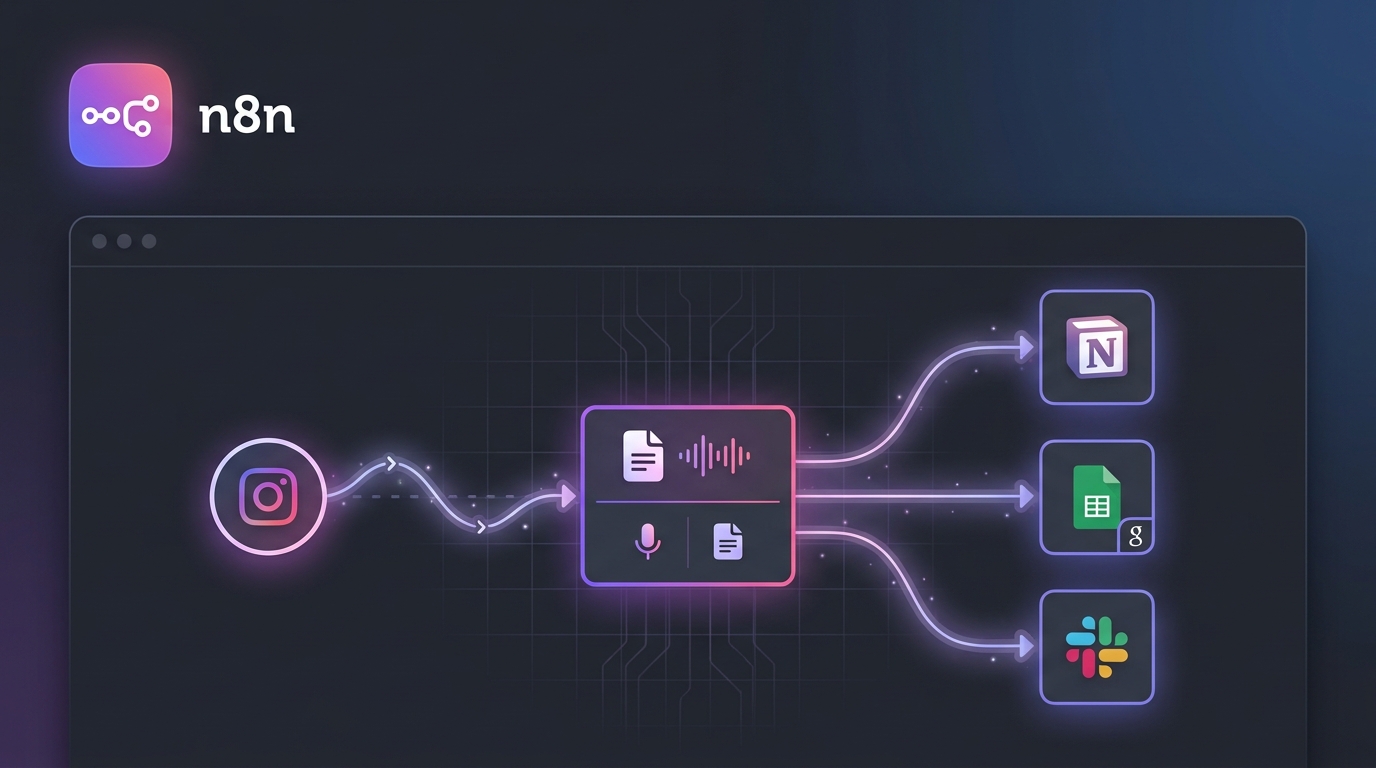
- What you'll build: An automated n8n workflow that takes any Instagram Reel URL and outputs a full text transcript — connected to Notion, Google Sheets, WordPress, or any of n8n's 400+ integrations.
- How long it takes: Under 5 minutes to set up using the GetTranscribe native n8n node (
n8n-nodes-get-transcribe).- What you need: A GetTranscribe account (API key), n8n (cloud or self-hosted), and an Instagram Reel URL.
How to Build an n8n Instagram Transcription Workflow (Step-by-Step Guide)
You can transcribe Instagram Reels automatically in n8n using the GetTranscribe node (npm: n8n-nodes-get-transcribe). The workflow takes under 5 minutes to set up, requires zero code, and processes any public Instagram Reel URL into a full text transcript in under 60 seconds.
Content creators and social media teams lose hours every week manually transcribing Instagram Reels — copying captions, re-watching videos, and struggling with inaccurate auto-generated text. If you're already using n8n to automate your workflows, adding Instagram transcription should be a single node, not a multi-tool workaround involving video downloaders, audio extractors, and stitched-together APIs.
That's exactly what GetTranscribe delivers. By the end of this guide, you'll have a working n8n Instagram transcription workflow that you can connect to Notion, Google Sheets, WordPress, Slack, or any of n8n's 400+ integrations — automatically, without touching a line of code.
Why Automate Instagram Transcription with n8n?
The Manual Transcription Problem
Transcribing Instagram Reels manually is one of the most repetitive, low-value tasks in a content operation. Watch the video, pause, type a few words, rewind, pause again — a 60-second Reel easily takes 15–20 minutes to transcribe accurately. For agencies managing dozens of reels per week, that compounds into full working days lost to a task that AI can handle in seconds.
Even worse, most workarounds aren't much better than manual transcription. Downloading videos with yt-dlp, extracting audio with FFmpeg, sending files to OpenAI's Whisper API — each tool adds another failure point, another account to maintain, and another step where something can break silently in your automation.
Why n8n Is the Best Platform for This Workflow
n8n stands apart from Make and Zapier for Instagram transcription automation for three key reasons:
- Self-hosting option: Run your entire workflow on your own infrastructure, keeping data private and costs fixed.
- Custom node ecosystem: The n8n marketplace allows verified community nodes — which is how GetTranscribe's official node is distributed.
- Flexibility: Unlike Zapier's linear "if-this-then-that" model, n8n supports branching logic, error handling, loops, and multi-output workflows — critical for real content automation pipelines.
For developers and automation engineers building production workflows, n8n's code node, webhook triggers, and database connectors make it far more extensible than any no-code alternative.
What the GetTranscribe n8n Node Does
The GetTranscribe n8n node (n8n-nodes-get-transcribe) is the only officially listed social media video transcription node on the n8n marketplace. It accepts a video URL from any of 7 supported platforms — Instagram, TikTok, YouTube, Facebook, Pinterest, Twitter/X, or Google Drive — and returns a full JSON transcript object in under 60 seconds.
Competitors like TurboScribe, Otter.ai, and Descript do not have native n8n nodes. GetTranscribe is the only transcription tool with an official, maintained n8n marketplace listing for social media video.
What makes the node particularly powerful in n8n is its output: a structured JSON response with the full transcript text, timestamps, language detection, and metadata — ready to feed directly into downstream nodes without any transformation step.
What You'll Need Before Starting
Setting up the n8n Instagram transcription workflow requires three things:
- A GetTranscribe account with an API key — Plans start at $7.99/month (Basic: 50 video minutes/month). You'll need your API key from the GetTranscribe dashboard.
- n8n — Either n8n Cloud or a self-hosted instance (Community Edition is free).
- 5 minutes — Seriously. This is the fastest transcription automation you'll configure in n8n.
No video downloading tools. No audio processing libraries. No Whisper API account. Just GetTranscribe, n8n, and a URL.
Step-by-Step: Building the n8n Instagram Transcription Workflow
Step 1 — Install the GetTranscribe n8n Node
The GetTranscribe node is distributed via npm and available on the n8n marketplace.
For n8n self-hosted (Community Edition):
- Open a terminal on your n8n server
- Navigate to your n8n installation directory
- Run the install command:
npm install n8n-nodes-get-transcribe
- Restart your n8n instance
For n8n Cloud:
- Go to Settings → Community Nodes
- Click Install a Community Node
- Enter the package name:
n8n-nodes-get-transcribe - Click Install and confirm
Once installed, the GetTranscribe node will appear in the node panel when you search "GetTranscribe" in any workflow editor.
Step 2 — Set Up Your API Credentials
- Log in to your GetTranscribe dashboard
- Navigate to API Documentation in the top navigation
- Go to the Authentication section and click Create API Key
- Name the key (e.g., "n8n Workflow") and copy the generated key — it starts with
gtr_
Back in n8n:
- Open Credentials from the left sidebar
- Click Add Credential and search for "GetTranscribe"
- Paste your
gtr_API key into the API Key field - Click Save — your credential is now available to any GetTranscribe node in your workspace
Step 3 — Create Your Trigger Node
Every n8n workflow starts with a trigger. For Instagram transcription, you have three practical options depending on your use case:
Manual Trigger — Best for one-off transcription or testing:
- Drag a Manual Trigger node onto the canvas
- This lets you run the workflow by clicking "Execute Workflow" with a hardcoded URL for testing
Webhook Trigger — Best for production workflows where another tool sends Instagram URLs:
- Use the Webhook node as your trigger
- Configure the webhook URL in your CMS, front-end app, or another automation platform
- n8n will start the transcription workflow every time a new URL is POSTed to the webhook
Schedule Trigger — Best for monitoring or regular batch jobs:
- Use the Schedule Trigger node (formerly Cron)
- Configure it to run at a set interval (hourly, daily, etc.)
- Combine with a Google Sheets or Airtable node to pull a list of URLs from a spreadsheet on schedule
For most creators building their first workflow, start with the Manual Trigger. Once you've tested the full workflow end-to-end, switch to the Webhook or Schedule trigger for production.
Step 4 — Add the GetTranscribe Node
This is the core step. With your trigger node connected:
- Click the + button after your trigger node
- Search for "GetTranscribe" in the node panel
- Select the GetTranscribe node
- In the node configuration panel:
- Credential: Select the credential you created in Step 2
- Video URL: Enter your Instagram Reel URL (or map it from your trigger node's output using an expression like
{{ $json.url }}) - Language: Set to "Auto-detect" for automatic language detection across 30+ languages
Click Execute Node to test. Within under 60 seconds, you'll see the JSON output in the right panel. Here's what a typical response looks like:
{
  "id": "trans_abc123",
  "status": "completed",
  "transcript": "Hey everyone, today I'm going to show you how to...",
  "language": "en",
  "duration": 45.2,
  "platform": "instagram",
  "url": "https://www.instagram.com/reel/XXXXXXXXX/",
  "created_at": "2026-04-29T14:00:00Z"
}
The transcript field contains the full verbatim text of the Instagram Reel, ready to pipe into your next node.
Step 5 — Connect to Your Output
With the GetTranscribe node outputting a clean JSON transcript, connect it to any downstream system. Here are the three most common output configurations:
Notion (Content Database):
- Add a Notion node set to "Create Page"
- Map
{{ $json.transcript }}to the page body - Map the source URL and timestamp to Notion properties
- Result: every Instagram Reel is automatically logged as a searchable Notion page
Google Sheets (Spreadsheet Log):
- Add a Google Sheets node set to "Append Row"
- Map columns: URL → Column A, Transcript → Column B, Date → Column C
- Result: a running transcript archive you can sort, filter, and share
WordPress (Blog Post Draft):
- Add an HTTP Request node pointed at your WordPress REST API
- POST to
/wp-json/wp/v2/postswithcontentset to{{ $json.transcript }} - Result: every Reel automatically creates a draft post, ready for AI expansion and publishing
You can also chain additional nodes before the output — for example, an OpenAI node to summarize the transcript, a Slack node to notify your team when a new transcript is ready, or a Filter node to only process transcripts above a certain word count.
3 Real Instagram Transcription Workflows You Can Build Today
Workflow 1 — Competitor Reel Monitor
Use case: Automatically transcribe every new Reel from competitor accounts, log to Notion or Google Sheets, and flag when they mention specific keywords (pricing, product features, promotions).
Workflow nodes:
- Schedule Trigger → runs daily at 9 AM
- HTTP Request → fetches latest Reel URLs from a competitor tracking sheet
- Loop Over Items → iterates over each URL
- GetTranscribe → transcribes each Reel
- IF Node → checks transcript for competitor keywords (e.g., "launch," "new feature," "discount")
- Slack → sends a notification if keywords are found
- Google Sheets → logs all transcripts to your intelligence spreadsheet
Time to build: ~20 minutes. Value: Competitor monitoring that used to take 2 hours/day now runs automatically.
Workflow 2 — Auto-Caption Generator
Use case: Automatically generate Instagram caption drafts from Reel transcripts — with an AI polish step — and save them to a content planning tool.
Workflow nodes:
- Webhook Trigger → receives Instagram Reel URL from your publishing tool or CMS
- GetTranscribe → transcribes the Reel
- OpenAI → sends the transcript to GPT-4 with a prompt to generate a punchy Instagram caption with hashtags and CTA
- Airtable → saves the original URL, transcript, and AI-generated caption to your content calendar
- Slack → notifies the social media manager that a new caption draft is ready for review
Time to build: ~25 minutes. Value: Eliminates manual caption writing for every Reel in your pipeline.
Workflow 3 — Video-to-Blog Repurposing Pipeline
Use case: Transform Instagram Reels into full SEO blog post drafts automatically, then queue them for review in your CMS.
Workflow nodes:
- Manual Trigger or Webhook → receives a batch of Reel URLs
- GetTranscribe → transcribes each Reel
- OpenAI → expands the transcript into a 1,000-word blog post draft
- WordPress / Webflow → creates a draft post in your CMS
- Slack / Email → notifies the editor that new drafts are ready
This is the most powerful use case for content teams. See the full turn Instagram Reels into blog posts guide for a detailed content repurposing workflow.
GetTranscribe n8n Node vs. DIY Alternatives (Comparison Table)
The YouTube tutorial at youtube.com/watch?v=HoB2os6e5rs shows an approach using Apify + Whisper — a 4-node DIY setup that requires scraping Instagram (against ToS), managing audio file extraction, and maintaining API keys for multiple services. Here's how that compares to the GetTranscribe native node:
| Feature | GetTranscribe n8n Node | yt-dlp + Whisper API | Apify + Whisper |
|---|---|---|---|
| Platforms supported | 7 (Instagram, TikTok, YouTube, Facebook, Pinterest, X, Google Drive) | YouTube-focused (Instagram unreliable) | Instagram + YouTube |
| Setup time | ~5 minutes | 45–60 minutes | 30–45 minutes |
| Instagram/TikTok support | ✅ Native, maintained | ⚠️ Breaks frequently | ⚠️ Scraper-dependent |
| n8n marketplace listing | ✅ Official listing | ❌ Not available | ❌ Not available |
| Maintenance required | ❌ None — fully managed | ✅ High — breaks with platform updates | ✅ High — scraper dependencies |
| Cost per minute | From $0.06/min (PAYG $100 pack) | Whisper API: ~$0.006/min (+ infra costs) | Apify credits + Whisper API |
| No-code setup | ✅ Fully no-code in n8n | ❌ Requires CLI tools + coding | ⚠️ Some coding required |
| Accuracy | 95%+ | ~85–95% | ~85–95% |
| ToS compliant | ✅ Yes | ⚠️ Grey area | ❌ Scraping violates Meta ToS |
The bottom line: The DIY approach seems cheaper on paper, but the true cost is maintenance overhead — every time Instagram updates its platform, yt-dlp and Apify scrapers break. GetTranscribe's node is maintained, updated, and works reliably across platform changes because it accesses video audio through an official, maintained pipeline.
For developers who want to explore the broader integration landscape, see the GetTranscribe integrations page.
GetTranscribe and the n8n Automation Ecosystem
Once you've built your base Instagram transcription workflow, the real power of GetTranscribe's n8n node becomes apparent: it's a source node for an entire content automation pipeline. The same node that transcribes Instagram Reels also handles TikTok, YouTube, Facebook, Pinterest, Twitter/X, and Google Drive — meaning one workflow configuration can process video content from any platform in your stack.
For a broader view of what's possible, the n8n content automation pipeline guide covers how to extend the transcription workflow into a full multi-step content production system — from raw social media video to published, optimized content.
The GetTranscribe n8n automation page also has additional workflow templates and integration documentation specific to n8n use cases.
Frequently Asked Questions
How do I transcribe Instagram Reels automatically in n8n?
Install the n8n-nodes-get-transcribe community node from the n8n marketplace, add your GetTranscribe API key as a credential, then add the GetTranscribe node to your workflow with an Instagram Reel URL as the input. Connect a trigger (Manual, Webhook, or Schedule) before the GetTranscribe node and an output node (Notion, Google Sheets, etc.) after it. The full workflow takes under 5 minutes to build and transcribes any public Instagram Reel in under 60 seconds.
What is the GetTranscribe n8n node?
The GetTranscribe n8n node (npm package: n8n-nodes-get-transcribe) is the only officially listed social media video transcription node on the n8n marketplace. It accepts a video URL from Instagram, TikTok, YouTube, Facebook, Pinterest, Twitter/X, or Google Drive and returns a full JSON transcript in under 60 seconds. It connects to all 400+ services in the n8n ecosystem with no coding required.
Is the GetTranscribe n8n node free?
The node itself is free to install. Transcription usage is billed through your GetTranscribe account based on your plan. Plans start at $7.99/month (Basic: 50 video minutes/month) or $9.99/month (Starter: 150 video minutes). Pay-as-you-go credit packs are available from $10, with the effective rate as low as $0.06/min on the $100 PAYG bundle. See GetTranscribe pricing plans for the full breakdown.
Can n8n transcribe private Instagram videos?
No. The GetTranscribe n8n node — like all URL-based transcription tools — only works with publicly accessible Instagram Reels and posts. Private accounts, archived stories, and content behind authentication cannot be transcribed via URL. For your own private content, temporarily set it to public, run the transcription, then restore the privacy setting.
What Instagram content can GetTranscribe transcribe in n8n?
GetTranscribe supports any public Instagram Reel URL. This includes Reels from any public account, including competitor accounts you're monitoring. It also works with Instagram video posts (not just Reels). Instagram Stories are ephemeral (they expire after 24 hours) and may not be accessible after expiration. To transcribe Instagram Reels outside of n8n, you can also paste URLs directly in the GetTranscribe dashboard — our dedicated guide covers every use case in detail. For Instagram transcription via the dashboard, you can also paste URLs directly.
How accurate is automated Instagram transcription in n8n?
GetTranscribe achieves 95%+ accuracy for clear audio in English. For non-English content, accuracy is typically 90–95% in clear audio conditions. The AI handles accents, background music filtering, and the fast-paced speech common in Reels. The 30+ language support includes Spanish, Portuguese, French, German, Italian, Japanese, Korean, Chinese (Mandarin), Hindi, Arabic, and many more, with automatic language detection — no manual configuration required in your n8n workflow.
What other platforms does the GetTranscribe n8n node support?
Beyond Instagram, the GetTranscribe node supports TikTok, YouTube (including Shorts), Facebook, Pinterest, Twitter/X, and Google Drive — 7 platforms total from a single node configuration. This means you can build one n8n workflow that handles your entire social media video transcription stack, regardless of which platform the source video lives on.
How do I get my GetTranscribe API key for n8n?
Log in to your GetTranscribe account at gettranscribe.ai → navigate to API documentation → scroll to the Authentication section → click Create API Key. Your key starts with gtr_. Copy it and add it as a credential in n8n under Settings → Credentials → Add Credential → GetTranscribe. One API key works across all GetTranscribe nodes in your n8n instance.
Start Automating Your Instagram Transcription Today
Manual Instagram transcription is a solved problem. With the GetTranscribe n8n node, you get the only officially listed social media transcription tool on the n8n marketplace — one that handles Instagram, TikTok, YouTube, and 4 other platforms from a single node, with 95%+ accuracy, in under 60 seconds, without any maintenance overhead.
The workflow is simple:
- Install
n8n-nodes-get-transcribefrom the n8n marketplace - Add your GetTranscribe API key as a credential
- Connect: Trigger → GetTranscribe node → Output (Notion / Sheets / WordPress / Slack)
- Done — your Instagram Reels transcribe automatically, at scale
Ready to build? Start your GetTranscribe account at gettranscribe.ai and have your first Instagram transcription workflow running in under 5 minutes. Need help with the broader automation strategy? The n8n content automation pipeline guide has everything you need to extend this into a full content production system.
→ Start Building — Get Your GetTranscribe API Key
Last updated: April 2026 · By Daniel Vengoechea, AI Systems Builder & Founder of GetTranscribe.ai
GetTranscribe.ai is trusted by 12,000+ creators and businesses. SOC 2 Type II certified. GDPR ready. 256-bit AES encryption. Supports Instagram, TikTok, YouTube, Facebook, Pinterest, Twitter/X, and Google Drive. View pricing →