Free TikTok to Text Converter: Transcribe TikTok Videos Instantly (2026)
The fastest free TikTok to text converter in 2026. Paste any TikTok URL into GetTranscribe and get a full, accurate transcript in under 30 seconds — no file upload, no software, no manual typing.
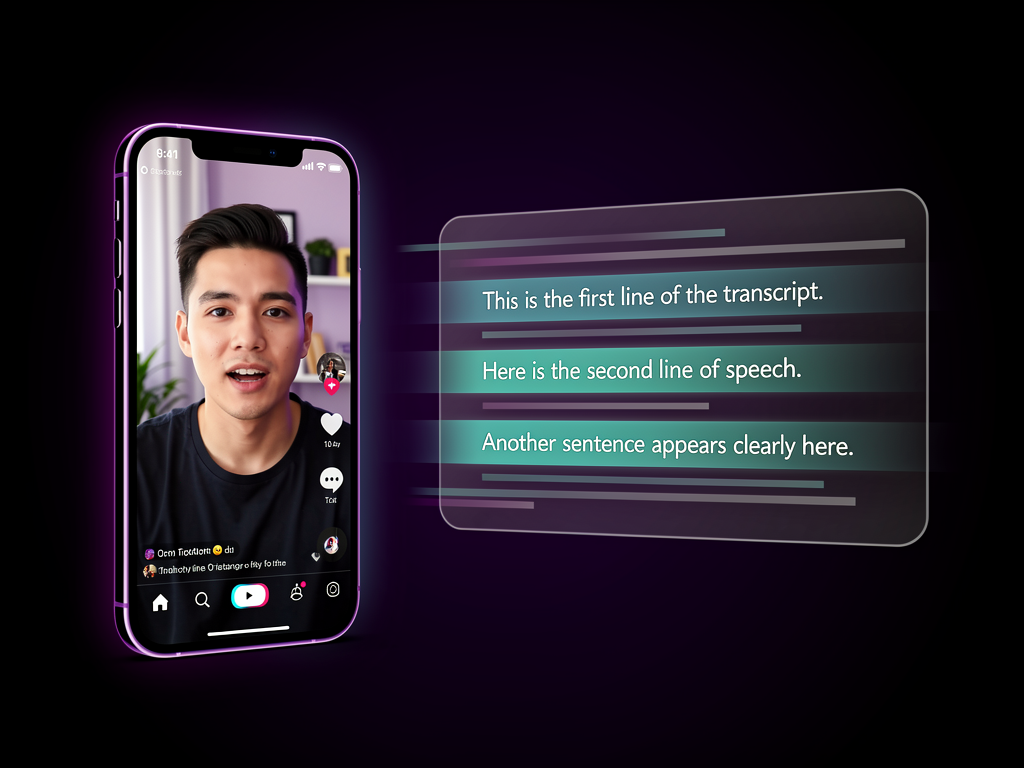
TL;DR GetTranscribe lets you paste any TikTok URL and get a free transcript in under 30 seconds. No file upload, no software download — just paste and go. Free credits on sign-up. Supports 30+ languages. Works with background music, duets, and split-screen videos.
Free TikTok to Text Converter: Transcribe Any TikTok Video Instantly (2026)
The fastest way to convert a TikTok to text is to paste the TikTok URL into GetTranscribe.ai and click "Transcribe." You get a full text transcript in seconds — completely free. No file download, no software to install, no manual typing required.
TikTok creators lose hours every week manually typing out captions, scripts, and subtitles. Researchers spend precious time transcribing videos by hand. Social media managers copy-paste from auto-captions that are riddled with errors. AI transcription eliminates all of that.
In this guide, you'll learn: how to use the free TikTok to text tool step by step, why URL-paste is faster than file upload, what to actually do with your transcript once you have it, and how GetTranscribe compares to the top alternatives in 2026. Whether you're a content creator, social media marketer, researcher, or repurposing enthusiast — this is the only TikTok transcription guide you need.
What Is a TikTok to Text Converter?
A TikTok to text converter (also called a TikTok transcript generator or TikTok transcription tool) is an AI-powered tool that extracts the audio from a TikTok video and converts the speech into readable, editable text. The result is a full transcript you can copy, download, search, and repurpose in any format.
Here's how it works under the hood:
- You provide a TikTok video URL (or upload a file)
- The tool fetches the audio from the video
- AI speech recognition models analyze the audio and convert speech to text
- You receive a complete, timestamped or clean transcript in seconds
Modern AI TikTok transcription tools handle background music filtering, multiple speakers, accents, informal speech patterns, and trending audio formats — making them dramatically more accurate than manual captioning or auto-generated captions from TikTok itself. TikTok videos are transcribed in under 30 seconds with tools like GetTranscribe, compared to the 10–15 minutes required for manual transcription of even a short clip.
These tools work with any public TikTok video — yours or anyone else's — without requiring you to download the video file first.
How to Convert a TikTok Video to Text for Free (Step-by-Step)
This entire process takes under 2 minutes from start to finish.
Step 1 — Copy Your TikTok URL
Open TikTok on your phone or desktop and find the video you want to transcribe:
- Mobile app: Tap the Share button (arrow icon) → tap Copy Link
- Desktop browser: Copy the URL directly from your browser's address bar
Your link will look like: https://www.tiktok.com/@username/video/1234567890
Step 2 — Go to GetTranscribe.ai and Paste the URL
Navigate to gettranscribe.ai — no software download, no app install required. Sign up for a free account (free credits included, no credit card required) and paste the TikTok URL into the transcription field.
Step 3 — Click "Transcribe"
Hit the Transcribe button. GetTranscribe's AI immediately begins processing the video audio. TikTok videos are typically transcribed in under 30 seconds, regardless of length.
Step 4 — Read, Copy, or Download Your Transcript
Once complete, your full TikTok transcript appears on screen. You can:
- Read and review it directly in the dashboard
- Copy the full text to your clipboard
- Download it as a .txt or .srt file
- Use GetTranscribe's built-in AI chat to analyze or summarize the transcript
Try it free at GetTranscribe.ai →
Why Use a URL-Based TikTok Transcriber (Instead of Upload)?
Most older transcription tools require you to download the TikTok video file first, then upload it. That creates a frustrating problem: TikTok often blocks downloads when creators have disabled that option — which is extremely common. Even when downloads are allowed, the process adds 5–10 extra minutes of file management friction.
URL-paste transcription solves all of this:
- No file download needed. You never touch the video file. The tool fetches everything it needs from the URL directly.
- No file size limits. Because there's no upload, you're never blocked by a 500MB file size restriction.
- Works on mobile. Paste the URL directly from TikTok's share menu on your phone — no desktop required.
- Works even when downloads are disabled. GetTranscribe accesses the audio directly from the public video stream, so creator download restrictions don't block you.
- Faster overall. URL paste → transcript in under 30 seconds. File upload → download + upload + wait = 10–15 minutes.
The URL-paste workflow is simply the better approach for any free TikTok transcription tool in 2026. If a tool requires you to upload a file, you're using an older technology.
What Can You Do With a TikTok Transcript?
Once you have your TikTok transcript, the possibilities multiply significantly. Here are the highest-value use cases:
1. Repurpose Into Blog Posts and Articles
A 60-second TikTok contains roughly 120–150 words of spoken content — enough to anchor a full 1,500-word blog post with AI assistance. You've already done the creative work; the transcript is your raw material. Learn exactly how in our guide on how to repurpose your TikTok videos into blog posts.
2. Create Captions and Subtitles
Add accurate captions to your TikTok videos by downloading your transcript as an .srt subtitle file. Videos with captions get significantly more reach because they're watchable on mute — and up to 80% of social media videos are watched without sound.
3. Extract Quotes for Social Posts
Pull the best one-liners, insights, and statistics from your transcript and repurpose them as standalone Instagram captions, LinkedIn posts, Twitter/X threads, or Pinterest pins. One TikTok can generate 5–10 social media posts.
4. Research Competitor Scripts
Transcribe your competitors' best-performing TikToks and analyze their exact hooks, messaging frameworks, pain points, and calls-to-action. This is one of the most underused competitive intelligence techniques available — and you can extract a script from any viral video in under a minute.
5. Improve Content Strategy With Keyword Analysis
Read through your own TikTok transcripts and identify the vocabulary your audience uses naturally. These are often the exact search terms your target audience types into Google — and they become your organic SEO keyword targets.
6. Make Videos Accessible
People with hearing loss, those in noise-sensitive environments, and non-native speakers all benefit from accurate transcripts. Accessibility is not optional in 2026 — and a transcript is the fastest way to make any TikTok video fully accessible.
Best Free TikTok to Text Converters Compared (2026)
Not all TikTok transcription tools are created equal. Here's an honest comparison of the top options available right now:
| Tool | Free? | URL Paste? | Sign-up Required? | Languages | Speed |
|---|---|---|---|---|---|
| GetTranscribe | ✅ Free credits on sign-up | ✅ Yes | Free sign-up | 30+ | ~10–30 sec |
| ElevenLabs | Limited (paid wall) | ✅ Yes | Required (paid plan) | 99 | Fast |
| Choppity | ✅ Yes | ✅ Yes | No sign-up | 100+ | ~30 sec |
| Vizard | Limited | ✅ Yes | Required | 35+ | Fast |
| TokScript | ✅ Yes | ✅ Yes | No sign-up | Limited | Fast |
GetTranscribe is the only tool built specifically for social media video transcription — TikTok, Instagram Reels, YouTube, Facebook, Pinterest, and Twitter/X all supported from a single URL paste. While Choppity and TokScript offer no-sign-up options, GetTranscribe provides a richer post-transcription experience: folder organization, AI chat on transcripts, bulk processing, Chrome Extension, and API access for automation.
Why ElevenLabs falls short: Despite strong brand recognition, ElevenLabs requires a paid plan for meaningful TikTok transcription volume and offers no free workflow guide or tutorial angle. It's a voice AI platform that added transcription — not a transcription-first tool.
Why Vizard falls short: Vizard is feature-rich but entirely gated behind a login and paid plan. There's no genuine free option for TikTok transcription.
Does GetTranscribe Work With TikTok Videos With Background Music?
Yes — and this is one of the most common questions about AI TikTok transcription. GetTranscribe uses advanced AI speech models trained specifically for social media audio environments, which means:
- Background music filtering: The AI isolates the spoken voice track from background music, trending sounds, and ambient audio
- Duets and split-screen: Works with duet videos where two people speak simultaneously or alternately
- Trending audio overlays: Handles videos where creators speak over popular audio or music trends
- Fast-paced speech: Optimized for the rapid delivery style common in short-form TikTok content
- Multiple accents and languages: Automatically detects the spoken language across 30+ supported languages
One important note: GetTranscribe works with public TikTok videos only. Private videos, videos restricted to friends, or videos behind any kind of paywall cannot be transcribed via URL — because there's no publicly accessible audio stream to process.
TikTok Transcription for Content Creators: Real Use Cases
Use Case 1: Turning Viral TikToks Into SEO Blog Posts
The most powerful application of TikTok transcription is content repurposing. Every TikTok you've published is a potential blog post — the research, scripting, and delivery are already done. Paste the URL, get the transcript, expand with AI, publish a 1,500-word SEO article. Full workflow at: repurpose your TikTok videos into blog posts.
Use Case 2: Competitive Research — Transcribe Competitor TikToks
Transcribe your top 10 competitor TikToks and read the transcripts side by side. You'll immediately identify their hook formulas, the pain points they target, and the exact language they use to position their offer. This intelligence takes 30 minutes with GetTranscribe vs. hours of manual video watching. Learn how to extract a script from any viral video for deeper analysis.
Use Case 3: Building a Content Library From Your Own TikTok Archive
Go back through 6–12 months of your TikToks. Transcribe your top 20 performers in a batch session using GetTranscribe's bulk transcription feature. Now you have a searchable, organized library of everything you've said on TikTok — organized by topic, ready to repurpose into any format.
Use Case 4: Repurposing for Instagram Reels
Turn your best TikTok transcripts into Reel scripts optimized specifically for Instagram's audience. Or cross-post the same video and use the transcript as the caption foundation. GetTranscribe supports Instagram transcription with the same URL-paste workflow — one tool for every platform.
Use Case 5: Accessibility — Adding Captions and Subtitles
Export your transcript as an .srt subtitle file and import it directly into TikTok's caption editor or any video editor. Accurate, AI-generated captions take 30 seconds with GetTranscribe vs. 30+ minutes of manual timing and typing. This is the fastest path to making your entire TikTok archive fully accessible.
Is TikTok Transcription Free on GetTranscribe?
Yes — GetTranscribe is free to start. Here's exactly how the pricing works:
- Free credits on sign-up: Every new account receives free transcription credits — no credit card required. You can transcribe TikToks immediately after creating your account.
- Subscription plans: If you need ongoing volume, plans start at $7.99/month (Basic: 50 video minutes/month) and go up to $29.99/month (Pro: 500 video minutes/month + 1,500 AI messages).
- Pay-as-you-go credits: Prefer not to commit to a subscription? Purchase credits starting at $10 for 66 minutes of transcription. At scale, the effective rate drops as low as $0.06/min on the $100 pack.
For most casual users — creators transcribing their own TikToks a few times per week — the free credits on sign-up cover your needs to get started. For power users and agencies processing high volumes, subscriptions and PAYG packs offer significant cost advantages.
See the full breakdown at pricing.
Frequently Asked Questions
What is the best free TikTok to text converter?
GetTranscribe is the best free TikTok to text converter in 2026 for creators who need both accuracy and a rich post-transcription workflow. It offers free credits on sign-up, no credit card required, and processes TikTok URLs directly — no file download needed. Choppity and TokScript are alternatives that require no sign-up at all, but offer fewer features after the transcript is generated.
Can I transcribe a TikTok video without downloading it?
Yes. GetTranscribe works directly from the TikTok URL — you never need to download the video file. This is the key advantage over older tools that require file upload. Simply copy the TikTok link, paste it into gettranscribe.ai, click Transcribe, and your text is ready in seconds.
How do I get a TikTok transcript for free?
To get a free TikTok transcript: (1) Copy the TikTok video URL from the share menu. (2) Go to GetTranscribe.ai and create a free account — no credit card required. (3) Paste the URL and click Transcribe. (4) Your full transcript appears in under 30 seconds. Free credits are included with every new account.
Does TikTok have a built-in transcript feature?
TikTok has a basic auto-caption feature, but it has significant limitations: it only works on your own videos (not others'), it cannot be exported as clean text, accuracy is inconsistent especially with accents or background audio, and it produces subtitle-format output rather than a clean, readable transcript. For a full, accurate, exportable TikTok transcript, a dedicated AI TikTok transcription tool like GetTranscribe is the better choice.
Can AI transcribe TikTok videos with music?
Yes. Modern AI transcription tools including GetTranscribe use speech separation models that filter out background music and isolate the spoken voice track. This works for videos with trending audio, music overlays, duets, and background noise. Accuracy is highest when the speaker's voice is clear and dominant in the audio mix; very low-volume speech buried under loud music may see reduced accuracy.
How accurate is AI TikTok transcription?
GetTranscribe achieves 95%+ accuracy for clear audio in English. For non-English content, accuracy is typically 90–95% in clear conditions. Factors that can reduce accuracy include: very heavy background music, strong regional accents, very fast speech, overlapping voices, or low audio quality from the original recording. For typical TikTok content — a creator speaking clearly to camera — accuracy is excellent.
What can I do with a TikTok transcript?
A TikTok transcript can be used to: repurpose the video into a blog post, newsletter, or social captions; create accurate subtitles and captions for accessibility; extract quotes for social media; analyze competitor messaging and hooks; build a searchable content archive; improve your own content strategy with keyword analysis; and create scripts for future videos based on what performed well verbally in the past.
Is GetTranscribe free for TikTok videos?
Yes — GetTranscribe is free to start. Every new account receives free transcription credits with no credit card required. Free credits let you transcribe TikTok videos immediately after signing up. For ongoing high-volume use, paid plans start at $7.99/month. See full pricing at gettranscribe.ai/pricing.
How long does it take to transcribe a TikTok?
Most TikTok videos are fully transcribed in 10–30 seconds using GetTranscribe. Processing time scales slightly with video length — a 15-second TikTok may transcribe in under 10 seconds, while a 10-minute TikTok could take 30–60 seconds. Either way, it's dramatically faster than any manual transcription method.
Can I transcribe TikTok videos in languages other than English?
Yes. GetTranscribe supports 30+ languages with automatic language detection. You don't need to manually specify the language — the AI detects it from the audio and transcribes accordingly. Supported languages include Spanish, Portuguese, French, German, Italian, Japanese, Korean, Chinese (Mandarin), Hindi, Arabic, Dutch, Turkish, Polish, Russian, and many more. This makes GetTranscribe the ideal free TikTok transcription tool for international creators and researchers working with multilingual content.
Conclusion
TikTok transcription doesn't have to be slow, complicated, or expensive. Paste any TikTok URL into GetTranscribe, click Transcribe, and receive your full text transcript in under 30 seconds — completely free to start.
Whether you're a content creator turning your TikTok archive into an SEO content engine, a social media marketer extracting competitor intelligence, a researcher analyzing viral video scripts, or an accessibility advocate adding captions to your content — the workflow is the same: URL in, transcript out. No downloads. No uploads. No manual typing. No software to install.
GetTranscribe is purpose-built for social media video transcription — not a general tool that bolted on TikTok support as an afterthought. That means better accuracy on social media audio, faster processing, and a richer post-transcription workflow than any competitor.
Paste your first TikTok URL and get your transcript free — no credit card required. Start now at GetTranscribe.ai →
Already using TikTok transcription and want to extend the workflow to other platforms? GetTranscribe's URL-paste workflow works identically for TikTok transcription, Instagram transcription, YouTube, Facebook, Pinterest, Twitter/X, and Google Drive — one tool for every platform where your content lives.
Last updated: April 2026 · By Daniel Vengoechea, AI Systems Builder & Founder of GetTranscribe.ai
GetTranscribe.ai is trusted by 12,000+ creators and businesses. SOC 2 Type II certified. GDPR ready. 256-bit AES encryption. View pricing →