How to Transcribe YouTube Shorts (Free, Fast & Accurate in 2026)
YouTube Shorts don't have a built-in transcript export button. The fastest way is to paste any Shorts URL into GetTranscribe.ai — get the full text in under 60 seconds, no upload needed. Works on any public Short in 30+ languages.
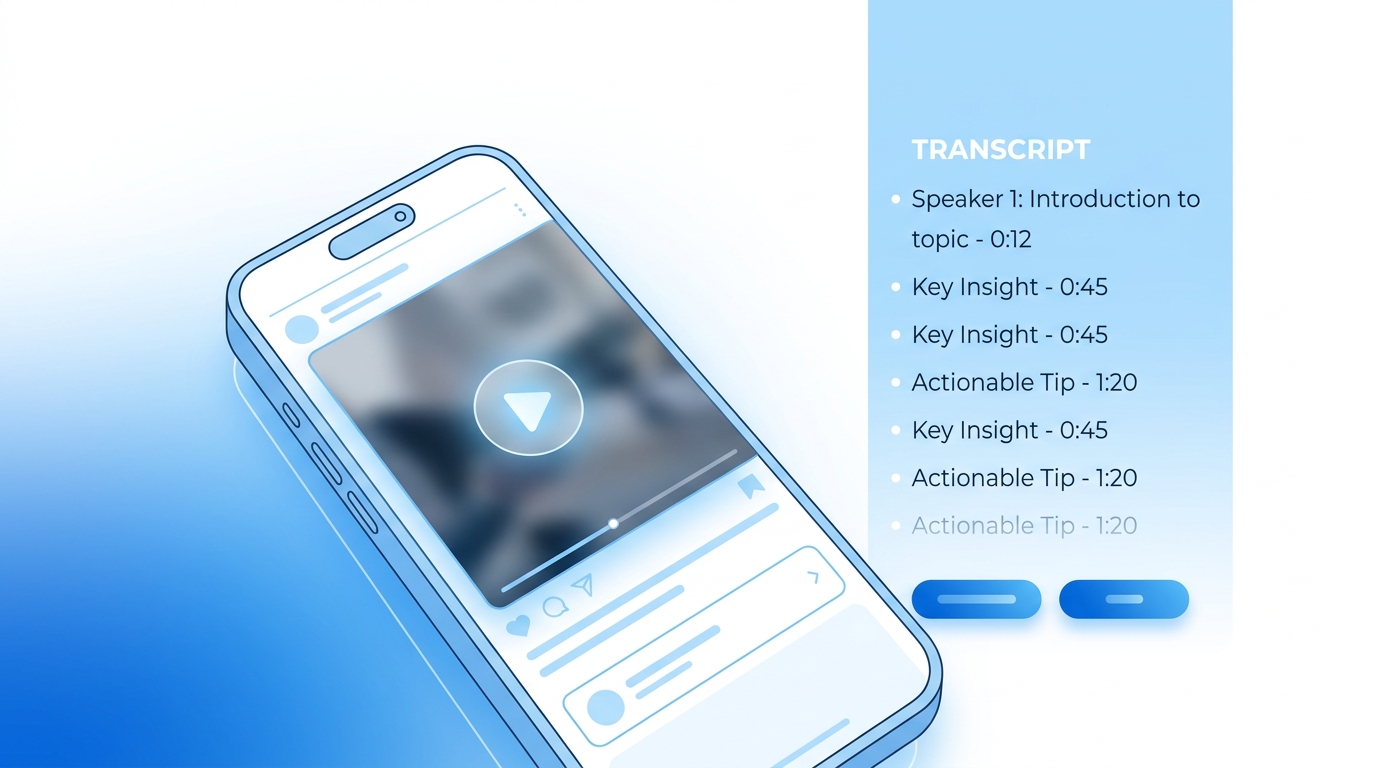
TL;DR YouTube Shorts don't have a built-in "export transcript" button. The fastest way is to paste any Shorts URL into GetTranscribe.ai — you'll have the full text in under 60 seconds, no upload required, no account needed to try. Works on any public Short in 30+ languages.
How to Transcribe YouTube Shorts (Free, Fast & Accurate in 2026)
To transcribe a YouTube Short, paste its URL into GetTranscribe.ai and click Transcribe. You'll receive an accurate text transcript in under 60 seconds. Unlike regular YouTube videos, Shorts often don't show the "Show transcript" button in the YouTube UI — which is why a dedicated URL-paste transcription tool is the most reliable method. No file upload, no manual typing, no download needed. Just the URL.
Whether you want to repurpose your own Shorts into written content, extract a competitor's script, add captions, or build an SEO article from your video ideas — the workflow is the same: paste the Shorts URL, get your transcript in seconds.
Why YouTube Shorts Don't Have Easy Transcript Access
If you've tried to get a transcript from a YouTube Short, you've probably already noticed the problem. On regular YouTube videos, you can click the three-dot menu beneath the player and select "Show transcript" — but on YouTube Shorts, that option is either hidden or completely absent.
This isn't a bug. YouTube's Shorts interface is built for fast, vertical, full-screen viewing — more like TikTok or Instagram Reels than traditional YouTube. The transcript UI simply wasn't built into the Shorts experience the same way it was for long-form video.
Here's why this matters for creators:
- Repurposing content: You've already done the creative work — scripting, filming, editing. The transcript is the raw material that unlocks blog posts, newsletters, social captions, and more. Without it, that work is locked inside a video format search engines can't index.
- Caption creation: Accurate captions require accurate text. YouTube's auto-captions on Shorts are notoriously inconsistent, and there's no clean export path.
- Competitor analysis: If a Short is going viral in your niche, knowing the exact script — the hook, the key claim, the CTA — is priceless intelligence. But you can't get that from the YouTube UI.
- Accessibility: Transcripts make video content accessible to deaf and hard-of-hearing audiences and non-native speakers.
The workaround: Use a third-party URL-paste transcription tool like GetTranscribe. Paste the Shorts URL — the same link you'd share with a friend — and receive the complete transcript in seconds. No file to download, no software to install.
How to Transcribe YouTube Shorts with GetTranscribe (Step-by-Step)
This entire process takes under two minutes from start to finish.
Step 1 — Copy the YouTube Shorts URL
Find the Short you want to transcribe on YouTube. Copy the URL from your browser's address bar or tap the Share button and select Copy link. A YouTube Shorts URL typically looks like:
https://www.youtube.com/shorts/XXXXXXXXXXX
Both the /shorts/ format and standard youtu.be short links work with GetTranscribe.
Step 2 — Paste the URL into GetTranscribe.ai
Go to gettranscribe.ai and sign in (or create a free account — no credit card required). Paste the Shorts URL into the transcription field on the dashboard.
No file upload needed. GetTranscribe fetches everything it needs directly from the URL — so YouTube's "download disabled" restrictions are not an issue. You never touch the video file.
Step 3 — Click "Transcribe" and Wait Under 60 Seconds
Hit the Transcribe button. GetTranscribe's AI immediately processes the audio from the Short. Most YouTube Shorts — which are 60 seconds or less — are fully transcribed in under 30 seconds. Longer Shorts (up to 3 minutes) may take slightly more time, but still well under 60 seconds.
Accuracy note: GetTranscribe achieves 95%+ accuracy for clear audio in English. The AI handles accents, informal speech patterns, fast delivery, and even mild background music. For non-English content, GetTranscribe supports 30+ languages with automatic language detection — you don't need to specify the language manually.
Step 4 — Copy, Download, or Edit Your Transcript
Once complete, your full transcript appears in your GetTranscribe dashboard. From here you can:
- Copy to clipboard — paste directly into Google Docs, Notion, your CMS, or an AI writing tool
- Download as .txt or .srt — for subtitle import or archiving
- Use GetTranscribe's AI Chat — ask the AI to summarize, extract key points, rewrite as a blog post, or translate the transcript
- Organize in folders — store transcripts by project, channel, or content type
That's it. Your YouTube Shorts transcript is ready in under 60 seconds from the moment you paste the URL.
5 Ways Creators Use YouTube Shorts Transcripts
Once you have the transcript, the possibilities multiply. Here are the five highest-value use cases for content creators in 2026:
1. Repurpose Shorts Into Blog Posts
Every Short you've published is a potential blog post. The research, scripting, and delivery are already done — the transcript is your raw material. Paste it into ChatGPT or Claude with a prompt to expand it into a 1,500-word SEO article, and you've turned a 60-second video into a long-form content asset that compounds on Google for months.
This is especially powerful because most Shorts cover topics your audience is actively searching for. Get the transcript, identify the target keyword, and publish. See the full workflow in our guide on how to turn YouTube videos into blog posts.
2. Extract Viral Hooks and Scripts
The best Shorts in any niche open with a scroll-stopping hook — a single sentence engineered to earn the next 30 seconds of attention. Transcribing top-performing Shorts in your niche lets you study those hooks in text form: the exact words, the emotional trigger, the sentence structure.
Read 10 competitor Shorts transcripts side by side and patterns emerge immediately. Those patterns are reproducible. Learn how to extract the script from viral videos and build your own hook library from proven scripts.
3. Create Captions and Subtitles
Download your transcript as an .srt file and import it directly into YouTube's caption editor, CapCut, DaVinci Resolve, or any video editor. Accurate captions — generated by AI in seconds rather than typed manually — make your Shorts accessible to more viewers and typically increase watch time.
Videos with captions perform better across every major platform. With GetTranscribe, the captions are ready before the Short even finishes uploading.
4. Analyze Competitor Content
Transcribe your competitors' best-performing Shorts and read the scripts side by side. You'll extract their hook formula, the pain points they're targeting, the specific vocabulary they use, and their CTA structure — all in minutes rather than hours of video watching.
This kind of competitor script intelligence is one of the most underused advantages available to creators and marketers. The same URL-paste workflow makes it trivially easy: paste their Shorts URL, get the script, analyze and iterate.
5. Build SEO Content From Video Ideas
Your Shorts topics represent what your audience cares about — validated by views and engagement. Transcribe your top performers, identify the core topic in each, and build a full SEO content strategy from that list. Each transcript is a keyword-rich piece of source material that, expanded and optimized, can rank on Google for years.
This is also a highly effective way to repurpose short-form video content across platforms — the same transcript workflow applies whether your short-form content lives on YouTube, TikTok, or Instagram Reels.
YouTube Shorts Transcription — Comparison Table
Not all transcription methods work equally well for Shorts. Here's an honest comparison:
| Method | Speed | YouTube Shorts Support | URL Paste | Cost | Accuracy |
|---|---|---|---|---|---|
| GetTranscribe | Under 60 seconds | ✅ Full support | ✅ Yes — no upload | From $7.99/mo (free to try) | 95%+ |
| YouTube Built-in "Show Transcript" | Instant (when available) | ❌ Often not shown on Shorts | N/A | Free | ~80–85% |
| Manual transcription | 10–30 min per video | ✅ Any video | N/A | Free (your time) | 100% (error-prone) |
| Notta | 1–3 minutes | ✅ Via URL | ✅ Yes | From $9/mo | ~90% |
| Descript | 2–5 minutes | ✅ Import required | ❌ File upload | From $12/mo | ~90% |
Key takeaways from this table:
- YouTube's built-in transcript doesn't reliably work for Shorts — which is the core problem this article addresses
- Manual transcription is accurate but slow and not scalable
- GetTranscribe combines the fastest speed, highest accuracy, true URL-paste workflow, and specific support for YouTube Shorts — all from the same tool you'd use for TikTok, Instagram Reels, Facebook, and Pinterest
Does GetTranscribe Work on All YouTube Shorts?
Yes — GetTranscribe works on any public YouTube Short. This includes:
- Your own Shorts (any length up to 3 minutes)
- Competitor Shorts from any public channel
- Shorts in any of the 30+ supported languages
- Shorts with background music, voiceovers, or split-screen audio
One limitation applies to all transcription tools: private or unlisted YouTube videos without a direct link cannot be transcribed via URL. For your own private Shorts, temporarily set the visibility to "public" or "unlisted with link," copy the URL, transcribe, then restore the original setting.
GetTranscribe also works seamlessly on transcribe YouTube videos of any length — not just Shorts. The same URL-paste workflow handles a 60-second Short and a 2-hour documentary with identical simplicity.
GetTranscribe's Other Features Worth Knowing
Beyond URL-paste transcription, GetTranscribe includes a full suite of features designed for creators who need to move fast:
- Chrome Extension: Right-click any YouTube Short (or any video on any supported platform) to transcribe without leaving the page. Install once, use everywhere.
- Bulk Transcription: Queue multiple Shorts URLs and process them simultaneously — ideal for transcribing your entire archive or a competitor's top 20 Shorts in one session.
- AI Chat: After transcription, chat with the AI about your transcript. Ask it to summarize, extract the main hook, rewrite as a blog post, or translate into another language.
- API Access: For developers and automation engineers, the GetTranscribe REST API lets you programmatically transcribe Shorts at scale — integrate with your existing content pipeline, n8n workflow, Make automation, or Zapier sequence.
- MCP Integration: Connect GetTranscribe to ChatGPT or Claude via Model Context Protocol. Paste any Shorts URL directly in your AI chat window and ask it to transcribe and analyze — no tab switching, no copy-pasting.
- TikTok Transcription: The same URL-paste workflow works for TikTok — ideal if you cross-post your Shorts to TikTok and want transcripts from both platforms in one tool.
- Instagram Transcription: Paste any Instagram Reel URL and get the same 95%+ accurate transcript in under 60 seconds.
One tool. Seven platforms. One workflow.
Frequently Asked Questions
Can I get a transcript of a YouTube Short?
Yes. The fastest way is to paste the Shorts URL into GetTranscribe.ai and click Transcribe. You'll receive the full text transcript in under 60 seconds — no file upload, no download, no manual typing required.
Does YouTube Shorts have a built-in transcript feature?
Not reliably. Regular YouTube videos have a "Show transcript" option in the video description menu, but YouTube Shorts frequently don't display this button. Even when it does appear, the transcript cannot be exported as clean text. For a reliable, exportable Shorts transcript, a dedicated third-party tool like GetTranscribe is the most dependable method.
How do I copy text from a YouTube Short?
YouTube doesn't provide a native way to copy the text/script from a Short. The best method is: (1) Copy the Shorts URL from your browser. (2) Paste it into GetTranscribe.ai. (3) Click Transcribe. (4) Copy the resulting text directly from the GetTranscribe dashboard in under 60 seconds.
Is there a free way to transcribe YouTube Shorts?
Yes. GetTranscribe offers free transcription credits when you create a new account — no credit card required. This lets you transcribe YouTube Shorts immediately after signing up. For ongoing use, paid plans start at $7.99/month (Basic plan, 50 video minutes/month) or $9.99/month (Starter plan, 150 video minutes/month). Pay-as-you-go credit packs are also available starting at $10.
Can I transcribe YouTube Shorts in other languages?
Yes. GetTranscribe supports 30+ languages with automatic language detection. You don't need to specify the language — the AI detects it from the audio and transcribes accordingly. Supported languages include Spanish, Portuguese, French, German, Italian, Japanese, Korean, Chinese (Mandarin), Hindi, Arabic, Dutch, Turkish, Polish, Russian, and many more.
How do I turn a YouTube Short into a blog post?
Transcribe the Short using GetTranscribe (paste the URL, get text in 60 seconds), then paste the transcript into ChatGPT or Claude with a prompt to expand it into a 1,500–2,000 word SEO blog post. Edit, add internal links and a FAQ section, then publish. Full workflow: turn YouTube videos into blog posts.
What's the best tool to extract a script from YouTube Shorts?
GetTranscribe is the best tool for extracting scripts from YouTube Shorts because it uses a direct URL-paste workflow — no file download, no software install — and delivers 95%+ accurate transcripts in under 60 seconds. It's the only tool that works identically across YouTube Shorts, TikTok, Instagram Reels, Facebook, Pinterest, Twitter/X, and Google Drive from a single interface.
Does GetTranscribe work on YouTube Shorts?
Yes. GetTranscribe fully supports YouTube Shorts. Paste any public Shorts URL (the youtube.com/shorts/ format) into GetTranscribe and click Transcribe. Your full transcript appears in under 60 seconds with 95%+ accuracy. The tool handles Shorts in all supported languages and any length up to 3 minutes.
Start Transcribing YouTube Shorts in 60 Seconds
YouTube Shorts don't give you easy access to your own script — and they give you zero access to competitor scripts. That gap is where GetTranscribe earns its place in your creator toolkit.
The workflow is simple:
- Copy your YouTube Shorts URL
- Paste it at GetTranscribe.ai
- Click Transcribe — done in under 60 seconds
From there: repurpose into blog posts, extract viral hooks, create subtitles, analyze competitors, or build an entire SEO content strategy from your video archive. The transcript is the raw material. Everything else follows.
Want an even faster workflow? Install the GetTranscribe Chrome Extension and right-click any YouTube Short to transcribe it without leaving the page.
Pricing: Free to try (credits on sign-up, no credit card required). Paid plans from $7.99/month for 50 video minutes, or $9.99/month for 150 minutes. Pay-as-you-go from $10. For creators transcribing dozens of Shorts per month, the Pro plan at $29.99/month includes 500 video minutes plus 1,500 AI messages.
Transcribe your first YouTube Short free — start now at GetTranscribe.ai →
Last updated: April 2026 · By Daniel Vengoechea, AI Systems Builder & Founder of GetTranscribe.ai
GetTranscribe.ai is trusted by 12,000+ creators and businesses. SOC 2 Type II certified. GDPR ready. 256-bit AES encryption. Supports YouTube, TikTok, Instagram, Facebook, Pinterest, Twitter/X, and Google Drive. View pricing →